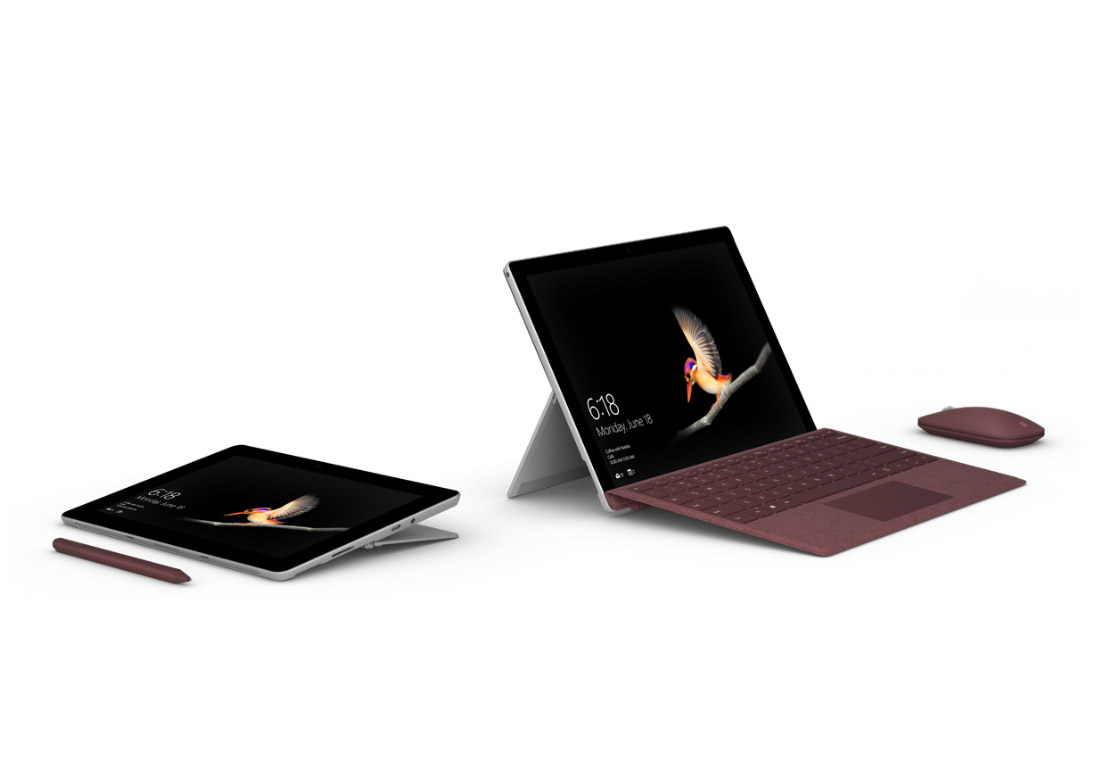
Microsoft Surface Go is one of the cheaper models in the Surface lineup, where most devices easily exceed 100,000 yen. The U.S. price is 399 USD (about 45,000 yen), so for roughly the same money as an Apple iPad you can get a tablet running Windows 10.
Surface Go launches in Japan on August 27, but once Microsoft revealed the Japanese pricing, the sticker shock caused quite a stir.
Somehow, Japan Pays About 20,000 Yen More

The Japanese price Microsoft announced was 69,984 yen including tax.
And that's just the body. If you also pick up the "Surface Go Signature Type Cover" (16,632 yen incl. tax) and the Surface Pen (12,744 yen incl. tax), the total balloons to 99,360 yen — which makes it tough for anyone on a tight budget to grab the accessories.
That's a hefty markup compared to the U.S. price of around 45,000 yen. But it isn't just an arbitrary price hike — there's a reason behind it...
The Reason It's Pricier: Microsoft Office Is Included
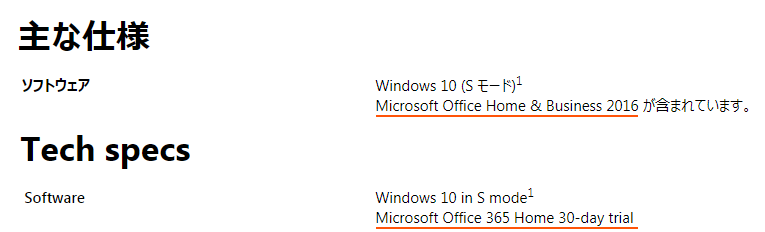
The Japanese version of Surface Go ships with the perpetual edition of Microsoft Office Home & Business 2016. (A perpetual license means you pay once and get to use it forever, with no monthly fee.) The U.S. version, by contrast, comes with a 30-day free trial of Microsoft Office 365 Home. The Office bundled with the Japanese model retails on its own for 37,584 yen, so if you use Office regularly, you're effectively getting it at a bargain. The software comes pre-installed, so there's no annoying install process either.
That said, for users who don't really use Office, it just feels like paying an extra 20,000 yen for nothing. (In Japan, lots of PCs ship with Microsoft Office included, and customers tend to get confused — and complain — when it isn't, so some see this as a way of preempting that.) These days plenty of people use free options like Google Docs or online versions of Keynote via iCloud, so I imagine many would rather go that route. It would have been nice if, like Apple, Microsoft let you choose at purchase time whether you actually need it.
How Does Surface Go Perform?
Here are the specs. (Values in parentheses are for the higher-spec model.)
| CPU | Intel® Pentium® Gold Processor 4415Y |
|---|---|
| Memory | 4GB (8GB) |
| Storage | eMMC 64GB (SSD 128GB) |
| Display | 10-inch PixelSense display, 1800 x 1200 (217ppi) |
| GPU | Intel® HD Graphics 615 |
| Battery | Up to 9 hours of video playback |
Since this is positioned as the budget model in the Surface family, you can expect performance that matches the price.
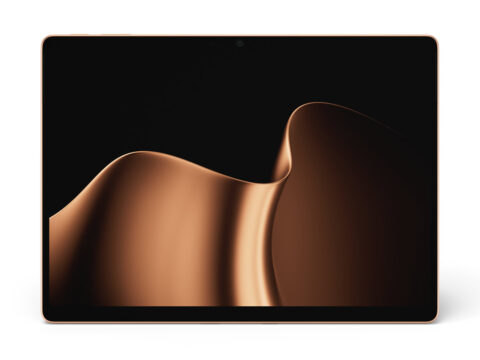
The Surface Go has a slightly smaller display than the Surface Pro, which makes it easier to carry around.
It's also light — just 525g. (The Surface Pro starts at 768g, so the Go is 243g lighter!)
As for performance, benchmark scores for the Intel Pentium Gold 4415Y haven't really surfaced yet, so the CPU is something of an unknown. But the Pentium line sits between Celeron and Core in terms of branding, so it should deliver respectable performance for a tablet.
You can choose between 4GB and 8GB of memory, so if 4GB sounds tight, you can opt for the 8GB model.
The body has one USB-C port, a headphone jack, a Surface Connect port, a Type Cover port, and a microSDXC reader.
Only one USB port, but for a tablet that's not really a problem. With the microSD reader on board, you don't have to worry about running out of space.
These days a 256GB microSDXC card goes for around 10,000 yen, so you can carry around large amounts of photos or videos for things like presentations.
Hands-On Impressions in Store (Added 08.19)
I dropped by Yodobashi Camera, where they had the 8GB Surface Go model on display, and gave it a try.
The body has a noticeably rounded shape, and responsiveness felt pretty close to a Surface Pro. The Pentium Gold CPU seems perfectly capable of handling Office work or browsing. Opening Office or a browser didn't cause any nasty stuttering, and since it's so light, you don't get worn out lugging it around the way you do with a Surface Pro — it really feels like a tablet you can grab and go.
So, Is the Surface Go Actually Worth Buying?
A 10-inch compact tablet, carrying the Surface brand, with these specs, that runs Windows 10 at a relatively affordable price — that's a tablet you can use lightly and broadly, both at work and at home.
It's small enough to slip into a bag without thinking twice, and the Type Cover is genuinely stylish, which I personally appreciate.
That said, given the price tier and the CPU, it's probably not great at handling large video or image files or other heavy workloads, so for that kind of use, go with a Surface Pro.
The Japanese version of Surface Go ended up pricey, but compared to picking up some random budget tablet, you're buying from a trusted brand and manufacturer, so it should still turn out to be a worthwhile purchase.