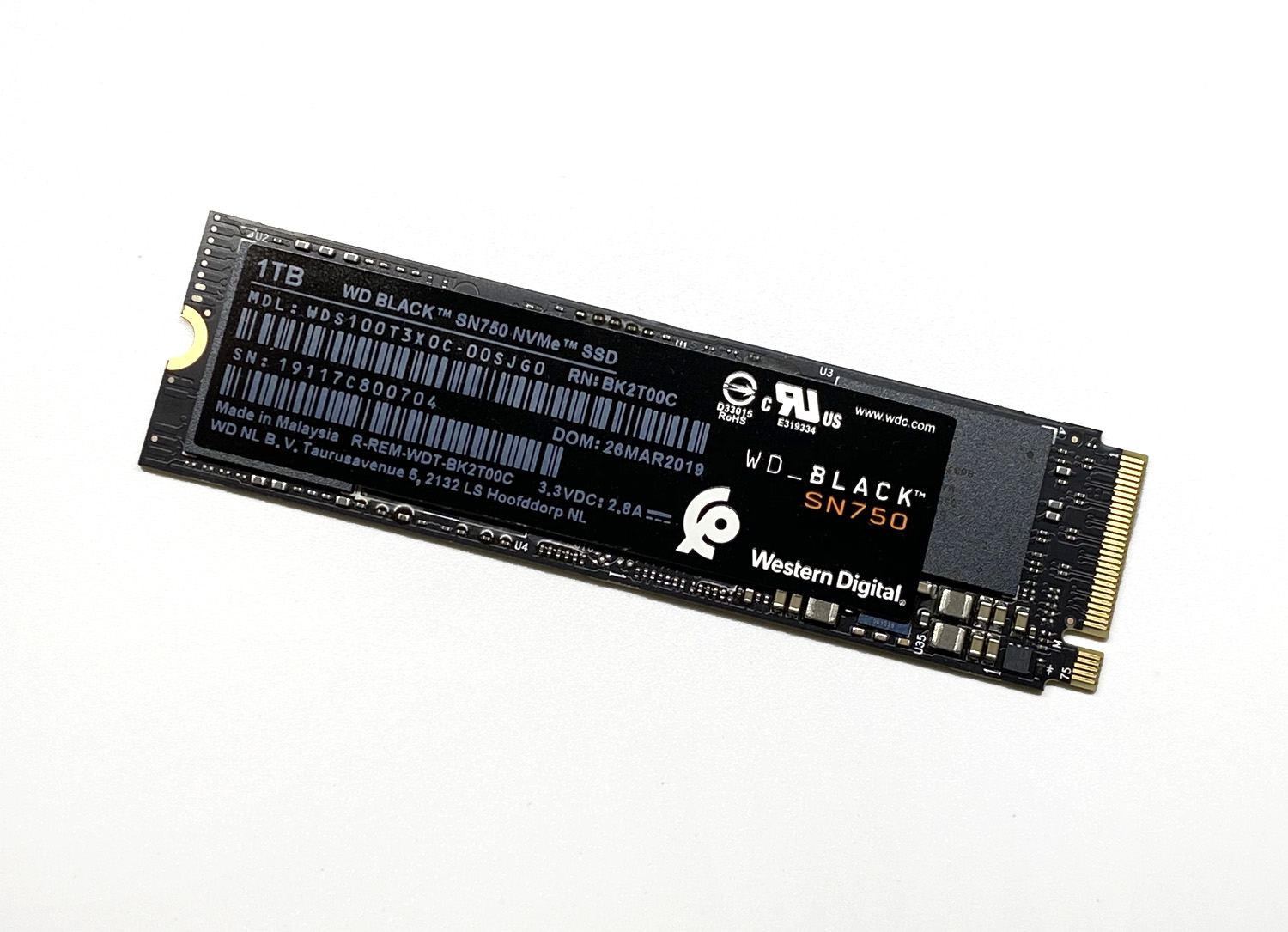
This is a benchmark review of the SN750 series sold by Western Digital. The model covered here is the 1TB version, the WDS100T3X0C.
According to the official description, it is aimed at gaming and custom PCs, making it a high-performance model recommended for DIY PC builds.

Amazon.co.jp でチェック
WD 内蔵 SSD M.2 2280 / WD BLACK SN750 NVMe 1TB / ゲーム ゲームPC カスタムPC向け ハイパフォーマンス SSD / WDS100T3X0C
The price feels a bit on the higher side compared with other products, as you would expect from a high-performance model. That said, it is not outrageously expensive and is well within the range worth considering. Prices have come down recently, so adding a little extra to the budget you would have spent on a SATA SSD and going for an M.2 SSD is one option. There is also a model in the same series that ships with a heatsink.

The SN750 series reportedly does not get too hot even without a heatsink, but if you frequently read and write files or run heavy workloads, this version may be the better pick.
Specifications
WDS100T3X0C (1TB model)
| Item | Value |
|---|---|
| Max sequential read | 3,470 MB/s |
| Max sequential write | 3,000 MB/s |
| Max random read 4KB | 515,000 IOPS |
| Max random write 4KB | 560,000 IOPS |
| Form factor | M.2 2280 |
| NAND | 64-layer 3D NAND |
| TBW | 600 |
| MTTF (reliability reference) | 1,750,000 hours (about 200 years) |
The drive also comes with a 5-year warranty and the WD Black SSD Dashboard tool.
Photo Review
The front of the product looks like this.
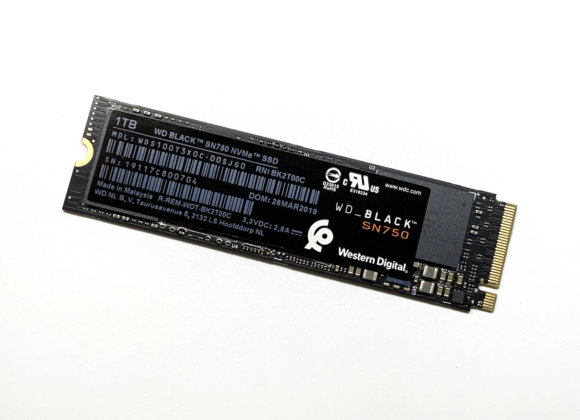
The black-based design feels solid and avoids the cheap look you sometimes see on other products.
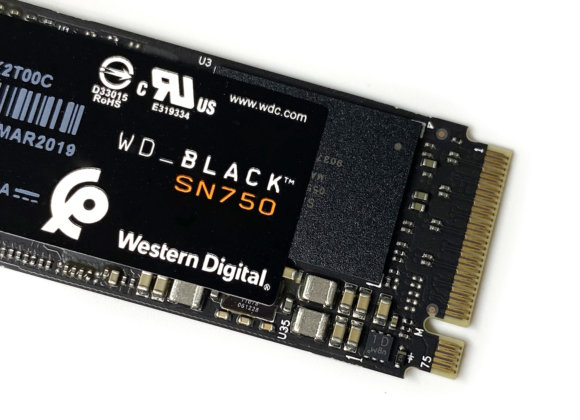
SanDisk-made flash memory chips are used. Here is the back side.
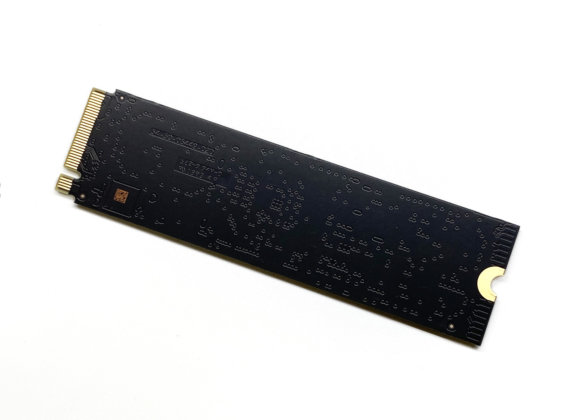
The back has nothing mounted on it and is completely flat. Here is the drive installed on a motherboard.
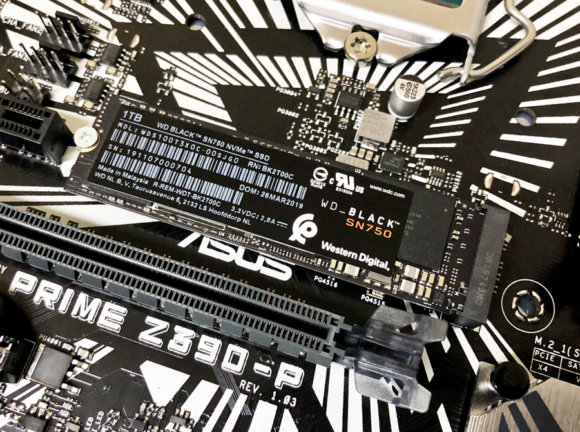
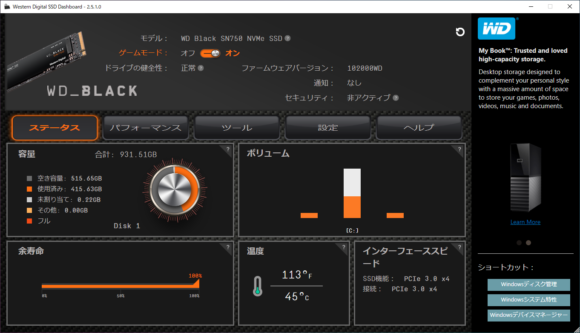
One advantage of an M.2 SSD is that the unit itself is small and plugs directly into the motherboard, so no cables are required. Next, here is the available capacity after installing Windows 10.

The C drive shows 930 GB, with a total of 931.39 GB usable across the disk. Windows 10 itself takes up around 30 GB, so roughly 900 GB is left to use freely. There is plenty of room even if you install several heavy games.
Benchmarks
Test Environment
| Component | Detail |
|---|---|
| CPU | Intel Core i7 9700K |
| Memory | 16 GB (DDR4-2666) |
| OS | Windows 10 Pro 64-bit |
| Motherboard | ASUS PRIME Z390-P |
| Drive | WD Black SN750 NVMe SSD 1TB - PCIe 3.0 x4 connection |
| Case | Silent ATX Case Sei-Jaku SCY-DFR5-BK |
CrystalDiskInfo
The basic information looks like this.
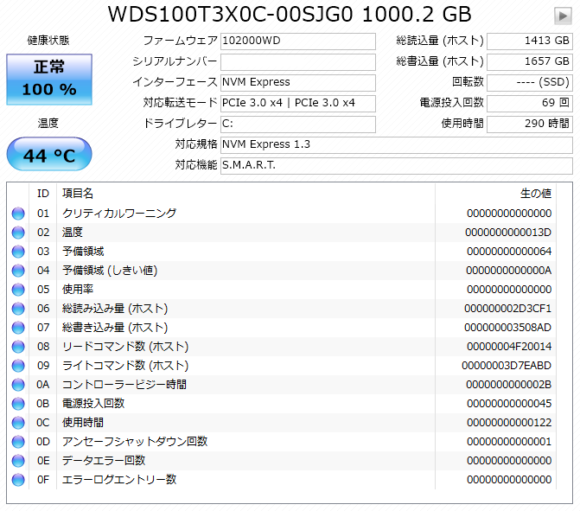
The displayed temperature at idle in the test environment was a tame 44°C.
CrystalDiskMark 6.0.2
Here are the benchmark results when used as the system drive.
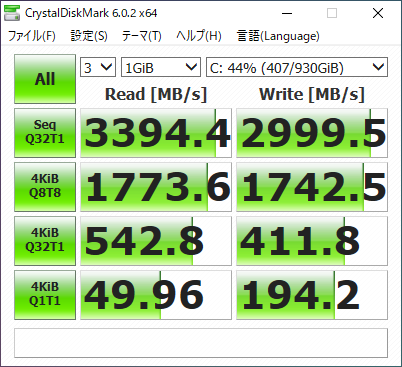
The numbers come close to the official 3,470 MB/s. SATA SSDs typically top out around 500 MB/s, so switching from a SATA SSD will yield a substantial speed boost. Next, here are the results with Game Mode enabled in the WD Black SSD Dashboard.
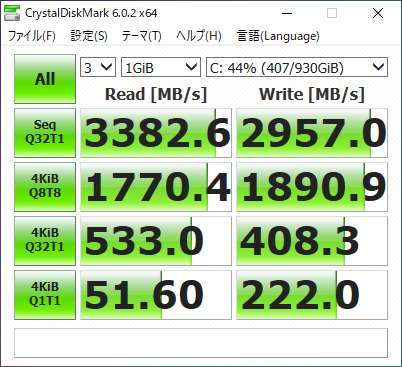
The sequential read figures stay within the margin of error and show no major change, but the random write number improved slightly. The official explanation of Game Mode says:
WD Black SSD Dashboard lets you optimize performance by enabling Game Mode. This mode disables the SSD's low-power modes so the drive maintains peak performance during demanding gaming sessions.
https://shop.westerndigital.com/ja-jp/products/internal-drives/wd-black-sn750-nvme-ssd#WDS100T3X0C
So rather than boosting performance outright, it appears to be a feature that prevents the drive from dropping into power-saving mode on its own.
File Copy
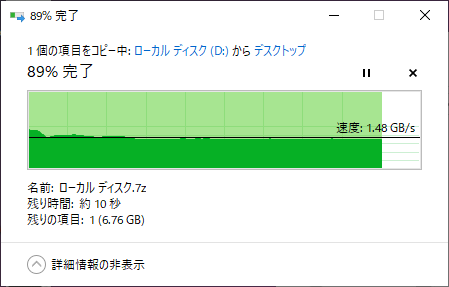
When copying a 67 GB file from another M.2 drive (Silicon Power M.2 SSD 1TB P34A80), the transfer maintained roughly 1.5 GB/s and finished in tens of seconds without slowing down mid-way. This requires both the source and destination drives to be fast, but it shows that even large files can be copied without hassle.
A Reliable, Recommended M.2 SSD
Western Digital made headlines for its acquisition of major semiconductor maker SanDisk, and the thought that SanDisk's technology now lives inside WD SSDs gives extra confidence in their reliability. The specs are fast and the price is not unreasonably high, so I think this is a recommended M.2 SSD.