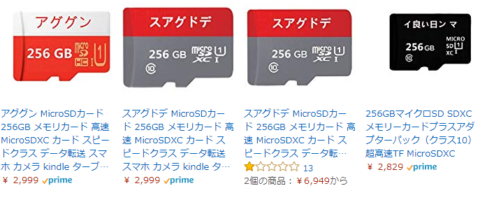
What is this thing!? I was shocked the moment I saw it
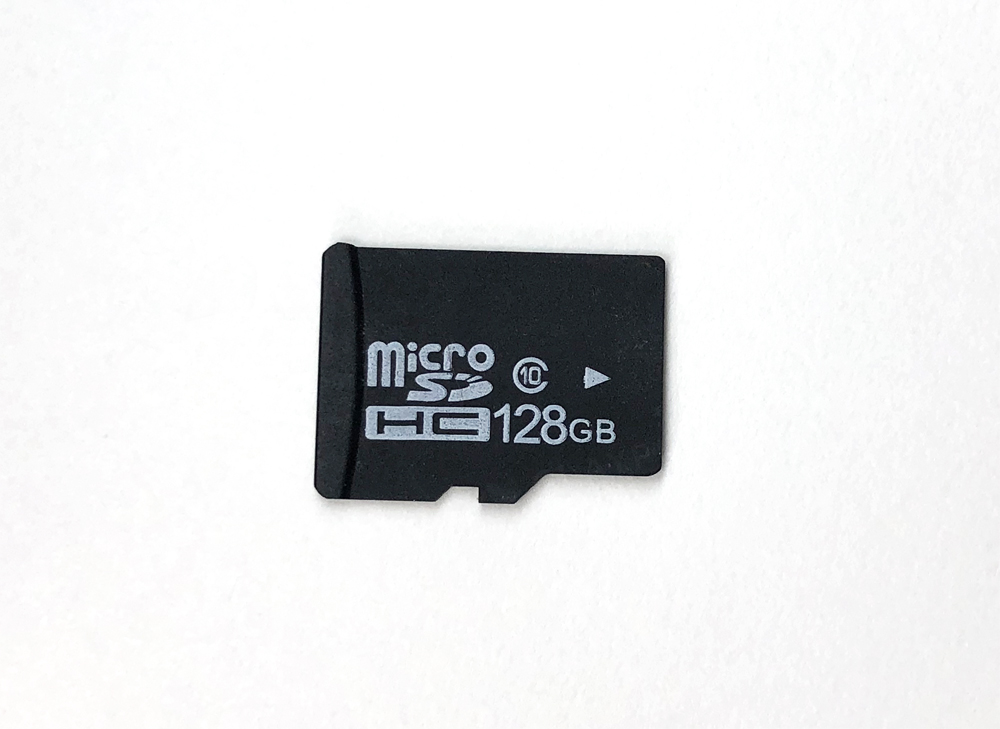
This is the microSD card in question.
The body just has the SDHC logo and a capacity label on it — really plain.
The fact that there's no manufacturer name on it is unsettling, but otherwise it looks like an ordinary microSD.
And there's exactly one thing that's clearly wrong with it. It's marked SDHC, yet the capacity is 128GB.
Because of file system limitations, SDHC is only manufactured up to 32GB, so a card with this kind of label shouldn't exist. Or rather, it must not exist.
At this point it was pretty much confirmed that this microSD was a fake.
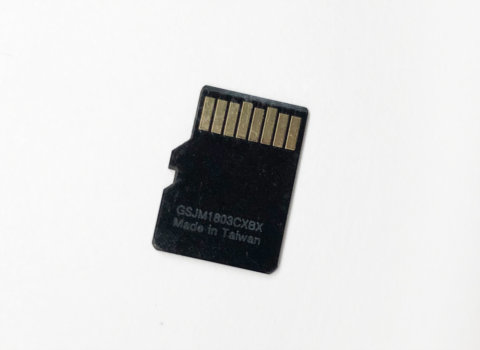
Looking at the back side, there's some mystery serial number and the words "Made in Taiwan."
Whether it was actually made in Taiwan is anyone's guess.
I gave it a quick test for now
It looked sketchy at a glance, but I figured I'd plug it into a PC and see if it works.
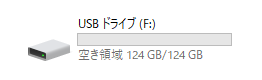
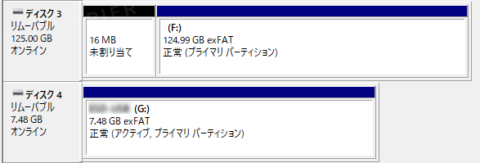
The capacity does seem to be recognized as labeled. (Although it feels a little high for some reason.)
That said, even on fakes, the capacity reading is often spoofed to display the "correct" number, so you can't let your guard down.
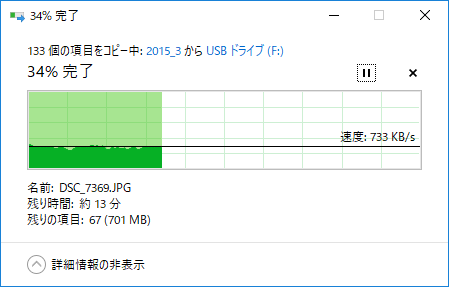
For now, since it claimed to have 124GB available, I copied about 1GB worth of image files I had on hand.
It was writing at roughly 700KB/s.
Kind of slow for something marked CLASS10...
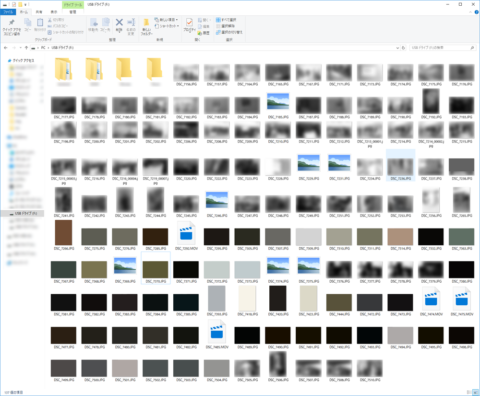
When the write finished, I checked the screen and...
Lo and behold, most of the images had been corrupted.
I've never seen such a sloppy file copy in my life! It made me want to shout, "HAHAHAHA."
Some of the files were still viewable, but most either wouldn't open or had turned a single solid color — nowhere near usable. By the way, the video files were a total wipeout.
Just to check whether the data could actually be retained, I unplugged the microSD from the PC and reconnected it once.
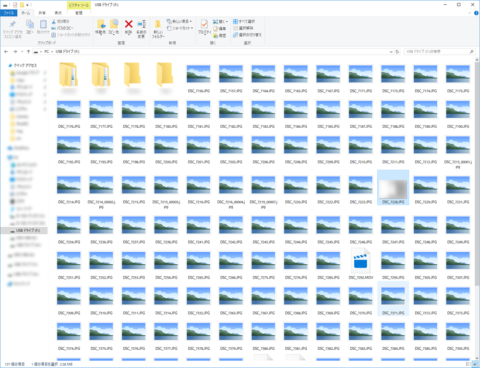
When I checked the files I had just written...
For some reason almost all of them were corrupted. The handful that had looked successfully written turned out to be an illusion.
Let's expose this card's true capacity!
I decided to verify the card's capacity using "H2testw," the go-to tool for this kind of test.
Once the test started, the writing began. Write speed was about 3.8MB/s. CLASS10 is supposed to be at least 10MB/s, so — yeah, you're definitely not CLASS10.
Next was "Verify," which checks whether the data was actually written correctly, and the result is this.
There were still 3 hours left until completion, but only DATA LOST kept piling up, so I cut it off here.
What a tragedy. The actual usable capacity on this card was a measly 99MB.
Less than one tenth of the labeled value — impressive in a bad way. Was this maybe originally a microSD with around 128MB?
Since I'm at it, I dug a little deeper
Now that I knew it was a fake microSD, I decided to investigate further.
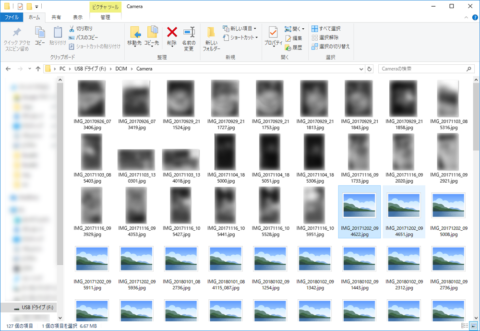
Looking at the folder of photos that had originally been taken on a smartphone, there was a clear point partway through where thumbnails just stopped showing up.
The real capacity probably ends right around there, with everything past it being the spoofed portion.
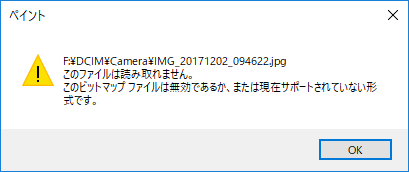
When I tried opening one of the files without a thumbnail, sure enough the file was corrupted and wouldn't display.
Even Paint couldn't open it.
For reference, when I opened a file right at the boundary between intact and corrupted, the image had been broken partway through.
Just like in my old article, "Caution: Horror!? How to make realistic glitchy images for creative use," the lower half hadn't been written properly and turned into solid gray.
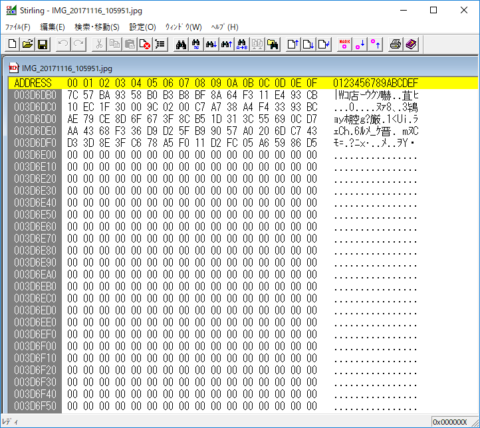
While I was at it I used Stirling to look at the binary of the image, and the values went cleanly to 000000... partway through — the file was beautifully corrupted.
Once it gets like this, you're way past being able to recover the data.
I was about to try a few more things when...
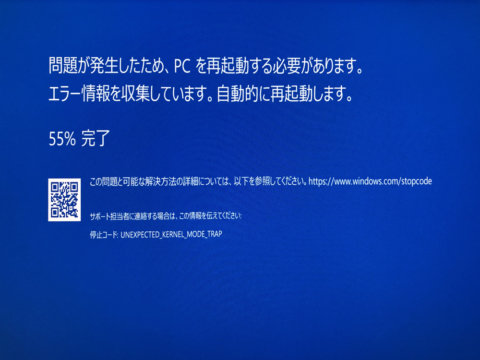
The moment I unplugged the microSD from the PC, the screen blue-screened.
I'd never seen a blue screen on Windows 10 before, so this was a first.
I looked up the stop code UNEXPECTED_KERNEL_MODE_TRAP, and it seems to be an error that shows up when there's a problem with hardware or software, so this microSD is probably the culprit.
Damaging the PC would be a real problem, so I decided to call the testing off here.
To avoid getting burned, buy from a trustworthy shop!
microSDs often get used in smartphones to record photos and videos, and you can end up with corrupted data without even noticing...
To keep your important data safe, I'd recommend buying from a slightly more expensive but reliable shop — like Amazon (only items sold and shipped by Amazon itself) or Yodobashi Camera.
Side note: Even on Amazon, I've seen blatantly sketchy microSDs being sold under Prime. Be careful!