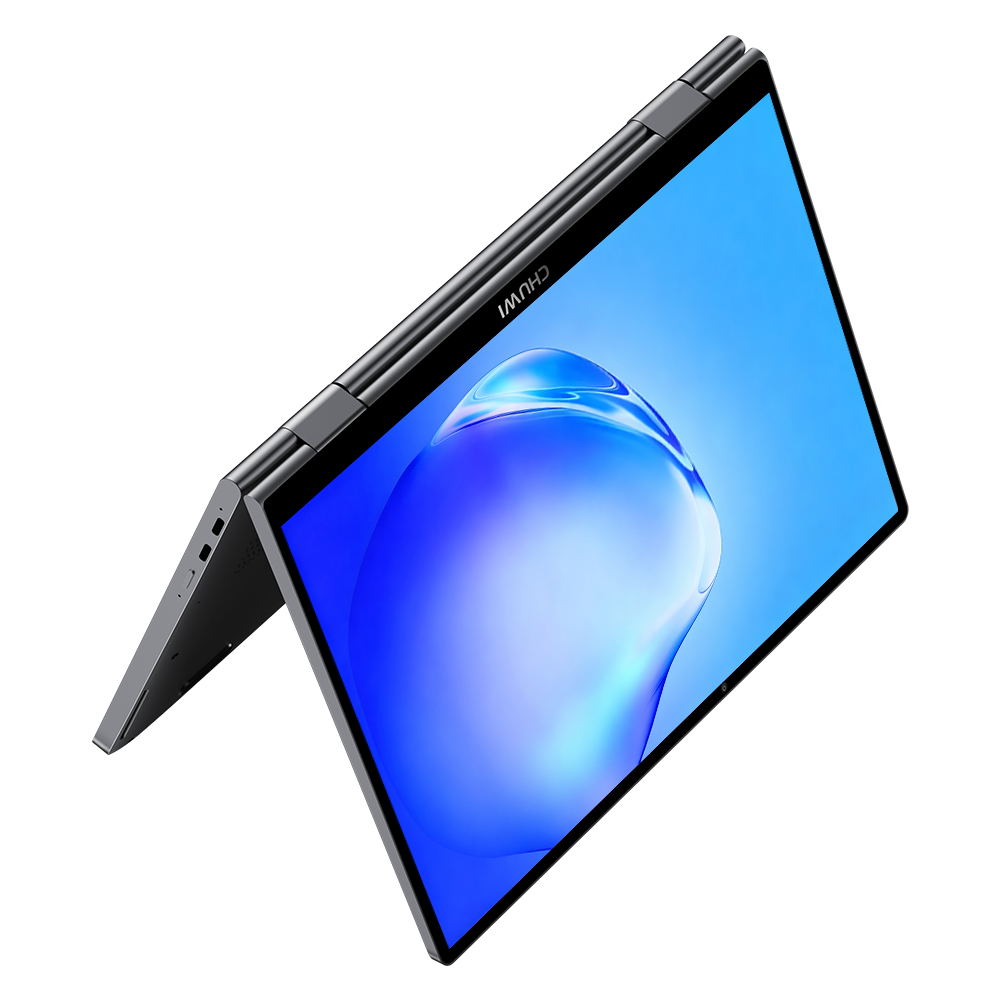
CHUWI, which has kept building 10-inch class mini laptops long after most brands gave up on the category, has added the MiniBook X U300 to the lineup. The headline change is the silicon: the N100 and N150 chips of earlier models give way to an Intel U300 that includes a performance core. The 360-degree hinge, the four usage modes, and the 920g body all carry over, but processing and graphics performance move up a step.
The Change Is Inside: One Performance Core Joins the Party
The U300 in the model name is simply the processor. It is a Raptor Lake generation Intel Processor U300 with 5 cores and 6 threads, boosting up to 4.4GHz, with 8MB of cache and built on Intel 7.
Earlier MiniBook X models used the N150 (4 cores, 4 threads, up to 3.6GHz) or the N100 (4 cores, 4 threads, up to 3.4GHz). Both are efficiency-core-only designs. The U300, by contrast, pairs one performance core with four efficiency cores, so single-threaded headroom grows noticeably. That shows up wherever one task needs to finish quickly, such as rendering a web page or reacting to input in an Office document.
The graphics change is even easier to read. Execution units double from 24 to 48, running at up to 1.1GHz. On paper, that is close to twice the headroom for 4K video playback, light photo editing, and undemanding games.
A 10.51-Inch WUXGA Panel with 16:10 Vertical Space
The display is a 10.51-inch IPS touchscreen running at 1920 x 1200. It uses a 16:10 aspect ratio, covers 100 percent of sRGB, and peaks at 300 nits. The screen-to-body ratio is 90 percent, so the bezels are genuinely thin.
A screen in the low 10-inch range is fine for browsing and writing, but tight once you start tiling spreadsheet panes or code editors. That said, 1200 vertical pixels in a 16:10 shape makes the experience nothing like the 1366 x 768 netbooks this form factor is often compared to.
Four Modes, 920g, and 11mm at Its Thinnest
The 360-degree hinge allows laptop, tablet, tent, and stand positions. Tablet mode suits handwritten notes, stand mode suits video, and tent mode works when you need to show a document across a narrow desk. Picking a posture to match the moment is the whole point of a convertible.
The chassis measures 244 x 166.4 x 17.2mm and weighs roughly 920g. CHUWI quotes 11mm at the thinnest point. The shell is an aerospace-grade aluminum unibody, which is more effort put into materials than this price bracket usually gets.
Despite the small footprint, the keyboard keeps a full-size key layout and adds a backlight. The frame around it is trimmed to 3mm, which is clearly how CHUWI found the key pitch inside a 10-inch body. The touchpad is generously sized as well.
Memory Is Fixed, Storage Is Not
Memory is 16GB of LPDDR4X soldered to the board, so there is no upgrade path later. Storage is a 512GB PCIe 3.0 SSD sitting in a single M.2 2280 slot that also accepts PCIe 4.0 or SATA III drives. Having an escape route when capacity runs out matters on a machine you intend to keep for a few years.
Cooling is active, combining a fan with a heat pipe and copper fins. Skipping a fanless design suggests CHUWI wanted clocks to hold up under sustained load.
A Minimal Port Set, with Power Consolidated on USB Type-C
Connectivity consists of two full-featured USB 3.2 Gen 1 Type-C ports and one 3.5mm audio jack. Both Type-C ports handle data, PD charging, and DisplayPort video output, so you can charge from either side and drive an external display from either side.
There is no USB Type-A port and no card slot, so anyone with several peripherals should plan on a hub. The bundled power adapter is a 12V/3A USB Type-C unit, which works out to 36W. Battery capacity is a modest 28.88Wh (7.6V/3800mAh), so treat the charger as part of the travel kit.
Wireless is Wi-Fi 6 and Bluetooth 5.2, and the front camera is 2MP.
Windows 11 Pro Instead of Home
One change that is easy to overlook: the preinstalled OS is now Windows 11 Pro. Previous MiniBook X models shipped with Windows 11 Home, so BitLocker drive encryption, Remote Desktop hosting, and group policy management are now available out of the box.
For anyone handing small laptops out as company assets, or keeping a secondary travel machine encrypted, that is not a trivial difference. Upgrading from Home to Pro separately costs well over 10,000 yen, which makes this close to a discount in practical terms.
$469 at Launch, and How It Sits Against the N150 Model
The MiniBook X U300 launches at a promotional price of 469 USD (about 74,000 yen). A 30 USD (about 4,700 yen) discount coupon is also available, and the promotional period runs through August 19, 2026.
1 USD = 157.6 JPY (as of August 4, 2026)
CHUWI's own comparison table positions the U300 model for business use, multitasking, and light-weight priorities, the N150 model for students and everyday office work, and the N100 model for budget-focused basic tasks. In practice, the decision comes down to how much processing performance you need and whether Windows 11 Pro matters to you.
| Item | MiniBook X U300 | MiniBook X N150 | MiniBook X N100 |
|---|---|---|---|
| CPU | Intel U300 | Intel N150 | Intel N100 |
| Architecture | Raptor Lake hybrid (1 P-core + 4 E-cores) | Twin Lake (4 E-cores only) | Alder Lake-N (4 E-cores only) |
| Cores / Threads | 5 cores / 6 threads | 4 cores / 4 threads | 4 cores / 4 threads |
| Max turbo | 4.40GHz | 3.60GHz | 3.40GHz |
| Cache | 8MB | 6MB | 6MB |
| GPU | UHD Graphics (48 EU / 1.10GHz) | Intel Graphics (24 EU / 1.0GHz) | UHD Graphics (24 EU / 750MHz) |
| OS | Windows 11 Pro | Windows 11 Home | Windows 11 Home |
Summary
The MiniBook X U300 keeps the familiar skeleton of a 10.51-inch WUXGA touchscreen, a 360-degree hinge, and a 920g chassis, while moving the processor to an Intel U300 with a performance core, the GPU to 48 execution units, and the OS to Windows 11 Pro. The 16GB of memory is fixed, but the 512GB SSD can be swapped through the M.2 slot. The port set is deliberately minimal at two USB Type-C ports and a 3.5mm jack, and the 28.88Wh battery is modest. At a launch promotional price of 469 USD (about 74,000 yen), it is a step beyond being merely small.