Microsoft Begins Forcing Automatic Windows 11 25H2 Updates onto Consumer PCs
Microsoft has announced that it will deliver automatic updates to the latest version, "Windows 11 25H2", to all eligible PCs running the Home and Pro editions of "Windows 11 24H2". Users do not need to take any manual action; the update will be pushed out in stages to PCs that meet the requirements.
Machine Learning Picks the Target PCs
One thing worth highlighting about this round of automatic updates is the machine-learning-driven mechanism for selecting eligible PCs. According to materials from "Microsoft Build 2026," Microsoft analyzes test results, user feedback, partner reports, diagnostic data, and real-world usage data in combination to identify PCs that can receive the update safely.
- PCs that are unlikely to hit compatibility issues are prioritized for the update
- PCs where trouble is likely to surface are placed on a waiting list until the issues are resolved
The point of this setup is to keep the risk of update-related glitches to a minimum.
Why a Forced Update?
Behind this move is the need to maintain security. Support for Windows 11 24H2 Home and Pro editions ends on October 13, 2026, after which security patches will no longer be delivered for that version. Microsoft's stance is that every consumer Windows 11 PC should be moved to a supported version so that those machines can keep receiving the latest security patches.
Consumer PCs Only — Businesses and Organizations Are Excluded
This forced update applies only to PCs running the Home or Pro edition of Windows 11 that are used by individual consumers. Computers used by businesses or organizations and managed by an IT department are not in scope. In organizational environments, IT staff typically manage updates on their own schedules.
Is There a Way to Postpone the Update?
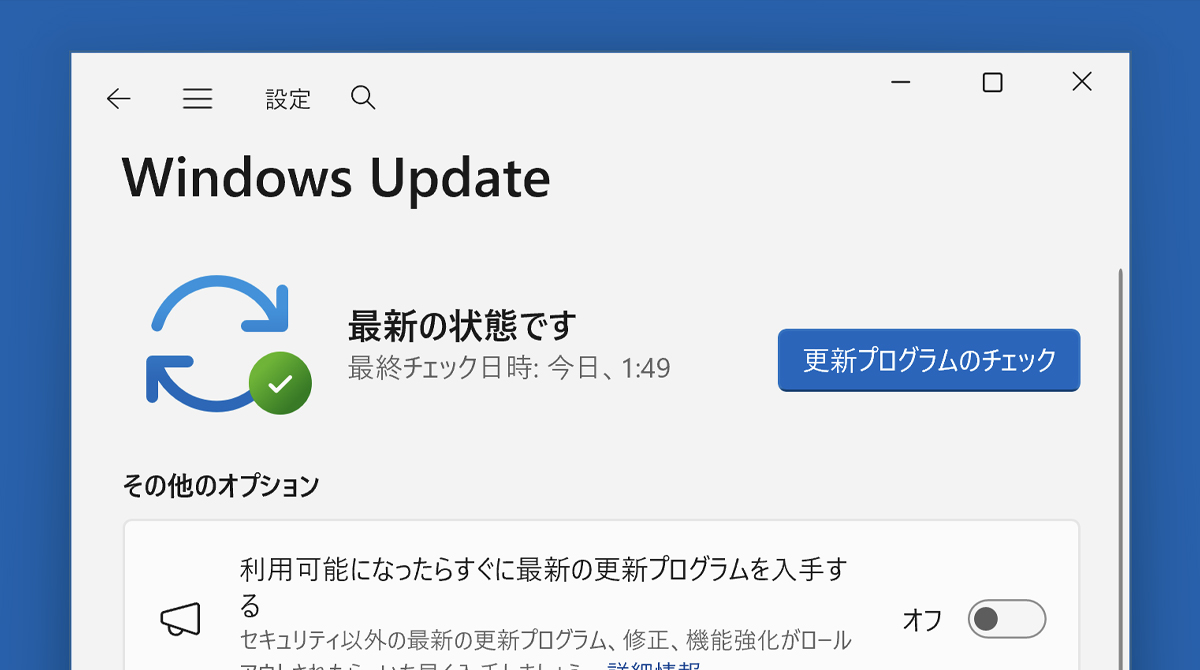
Even if you do not want to update right away, there is a way to put it off temporarily. You can pause updates with the following steps.
- Open "Settings"
- Select "Windows Update"
- Click the down arrow next to "Pause updates" and choose a duration of one to five weeks
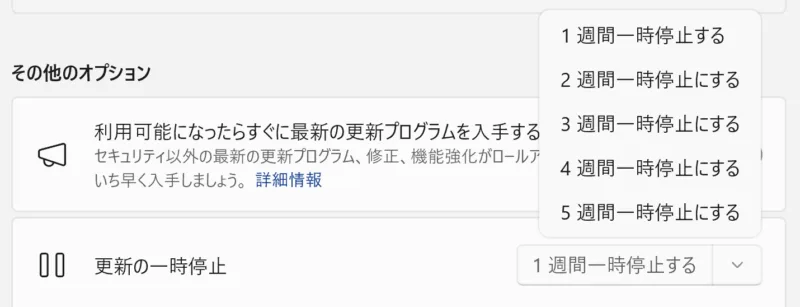
That said, keep in mind that this is only a "deferral." In the end, the upgrade to Windows 11 25H2 cannot be avoided. Given the security benefits, accepting the update sooner rather than later is probably the right call for keeping your PC safe over the long haul.
Sources: Microsoft Lifecycle - Windows 11 Home and Pro, Windows Experience Blog