Microsoft began rolling out the monthly security updates for Windows 11 on June 9 (US time): KB5094126 for versions 25H2/24H2 and KB5093998 for 23H2. Beyond fixing more than 200 vulnerabilities, this release packs a surprising number of usability improvements, including faster Start menu and app launches and a new Shared Audio feature that lets two people listen to the same PC over Bluetooth.
Security First: Patches for High-Risk Vulnerabilities
The June patch addresses over 200 vulnerabilities, a hefty volume for a monthly update. Among them, three are rated as more likely to be exploited: a flaw in the Windows DWM Core Library (CVE-2026-42905), a Windows NT OS Kernel vulnerability (CVE-2026-42980), and a Remote Desktop Client vulnerability (CVE-2026-42985). All three are fixed in this release.
Monthly updates are mandatory because they contain security patches. You can install them by going to Settings, opening Windows Update, and clicking Check for updates. The rollout is gradual, so there is no need to panic if it does not appear right away, but given the high-risk fixes included, applying it sooner rather than later is recommended.
Start Menu and App Launches Get Faster
The first thing worth highlighting on the feature side is performance. App launches have been accelerated, along with everyday surfaces such as the Start menu, Search, and the Action Center. Monthly Windows updates are usually all about security with little you can actually feel, so it is nice to see changes that directly improve day-to-day comfort this time.
On the search front, Windows Search can now find and prioritize files with as few as 2 characters, making it easier to reach the right file even when you only half-remember its name.
One of the more interesting new features is Shared Audio. Using Bluetooth LE Audio broadcast technology, it lets two people listen to the audio from a single Windows 11 PC at the same time. Connect two supported earbuds or headphones, then start sharing from Quick Settings on the taskbar. Microsoft envisions scenarios like watching a movie together while traveling or studying together with the same music.
In a fittingly AI-era improvement, Task Manager now offers columns showing NPU (the processor dedicated to AI workloads) usage. You can check per-process NPU utilization and dedicated NPU memory consumption, and neural engines built into GPUs now appear on the Performance page, giving you a complete view of AI-related load. With NPU-equipped PCs becoming common, being able to verify how much hardware your AI features actually use is a quietly useful advance.
In addition, Windows Setup now lets you choose a custom name for your user folder. For anyone who has been stuck with an awkward folder name auto-generated from their Microsoft account, this is a long-awaited fix.
Windows Hello and USB Reliability Improvements
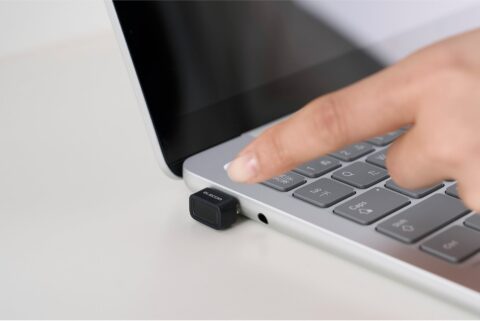
On the sign-in side, when Windows Hello face or fingerprint recognition is set up, it now becomes the default sign-in method every time. Biometric responsiveness when resuming from Modern Standby has also been optimized.
On the hardware front, displays attached to USB4 docks and hubs now light up more consistently after standby, and the USB3 stack has gained additional resiliency. There are also improvements that curb power drain caused by sensors and input devices, which should help laptop battery life.
Microsoft says it is not aware of any known issues with this update. The company has also stated that a major quality update planned for 2026 will bring back the movable taskbar and further speed up the UI, so there is more to look forward to.
Summary
The June patch for Windows 11 combines a foundation of 200+ vulnerability fixes with a broad set of practical improvements: faster launches, Shared Audio, NPU monitoring, and custom user folder names. With high-risk security fixes in the mix, Windows 11 users should apply it promptly.