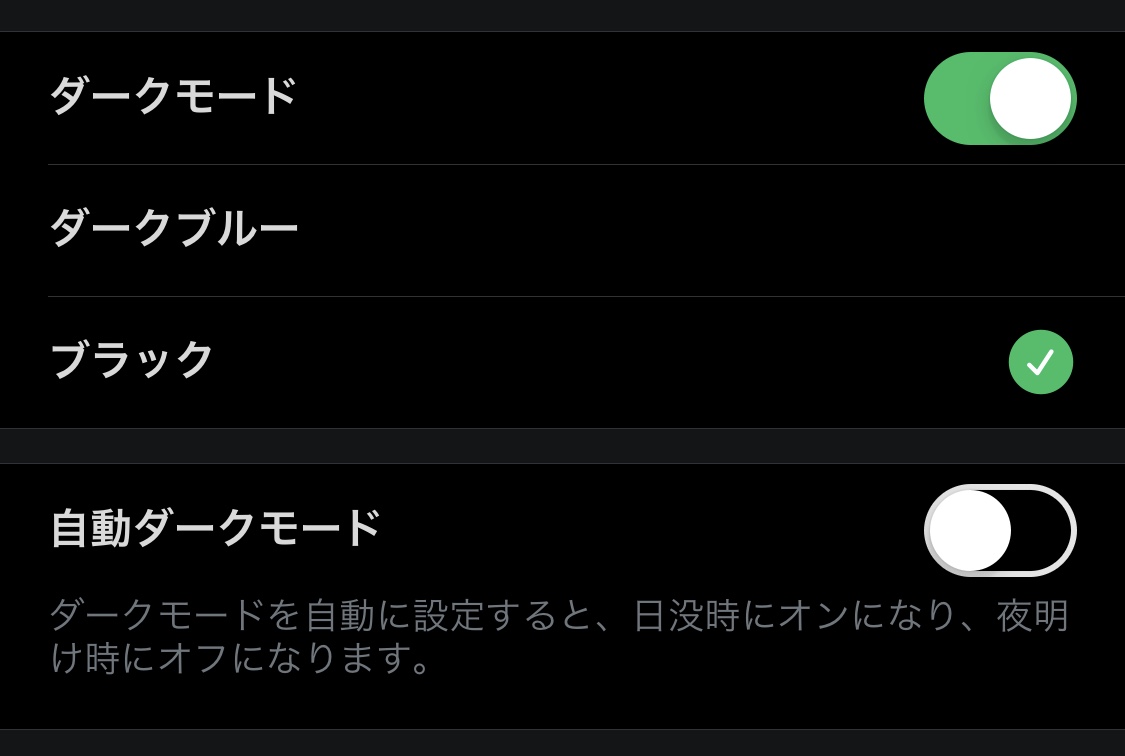
The latest version of Twitter has added what could be called a "true dark mode." Until now, dark mode meant a slightly bluish background color, but with the newly added "true" dark mode, you can now make the background completely black. This means OLED display smartphones can reduce battery consumption even further.
Switching is super easy
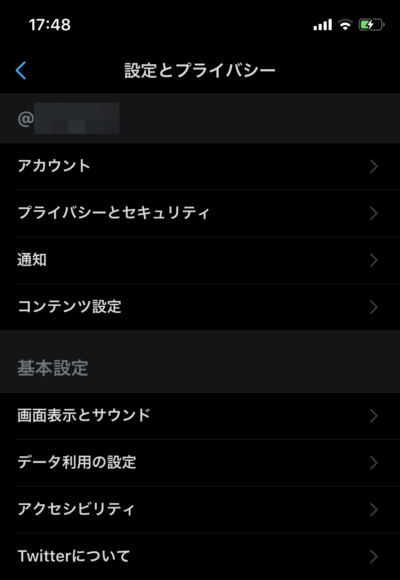
To switch, open the menu and tap "Settings and privacy."

Next, tap "Display and sound."
If your app is the latest version, you'll see additional options in the dark mode section.

(If it's not showing up, try restarting the Twitter app.) This newly added "Black" option is the "true dark mode."

When you turn it on, everything goes pitch black.
There's also a newly added "Automatic dark mode" feature that seems to switch dark mode on and off automatically depending on the time of day.

When I tried it around 17:50, it was displayed in white.
Twitter before bed might get even better...
Twitter before bed could get even more addictive... It's completely pitch black, so it might be easier on the eyes in dark places too!