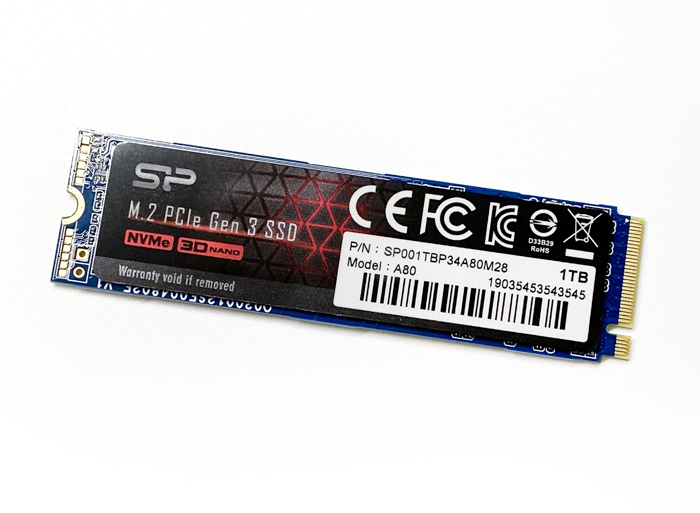
Here's a benchmark review of the "P34A80" NVMe M.2 SSD released by Silicon Power. The model we're featuring this time is the 1TB SP001TBP34A80M28.
According to the official description, it offers "excellent storage performance for gaming," and its rated maximum sequential read of 3,400 MB/s is almost on par with the rated spec of the high-end "SN750" series SSD (our review here).
The price is kept low too, and the rated specs aren't much different from other high-end models, so it's safe to call this a very cost-effective model.
Spec Sheet
SP001TBP34A80M28 (1TB model)
| Item | Value |
|---|---|
| Max Sequential Read | 3,400 MB/s |
| Max Sequential Write | 3,000 MB/s |
| Form Factor | M.2 2280 |
| NAND | 3D TLC NAND |
In addition, it comes with a 5-year product warranty.
Photo Review
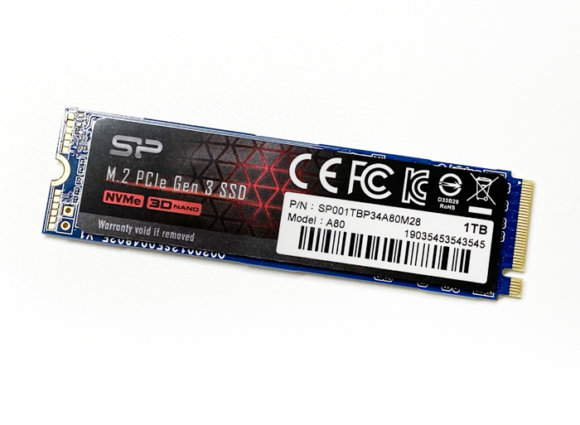
Here's how the front looks after unboxing.
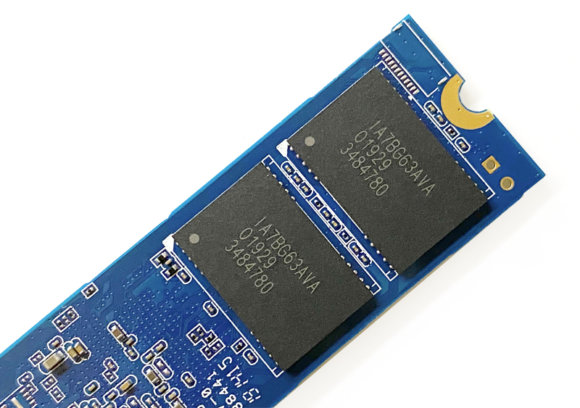
On the back, two of Micron's 3D TLC NAND chips ("IA7BG63AVA") are mounted. With the QLC commonly used in low-priced SSDs, there's a weakness where speeds drop significantly once the SSD's high-speed cache has been used up, so since this drive uses TLC, the speed drop should be smaller compared to QLC.
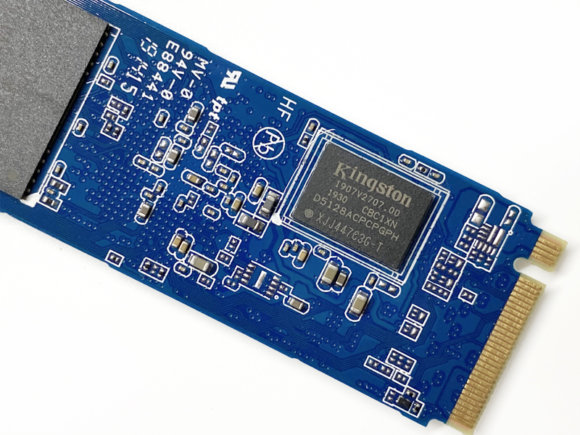
For the DRAM cache, Kingston's "D5128ACPCPGPH" is used. This chip appears to be 4GB of DDR4 cache memory.
Benchmark
Test Environment
| Item | Value |
|---|---|
| CPU | Intel Core i7 9700K |
| Memory | 16 GB (DDR4-2666) |
| OS | Windows 10 Pro 64-bit |
| Motherboard | ASUS PRIME Z390-P |
| Drive | P34A80 SP001TBP34A80M28 - PCIe 3.0 x4 connection |
| Case | Silent ATX Case Seijaku (SEI-JAKU) SCY-DFR5-BK |
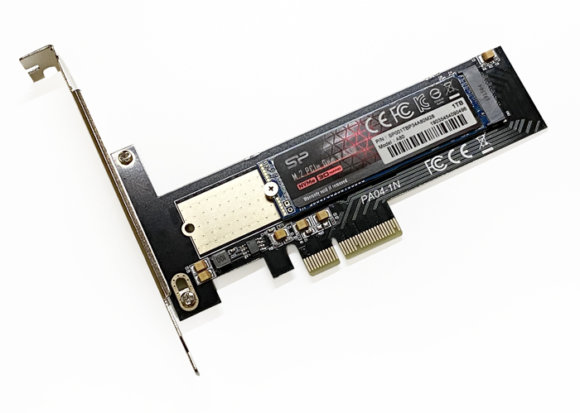
For this test, rather than using the connector on the motherboard, we installed the SSD on a PCIe board capable of an x4 connection and ran our tests.
Crystal Disk Info
First, let's check the basic info with Crystal Disk Info.
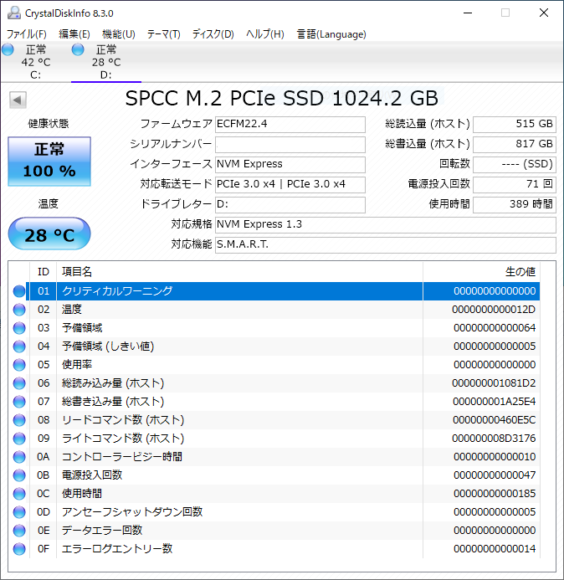
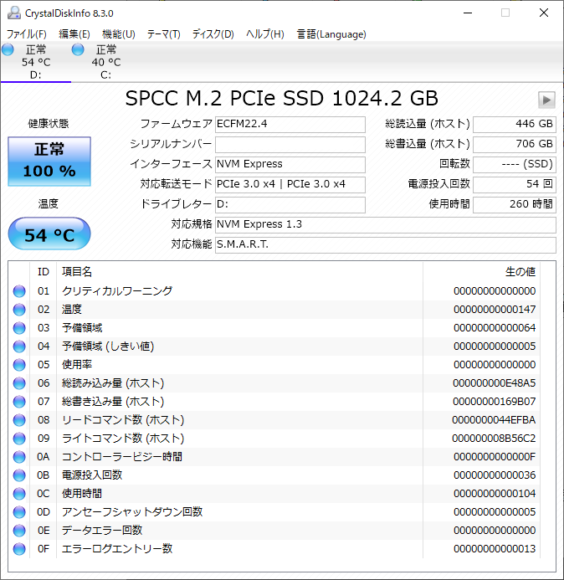
The idle temperature shown in the test environment was a low "28°C." The room temperature during testing was in the 20s°C range, so it doesn't seem like it normally gets too hot. For reference, when I measured the temperature after the benchmark, it had risen to 54°C.
Crystal Disk Mark 6.0.2
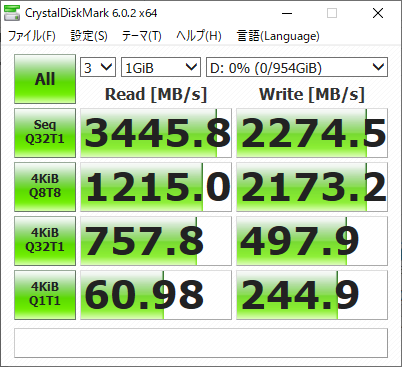
The low sequential write is a bit of a concern, but for sequential read the result slightly exceeded the rated value of 3,400 MB/s. Considering it's in the 10,000-yen price range, I'd say this is a cost-effective SSD.
File Copy
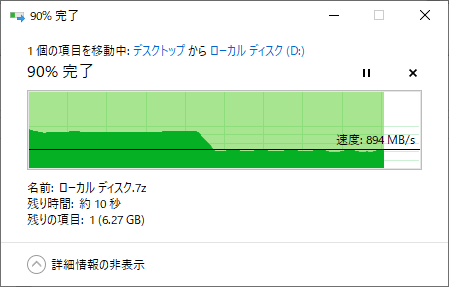
I tried copying an approximately 67GB 7z file from another M.2 drive (WD BLACK SN750 NVMe 1TB). It maintained about 1.7GB/s from the start of the copy, then used up its cache after about 40% had copied, dropping to around 900MB/s. Even with the speed drop, the file copy finished in about a minute, so I don't think it will cause much of a problem in everyday use.
HD Tune Pro 5.75
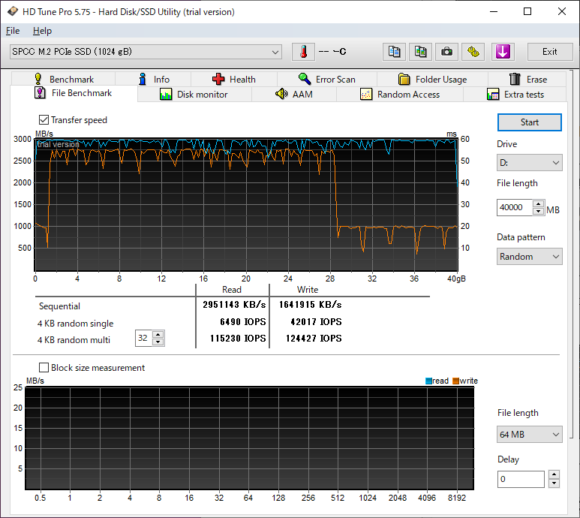
I used File Benchmark to measure the drive's read/write speeds. Just like with the earlier file copy, you can see the speed dropping around the 28GB mark. Based on these results, it seems fair to assume this SSD has roughly 28GB of cache.
A Cost-Effective M.2 SSD
With a sequential read speed of 3,400 MB/s, it boasts speeds that hold up even against high-end models, and the speed drop after the cache fills—which you might worry about—isn't too severe and stays within an acceptable range. In terms of price it does end up costing more than products using QLC, but factoring in the speed drops and lifespan, paying a few thousand yen extra for this TLC-equipped, reasonably-priced SSD is one option I'd recommend.