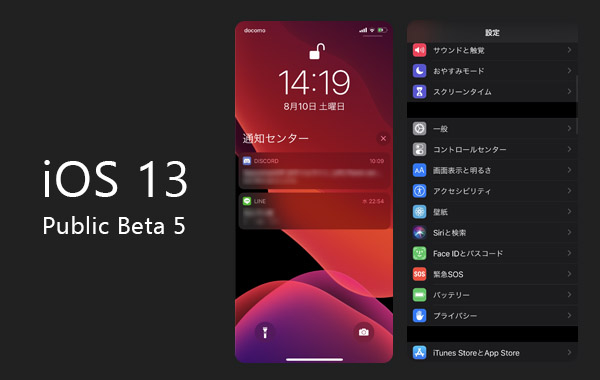
The iOS 13 Public Beta is now available, so I gave it a try a step ahead of the official release.
Apple's official iOS 13 Preview page is here:
https://www.apple.com/ios/ios-13-preview/
This is a public beta, so behavior may differ from the actual release.
Also, any malfunctions or data loss on your iPhone are at your own risk.
Installing the iOS 13 Public Beta
Installation and joining the Apple Beta Software Program can be done from the URL below.
https://beta.apple.com/sp/en/betaprogram/
Once you join the program and install the dedicated profile, you'll be able to use the iOS 13 Public Beta.
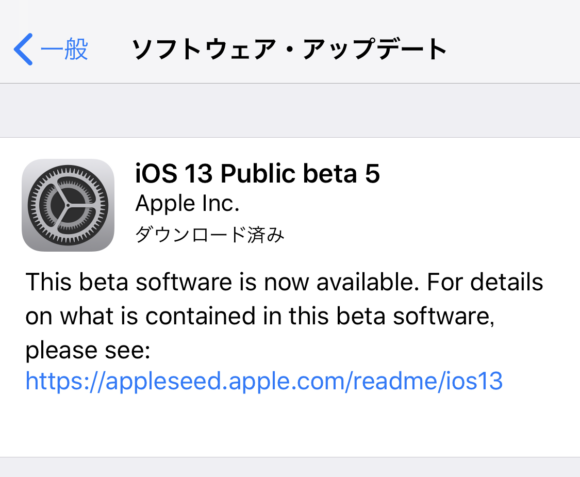
The devices supported by iOS 13 are as follows:
- iPhone XS
- iPhone XS Max
- iPhone XR
- iPhone X
- iPhone 8
- iPhone 8 Plus
- iPhone 7
- iPhone 7 Plus
- iPhone 6s
- iPhone 6s Plus
- iPhone SE
- iPod touch (7th generation)
The SE and 6s are included, so most models look to be covered.
Note: iPad has been split off as iPadOS, so it doesn't appear in this list.
The official iPadOS Preview page is here.
New Features and Changes in iOS 13
Performance improvements
On iOS 13, app launches are 2x faster, and Face ID is also 30% faster. On top of that, apps downloaded from the App Store are about half the size, and app updates are reportedly up to 60% smaller as well.
Dark mode added

Dark mode, which had already shipped on macOS, has now been implemented on iOS as well.
In addition to the existing light theme, you can now choose dark mode, and you can even have it switch automatically by time of day — light during the day, dark at night.
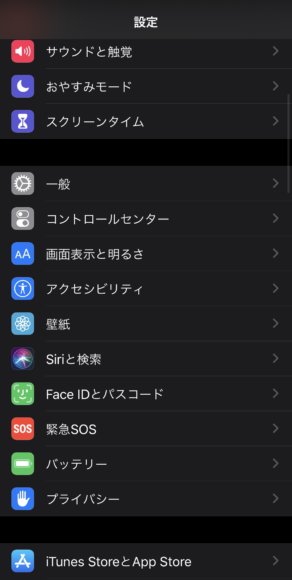
Apple's first-party apps already support it; for example, opening the Settings app looks like this.
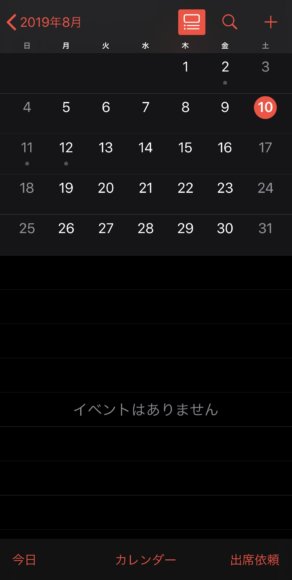
The Calendar is pitch black too.
And here's the Phone app.
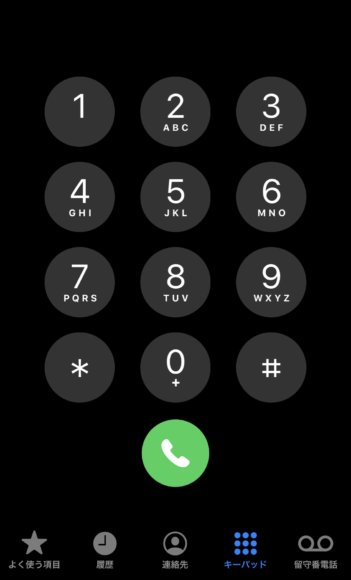
Even the lock screen notifications and so on are styled for dark mode.
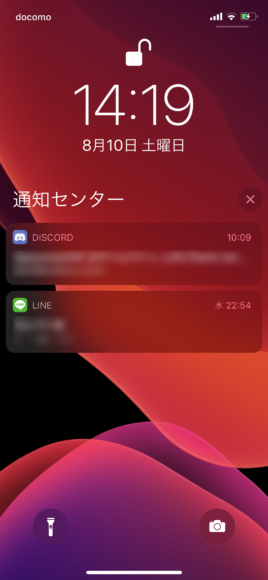
By the way, on iPhone X and later models with OLED screens, switching to dark mode also saves battery.
With OLED, each tiny element emits its own light and there's no backlight, so black = not lit, which makes black the most power-efficient color.
(Details — [Android & iOS] How to Save Battery on Your Smartphone)
Furthermore, among the wallpapers added in iOS 13, there are some that change depending on dark mode.
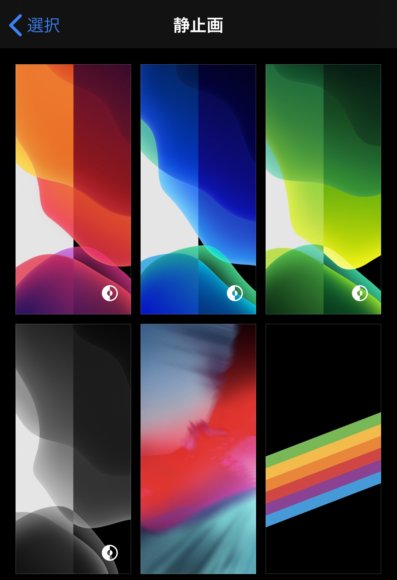
A bright wallpaper for light mode, and a darker wallpaper for dark mode — they switch automatically. This was also a feature that had already shipped on macOS first.
Optimized Battery Charging added

A new "Optimized Battery Charging" item has been added under Battery health.
This is a feature that reduces wear by adjusting how much the battery is charged. The lithium-ion batteries used in iPhones and other smartphones generally degrade as charge/discharge cycles are repeated, and the amount of charge they can hold goes down. Also, leaving the battery sitting at 100% for long periods accelerates degradation.
So this seems to be a feature that, when the device is left untouched for a long time, only charges to 80% and then tops it up to 100% right before you use it, helping the battery last longer.
Shortcuts app installed by default
The Shortcuts app has existed for a while, but starting with iOS 13 it comes pre-installed by default. It also works with Siri to suggest automations.
The Shortcuts app lets you register a sequence of actions and run them automatically with a single button press. For example, you can auto-tweet, add an event to your calendar a month from now, or even auto-create a GIF animation.
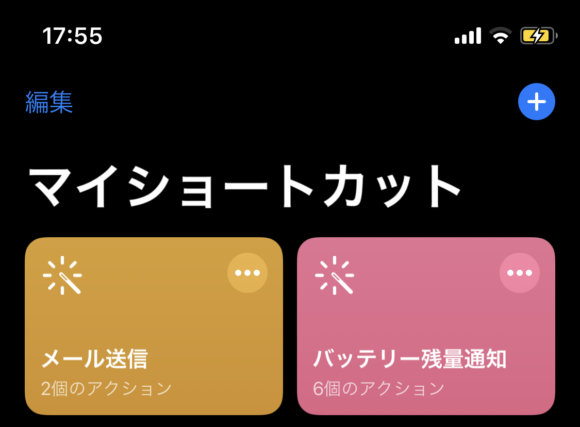
The Shortcuts top screen looks like this. There are tons of things you can automate, so let's automate our daily routine tasks and put our time to better use.
Photos app changes and new features

The Photos app UI has been redesigned, letting you view photos by year, by day, and so on. The editing features have also been beefed up, so you can now edit photos in much greater detail.
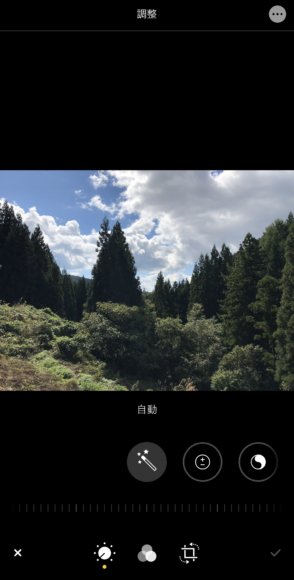
The photo editing screen has changed; on top of brightness and saturation, all kinds of other adjustments can be applied.

Editing now includes natural saturation, warmth, tint, sharpness, definition, noise reduction, vignette and more, and the UI also makes it easy to see which parameters you've changed.

Even with just the stock photo editing features, it's probably become easier to make better-looking photos. That said, there's still less you can do compared to the smartphone version of Photoshop Express. (Article — [Image Editing Apps] Trying Real Photo Editing on a Smartphone with Photoshop Express)
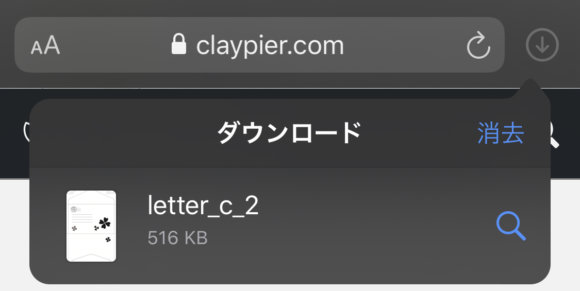
A download manager has been added to Safari, and downloaded files now show up as a list.
You can also keep downloading files in the background while doing something else.

The View menu lets you quickly access how a website is displayed.
This is great news especially for people who frequently toggle content blockers on and off, or who often switch to the desktop site.
Apple Arcade arrives in the App Store

Apple Arcade, which was announced this spring, has now appeared in the App Store on iOS 13, and it looks like preparations for launch are coming together.
Apple Arcade is a paid subscription service that exclusively offers more than 100 brand-new game titles, playable with no ads and no additional in-app purchases.
Other small fixes and new features
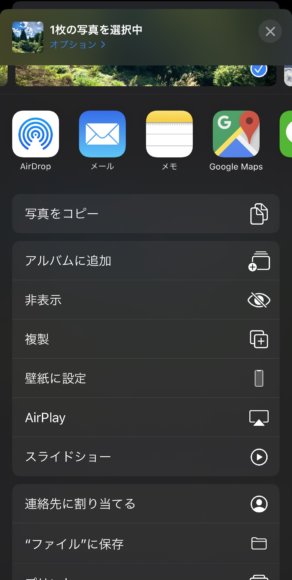
The UI has been changed in various places, so updating all at once might be a bit of a shock. That said, rather than feeling harder to use, things have been changed to be easier to understand, so the confusion may only last at first.
There are still many more changes in iOS 13 that I couldn't cover here.
When will iOS 13 officially release?
iOS 13 is expected to be officially released in September 2019.
App launches are 2x faster and Face ID is 30% faster, so the official release is something to look forward to.