On September 15 (US time), Google began rolling out the September edition of Pixel Drop, its recurring feature update for Pixel devices. The headline items are a rebuilt Pixel VIPs widget for the people you contact most, a wider rollout of Scam Detection, and gesture improvements for Pixel Watch. Android 17 QPR1, the first quarterly platform release of Android 17, is arriving as a stable build at the same time and brings a set of visual changes to the system UI.
Pixel VIPs no longer makes you open a sheet first
Pixel VIPs is a Pixel-only feature that lets you register family and close friends so their messages and updates are gathered in one place. Until now, tapping the widget opened a list first, and only from there could you place a call or send a message. With the September update, calling and texting can be done with a single tap directly from the home screen widget.
A floating navigation menu at the bottom of the screen lets you swipe between your registered contacts, and the widget now shows notification badges so you can see at a glance who you have not replied to. Quick access to favorite contacts exists on phones from every manufacturer, but folding the notification state into the same spot makes the purpose of Pixel VIPs much clearer.
The redesign is available on Pixel 6 and later in every region and language. It requires version 2.0 of the Pixel VIPs app and version 4.77 or later of the Google Contacts app.
Scam Detection expands to Japan and Japanese
The most consequential change on the security side is the expansion of Scam Detection. Pixel phones can analyze notifications from messaging apps and warn you when a message looks like a scam, but the supported countries and languages had been limited. The September update adds nine countries: Japan, Australia, Canada, France, Germany, India, Mexico, Singapore, and the United Kingdom. Six languages are added as well: Japanese, Arabic, French, German, Portuguese, and Spanish. That brings the total to 10 countries including the United States and 7 languages including English.
In the United States, a further feature places a "Likely scam" warning in Gboard's suggestion strip. The warning appears the moment you start typing a reply to a suspicious message, and it works in any app where you are chatting. Processing happens entirely on the device, so what you type is never sent off the phone. This part is US-only for now, but its supported languages already include Japanese, Korean, and Indonesian, which suggests the groundwork for a wider rollout is in place.
Both forms of Scam Detection are available on Pixel 6 and later phones; the Pixel Tablet is excluded.
Pause Point adds a moment of hesitation before distracting apps
Pause Point, a Digital Wellbeing feature that debuted on the Pixel 11 series, is coming to Pixel 6 and later. When you go to open an app you have flagged, it inserts a brief pause screen before the app actually launches. It is designed to break the habit of reflexively opening social media or video apps, and it is a lighter touch than turning notifications off entirely.
Harry Potter theme packs and an Audible trial
In a different vein, three theme packs tied to the full-cast Harry Potter audiobook editions now streaming on Audible are available. Each pack swaps wallpapers, icons, ringtones, and notification sounds for ones inspired by the series in one go. Eligible Pixel owners also receive a two-month free trial of Audible. The packs are limited to select countries such as the United States, the United Kingdom, Canada, and India, and are offered through December 31, 2026.
Pixel Watch can read notifications with a one-handed gesture
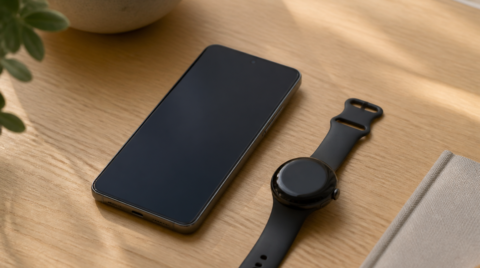
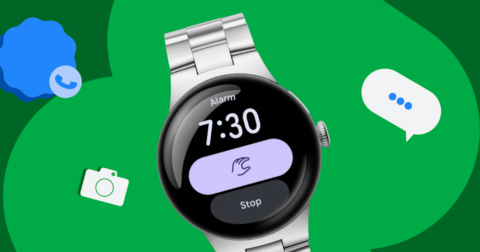
There are two improvements for Pixel Watch. First, the one-handed pinch gesture for working through notifications, previously available on Pixel Watch 5, now lets Pixel Watch 3 and 4 open and scroll the notification tray. It is a way to check notifications without touching the screen when your other hand is occupied.
Second, the recognition model behind Raise to Talk, which lets you speak to Gemini simply by lifting your wrist, has been updated. Google describes the change only as improved accuracy and responsiveness, which points to fewer false triggers and missed activations. This applies to Pixel Watch 4 and 5.
What Android 17 QPR1 changes in the system UI
Android 17 QPR1, delivered alongside the September Pixel Drop, is the stable release after a long beta period. The most noticeable change is the blur effect added throughout the system UI: the volume panel is now translucent and tinted to match your wallpaper, and the power menu has a new design with a blurred background. When multiple apps are playing media, the media player now arranges them in a carousel with previews of the other apps visible.
Smaller changes include a bouncier animation when opening Quick Settings, a new tile for switching keyboards, screen recording defaulting to the last app used, and a split of the long-press menu on home screen apps into app-specific shortcuts and system actions. The Settings app icon has been aligned with the new design first used on Pixel Watch, and Health Connect can now record distance and calories burned in addition to step count.
The update covers the Pixel 6 series through the Pixel 11 series, including the Pixel Tablet and Pixel Fold. Anyone on the beta needs to leave the beta program before receiving the stable build, and doing so will not wipe the device.
Not the same as the Android Drop from early September
It is easy to confuse the two, but this is separate from the Android Drop released on September 1. The Android Drop is a set of features that reaches Android phones beyond Pixel, and it included Motion Assist for easing motion sickness and the ability to have Find Hub remember where you put things. The Pixel Drop layers Pixel-exclusive features on top of that and bundles them with the Android 17 QPR1 OS update.
Summary
The September Pixel Drop has no flashy headline feature, but shortening Pixel VIPs actions to a single tap and bringing Scam Detection to Japanese and to users in Japan are updates with real practical value. Together with the UI changes in Android 17 QPR1, it is rolling out to a wide range of devices from Pixel 6 onward. Open System in Settings, then System update, and check manually if the notification has not yet arrived.