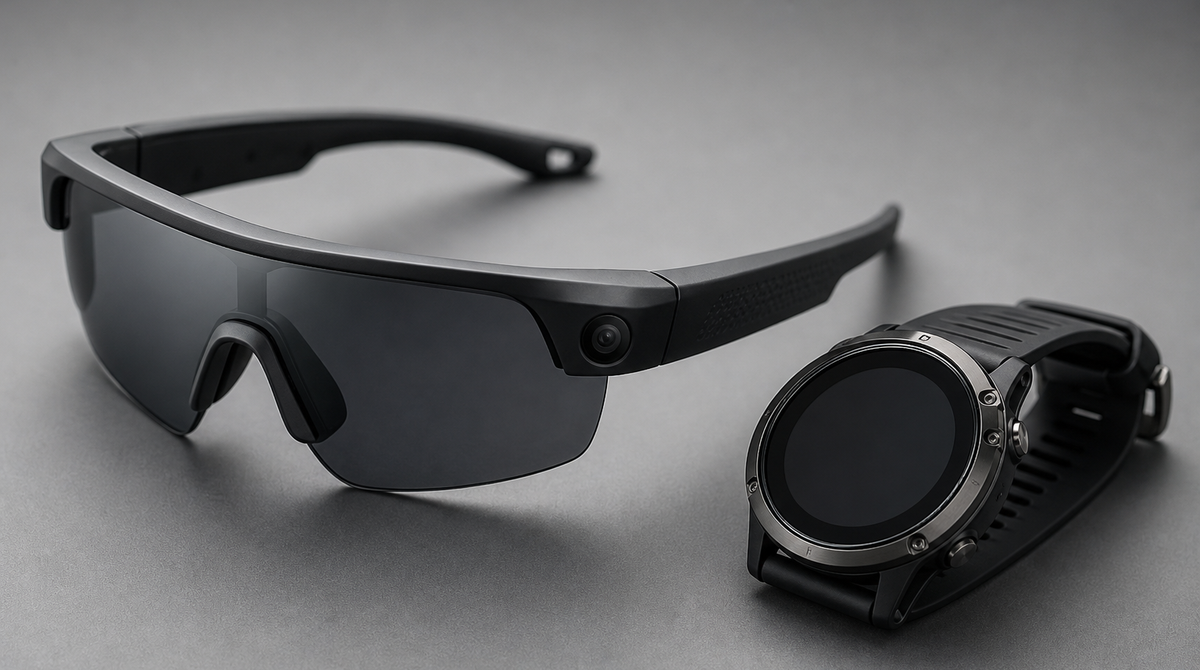
Garmin has begun rolling out in Japan a feature that links its own devices with Meta's smart glasses. Pair a compatible Garmin watch or cycling computer with Meta AI glasses such as the Oakley Meta Vanguard, and you can hear your heart rate and pace during a workout without glancing down at a screen. It is a hands-free setup aimed at runners and cyclists who would rather not pull out a smartphone to check their numbers.
Sending Your Watch's Data to the Glasses
The feature runs through a Meta AI app distributed via the Garmin Connect IQ Store (the app platform for Garmin devices). Its basic job is to take the heart rate, speed, and pace measured by the Garmin watch or cycling computer in your hand and make that data usable on the paired Meta AI glasses.
During a run or a ride, the simple act of looking down or tapping a device to read your stats breaks your concentration. By leaving the measurement to the Garmin device as before and adding the glasses purely as a way to check the readings, you can keep tabs on your body's state while still running or turning the pedals.
Hands-Free Checks via "Hey Meta" and LED Cues
Voice is the main way in. Say "Hey Meta" and ask for your pace, speed, or heart rate, and the glasses read out the current figure. You do not need to stop moving or look away to read a watch or phone screen, so you can keep your rhythm while confirming where you stand.
Beyond reading numbers aloud, the glasses also support LED cues. The display switches according to the pace or heart rate zone you set in advance, or to your cycling power zone, so you can tell at a glance whether you are staying within your target intensity without a single spoken word. For interval sessions or workouts where you want to hold a steady zone, that kind of instant feedback is useful.
Automatic Capture, Highlights, and Sharing
The integration is not limited to checking data. When you hit performance metrics or milestones you have set, the glasses automatically record video. Memorable moments are captured without your having to operate a camera while moving, and afterward you can look back on them as a highlight reel.
Organizing and sharing the footage is handled by the Meta AI mobile app. You can review an activity summary, create videos or photos with data such as distance and speed overlaid on them, and post directly to Instagram, Facebook, or WhatsApp. In short, your logged workout becomes easy to reshape into content meant to be shown to others.
What You Need to Use It
Using this experience requires three pieces. You need a compatible Garmin device, Meta AI glasses, and a smartphone with the Meta AI app installed, and the link only works once these are paired together. It is worth noting that neither the glasses nor the watch alone is enough; the setup assumes a combination that includes a smartphone.
The Oakley Meta Vanguard, presented as the centerpiece of this integration, is a model designed for sports use and is already on sale in Japan. For anyone who already owns a Garmin device, adding the glasses is a feature that can change how they receive information during a workout.
Summary
The Garmin and Meta integration lets the data measured by a watch or cycling computer be received on Meta AI glasses as voice readouts or LED cues. You can ask for your pace and heart rate with "Hey Meta," the LED shifts according to your zone, and at key moments the glasses record video automatically, connecting through to highlight reels and social sharing. It requires three pieces—a compatible Garmin device, Meta AI glasses, and a smartphone with the Meta AI app—but for those who want to keep moving without looking down at a screen, it shapes up to be a practical, hands-free way to stay aware of how a workout is going.