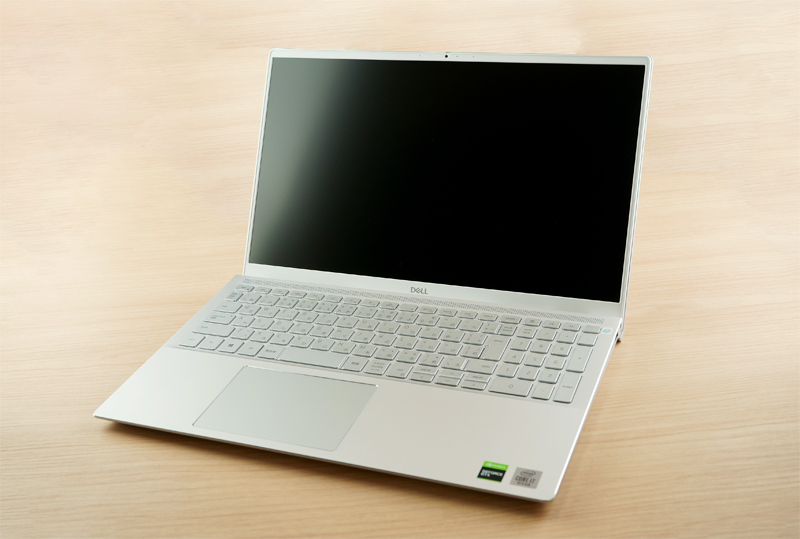
I got my hands on the DELL Inspiron 7501, a laptop powered by Intel's 10th-generation Core series, so let me share my impressions. By the way, when I ordered mine it took about three weeks to arrive, so plan ahead if you're thinking of buying one.
A Clean Silver Design That Just Works
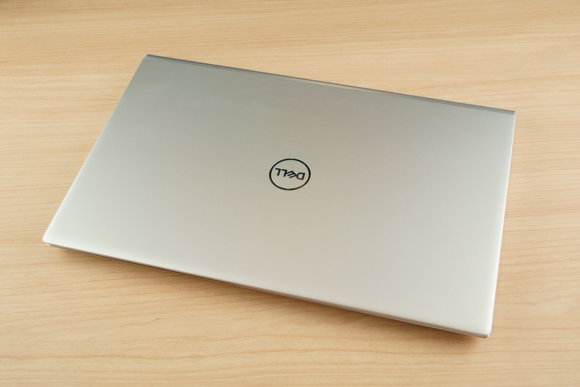
Here's the laptop with the lid closed. A simple silver chassis with the DELL logo on top.
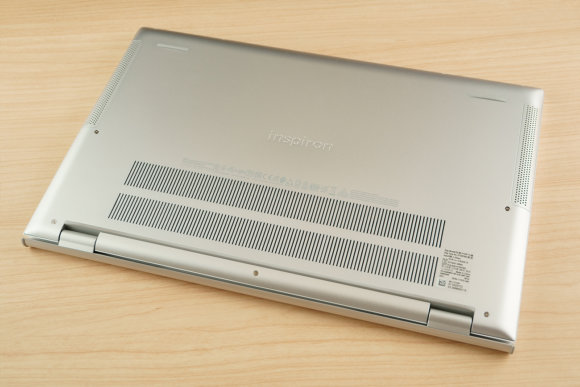
The underside has the Inspiron branding. Since it packs a Core i7-10750H and a GeForce 1660 Ti, there are quite a lot of heat vents — that's the impression I got. Open it up and it looks like this.
The thin bezels that are all the rage right now are used here, which keeps the look from feeling dated. I also like that the design doesn't try too hard to stand out.
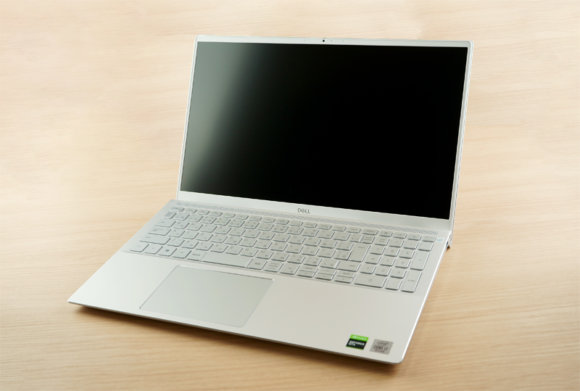
The keyboard is pretty standard for a 15.6-inch laptop, with a numeric keypad on the right.
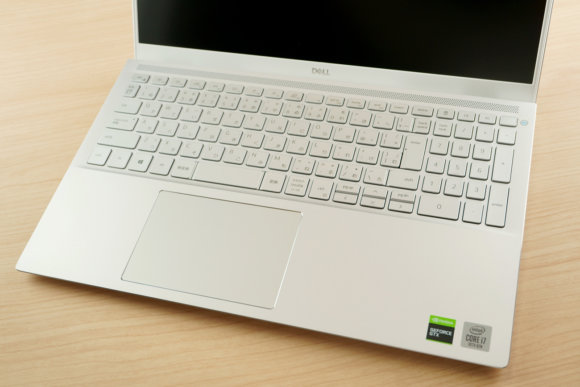
The top-right key doubles as the power button and even has a fingerprint sensor built in.
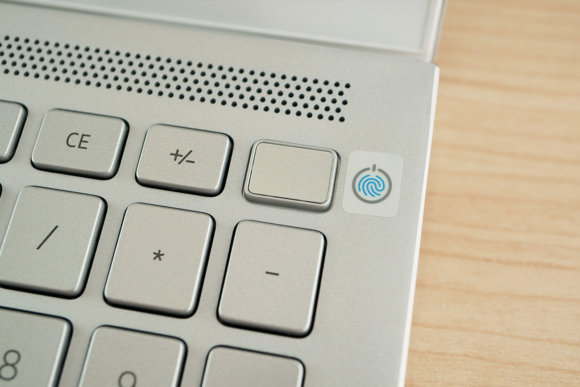
As an aside, the sticker on the fingerprint sensor is the kind that peels off cleanly, so anyone bothered by that little detail can rest easy.
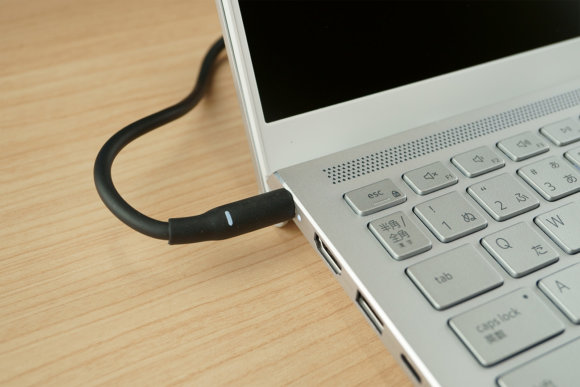
The AC adapter plugs in on the left side. The adapter itself is on the larger side, so you might find it a bit bulky to lug around.
Thunderbolt 3 Support Means External GPUs Are an Option
If the built-in GeForce 1660 Ti isn't enough for what you need, you can hook up an external GPU via the Thunderbolt 3 port. Just keep in mind that, by their nature, external GPUs deliver less performance than the same card would internally.
Here Are the Benchmark Results
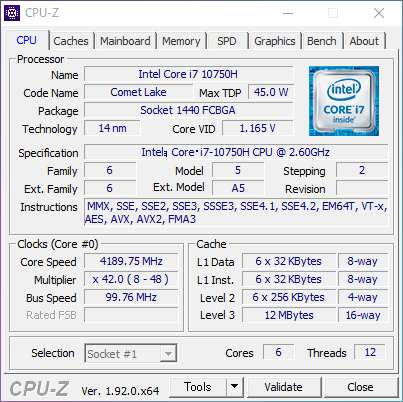
It's running the Core i7-10750H, the successor to the Core i7-9750H found in the 16-inch MacBook Pro, so even creators are unlikely to find themselves wanting for power.
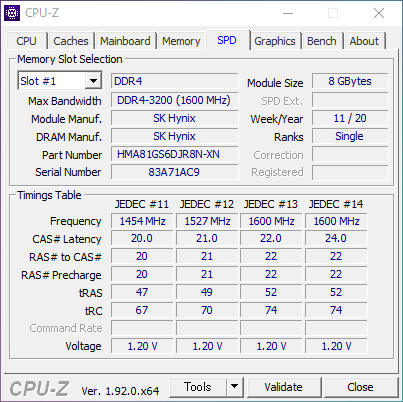
The memory is 16 GB of high-speed DDR4-3200 — SK Hynix branded, with both slots filled. According to the official guide, one of the memory modules is soldered directly to the board, so even if you want to upgrade, you can only swap one slot.
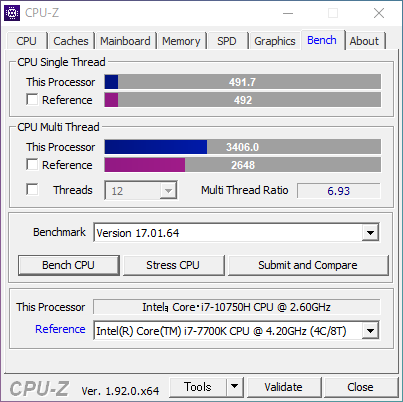
When I ran the CPU-Z benchmark, single-thread performance was roughly the same as the desktop-class i7-7700K, while multi-thread performance came in about 1,200 points higher. The 10750H is an 8-core, 16-thread chip, which seems to be why the multi-core score lands where it does.
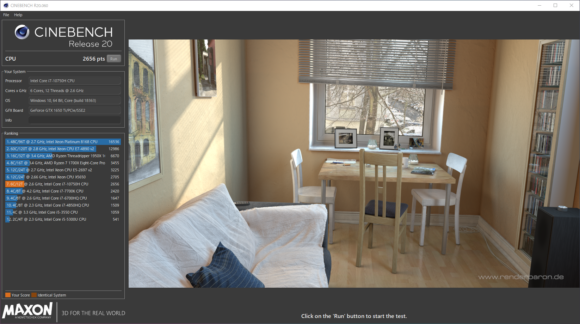
The Body Gets Hot Under Heavy Load

Playing more demanding games seems to heat the body up considerably. We're talking the kind of heat where the hand resting on the palm rest starts dripping with sweat… The area near the exhaust vent gets too hot to touch. It doesn't seem great at dissipating heat — after about ten or fifteen minutes of play, thermal throttling kicked in and the FPS dropped from 60 to around 40. Pointing a desk fan at the laptop brought the FPS back up, so picking up a dedicated laptop cooler might let you game in comfort. It's a high-performance machine, but the heat output is just as serious, so be careful.
The Display Can Even Discolor From the Heat
While running benchmarks, I noticed that parts of the LCD panel had a faint blue tint when displaying white.
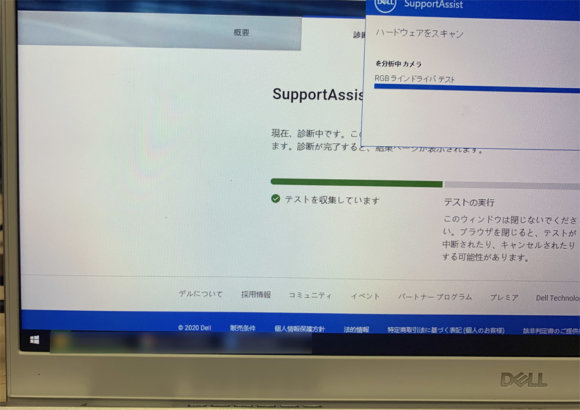
The discoloration looks like a color-uniformity problem, and once you notice it, it's hard to unsee. Looking closely, the discoloration is concentrated near the exhaust vent at the bottom of the panel, which strongly suggests it's heat-related. The panel itself was quite hot to the touch, and when I tried blocking the hot air from the vent and letting it cool down, the color shift improved. I asked the manufacturer about it, and they said it was an initial defect — but the same kind of discoloration has been seen under heavy load on other units in this series, so either there's a problem with the panel they're using or the thermal design itself has issues. If you're someone whose work involves color, like illustrators or designers, this isn't the laptop for you. A really disappointing point.
Overall Verdict
If you don't push it hard, it's a relatively light, high-performing laptop for the spec.
Pros: 10th-gen i7 paired with a GTX 1660 Ti for strong performance. A large-capacity battery. Thunderbolt 3 port. You can add an extended warranty when buying directly from DELL.
Cons: The display discolors under heavy load (?). The body gets seriously hot under load. The viewing angles on the LCD are narrow. It's a bit much to carry around.