

Adobe began offering Japanese-language versions of two Adobe Acrobat features on September 10: chat-based PDF editing and podcast generation[1]. Both shipped in English earlier this year, and they let users handle PDF edits through plain-language instructions or listen to a document's contents as audio.
Editing PDFs Through Plain-Language Instructions
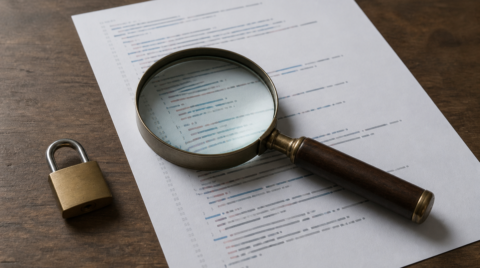
The chat-based PDF editing feature uses a chat AI built into Acrobat: describe what you want in a sentence, and it carries out basic PDF operations[1]. Deleting pages, replacing text, adding signatures, and setting passwords are all covered, so tasks that previously required several steps can be handled with a single instruction[1].
The shift is that you no longer need to remember where a function lives. You state the goal and hand the work over. Taro Tachikawa, Principal Product Marketing Manager in the Product Marketing Division at Adobe KK, explained that Adobe is moving PDF work away from hunting for features and learning how to use them, toward simply telling Acrobat in chat what you want done[1].
Adobe also published survey results on demand for the feature. In a 2026 study of 158 people in Japan aged 18 to 59 who regularly use PDFs, 79 percent said they would want to use chat-based PDF editing with AI[1]. Broken down by task, running OCR on a scanned PDF to make it searchable drew 84 percent, and converting a PDF to Word drew 82 percent[1]. The more routine and multi-step the task, the stronger the appetite for delegating it to a conversation.
Listening to Documents as a Podcast
The podcast generation feature turns a PDF open in Acrobat into a podcast-style audio file at the press of a button[1]. The generated audio organizes the key information in the document and explains it[1].
The intended use is time spent away from a screen. Adobe points to catching the key points of several documents by ear while commuting, and to sharing content with others in a richer format[1]. The longer or more structurally complex the document, the more an option other than reading is worth having.
Plans and Pricing
Chat-based PDF editing became available on September 10 across the Acrobat Standard, Acrobat Pro, and Acrobat Studio subscription plans[1]. Consumer pricing is 1,980 yen per month for Acrobat Standard, 2,530 yen per month for Acrobat Pro, and 3,300 yen per month for Acrobat Studio[1].
Podcast generation is positioned as a new feature of Acrobat AI Assistant Plus[1]. It is available either as an add-on starting at 680 yen per month or through an Acrobat Studio subscription[1]. For anyone who wants both features, Acrobat Studio is the shortest path.
From the January English Launch to Japanese Support
Both features were part of the AI lineup Adobe announced for Acrobat Studio on January 21[2]. That same announcement covered chat-driven removal of pages, text, comments, and images, along with adding e-signatures and passwords, and it introduced Generate Presentation, which builds a slide deck from a document[2]. The Japanese release covers the editing feature and podcast generation out of that set.
In the same announcement, Adobe said AI usage across Acrobat had grown fourfold over the past year[2]. An AI assistant that began as a way to read and understand PDFs has expanded toward rewriting documents and recasting them in other formats, and the Japanese release sits on that trajectory.
Summary
Adobe has released Japanese-language versions of chat-based PDF editing and podcast generation in Adobe Acrobat. The first carries out operations such as deleting pages and adding signatures from plain-language instructions, while the second converts a PDF's contents into audio. They are available on Acrobat Standard and higher subscription plans, and through Acrobat AI Assistant Plus starting at 680 yen per month. With 79 percent of surveyed users in Japan saying they want chat-based PDF editing, Japanese support substantially widens the pool of people who can actually try it.
Source: https://prtimes.jp/main/html/rd/p/000000558.000041087.html
Source: https://news.adobe.com/news/2026/01/adobe-acrobat-studio-transforms