To get straight to the point: I sold the tablet I bought in just two days...
Introduction
I thought it'd be amazing to spread out a tablet PC outside while sipping coffee and getting some work done, or to lounge around at home and crank through tasks lying down. So I got the urge to buy a tablet PC, and I went hunting on Yahoo Auctions for something decent under about 30,000 yen (around 200 USD).
A Cheap but "Just Barely Adequate" Tablet
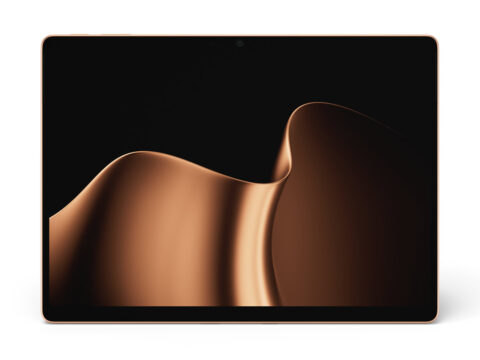
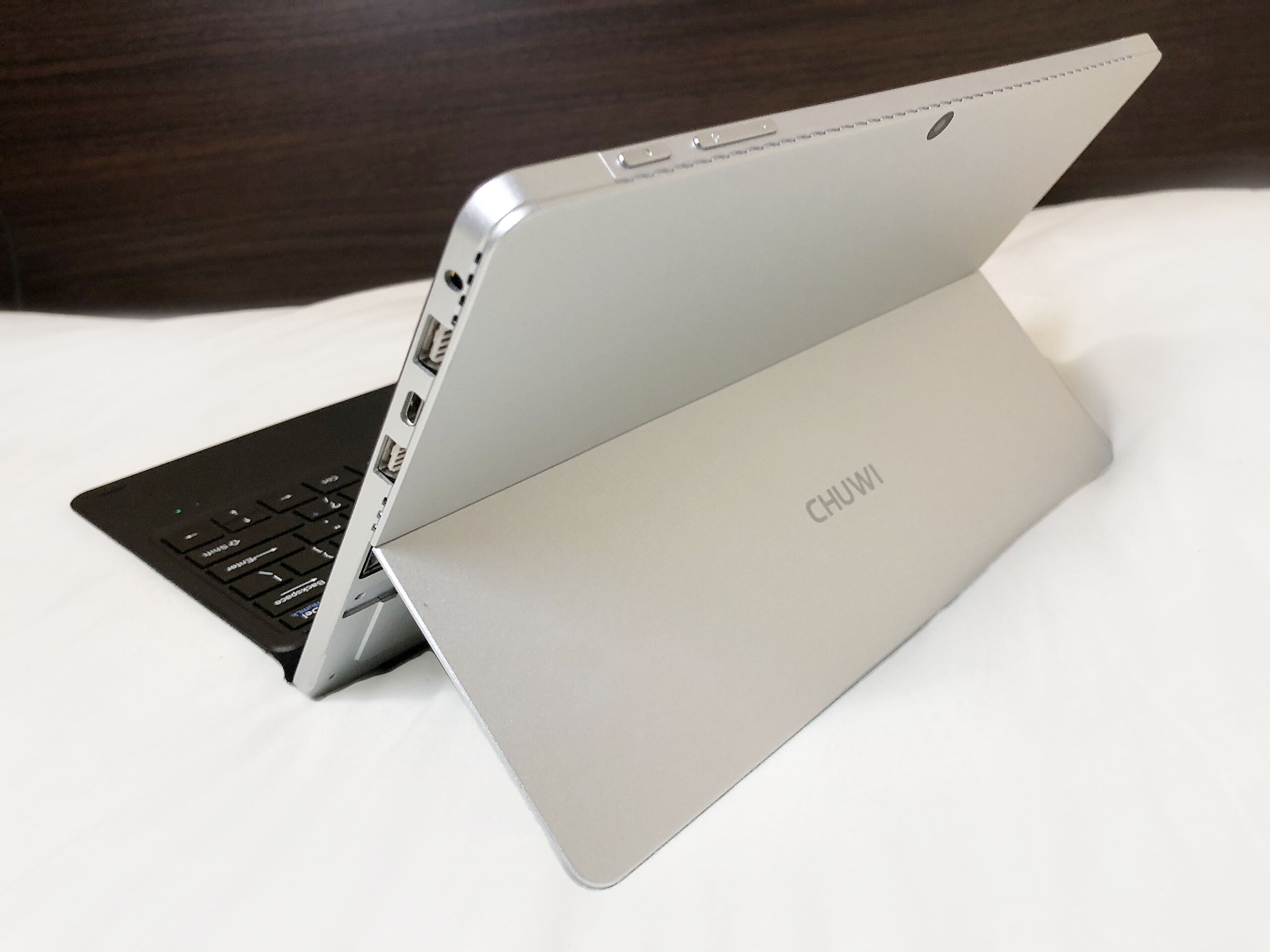
The tablet I bought is the "CHUWI SurBook mini."
Both the look and the name "SurBook" really feel like they were made with Microsoft's Surface series in mind. One of its strengths is that the silhouette looks cool considering the low price.
For the CPU, instead of the Atom chips you usually see in tablets, it uses a Celeron N3450, so you can expect a little more performance.
Spec Sheet
| CPU | Intel® Celeron® N3450 1.1Ghz (2.20 GHz) 4C/4T |
| Graphics | Intel® HD Graphics 500 |
| Memory | 4 GB |
| SSD | 64 GB |
| OS | Windows 10 |
| Display | 10.8-inch (1920 x 1280) IPS LCD |
| Weight | 1.42 kg |
| Battery capacity | 27.38 Wh |
The body even has a full-size USB 3.0 port, so you can use your existing gear without any adapter.
With a 10-inch screen and 4 GB of memory, it's got more than enough on paper to qualify as a tablet.
How About the Accessories and Peripherals?
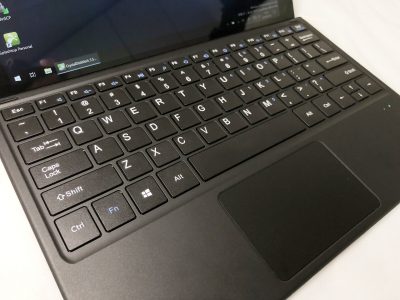
This time I attached the Type Cover and also tested typing on it.
The Type Cover snaps onto the body with a magnet, and you can use it like a laptop.
The cover is pretty thin, so I figured it'd bend while typing, but surprisingly it doesn't flex too horribly, and I could type on it like a normal keyboard.
I Ran Some Benchmarks
These were run while the tablet was plugged in. Numbers may vary a bit depending on your environment, etc.
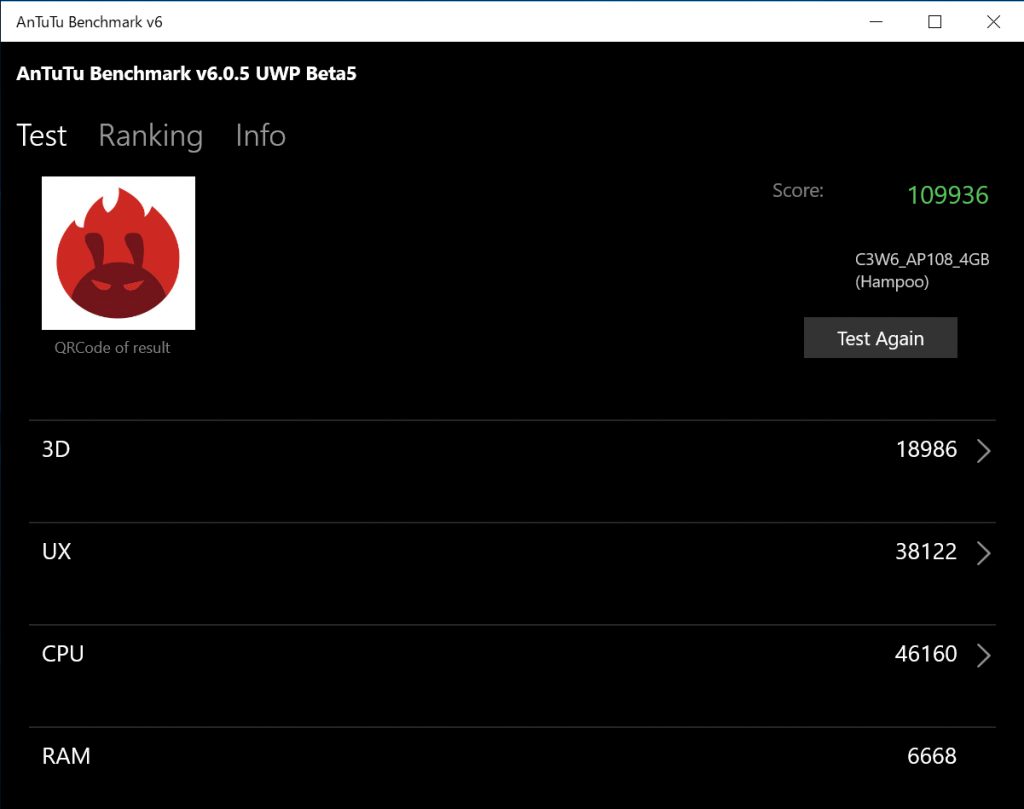
AnTuTu Benchmark
Score: 109,936
Dragon Quest Benchmark
Standard quality 1280x768 windowed score: 2278 Standard quality 1280x768 windowed score: 3825
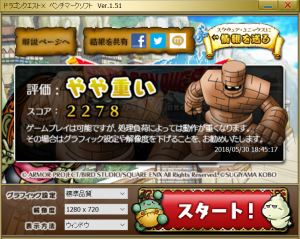

I don't really play 3D games on tablets, but just for reference...
CrystalDiskMark
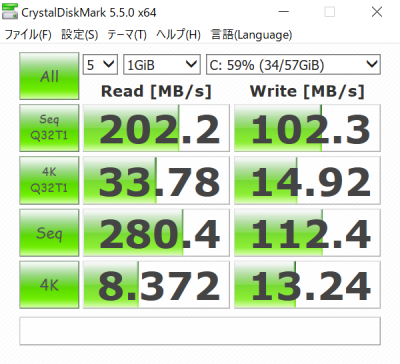
At this level, it's about the same speed as a recent HDD. It's not particularly fast, but since it's nominally flash storage, it's not insanely slow either. That said, if you're frequently importing photos or reading/writing big files, it might be a bit of a pain.
What I Didn't Like
I'm not sure whether it's a lack of performance or a software issue, but the touch panel was a bit unresponsive — I had to tap the screen multiple times in some cases. For me, someone who wants things to feel snappy, it just wasn't a good fit. The price range is totally different, but the Microsoft Surface Pro doesn't have that kind of laggy response, which made me realize that on top of CPU and memory specs, the quality of the screen itself really matters too.
Addendum
The price is roughly double, but Microsoft is releasing the "Surface GO," an affordable 10-inch tablet of their own.