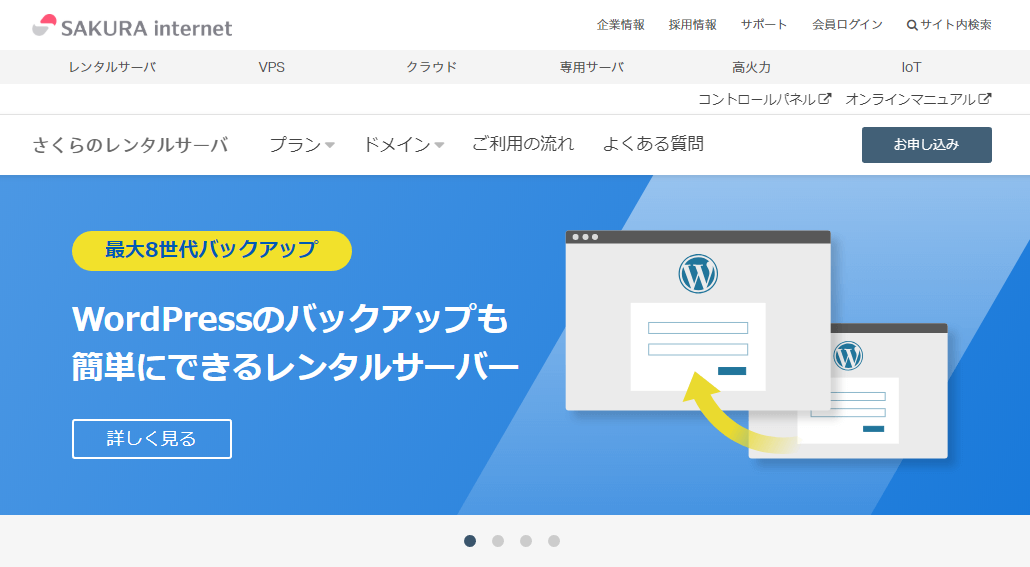
I needed to switch away from VPS to save on server costs. My conditions were just three: cheap, feature-rich, and an easy-to-use control panel (this one is important). This time I decided to give "Sakura Rental Server" a try.
They offer a 2-week free trial, so I signed up for the most popular "Sakura Rental Server Standard" plan.
The result was that I ended up switching from "Sakura VPS" to "Sakura Rental Server," so since I'm here, let me share a review.
Sakura Internet Official Site
https://www.sakura.ne.jp/
Why I switched
Sakura Rental Server has been sped up recently, so there was no fatal speed gap with VPS. There are lots of free features included for the price (web fonts, backup), and you can also use SSH※. Those points were the deciding factors. ※Standard plan and above only.
Pros and cons of VPS
VPS requires expert knowledge of servers and security, but depending on how you configure it, you can do site display optimization, backup, tampering detection, virus protection and more without paying extra. Beyond a web server, you can also use it as a game server or file server, so VPS is incredibly handy. The downside is that you have to manage both the server side and the site side at the same time, which puts a heavy burden on the admin. Pricing also varies by spec, but it tends to be a bit more expensive than rental servers, and once you pick a plan, you can often only switch to higher-tier plans.
Pros and cons of rental servers
Rental servers are easy to start with, cheap, and you don't need to manage the server side. There are also experts in charge of running the server, which gives you peace of mind. When people hear "rental server," some of them (mainly me) get the vague impression that "they're slow!" In reality, there are cases where they're slower than VPS. Also, depending on the company, you tend to get charged extra option fees for everything — backup features may cost extra, tampering detection may cost extra, and so on. So I think the best choice depends on balancing your site's PV count, your own technical skill, and operating cost.
Features of "Sakura Rental Server"
1. Sped-up servers
According to the official site, thanks to server upgrades (Standard plan only) and support for PHP module mode, WordPress runs up to 16 times faster. The databases have all been moved to SSD, and PHP 7 + nginx have been adopted for further speedup, with all kinds of upgrades made for performance. Subjectively, the site display speed feels fast enough to be fully usable.
2. Free SSL (Let's Encrypt) is available
These days, "always-on SSL" has become standard, so being able to use free SSL is a must-have feature. Sakura Rental Server lets you use the well-known free SSL "Let's Encrypt." Once you set it up, it auto-renews, which is convenient. Going out of your way to pay for an SSL certificate is something only companies need to do. (Of course, if you do need a paid SSL, you can apply for one from the control panel.) Setting up SSL boosts your search engine evaluation, and improves the security and trustworthiness of your site, so be sure to set it up.
3. Free backup feature
You get a free backup feature with up to 8 generations and a staging feature. Set a schedule, and it'll back up automatically at the time you set.
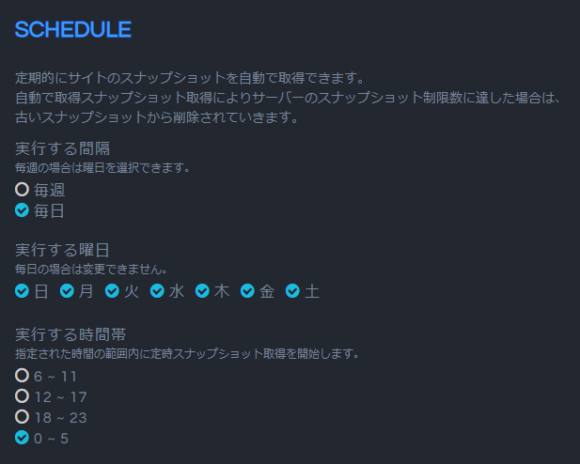
For a careless admin like me, "I just lost some data" happens "rarely yet often," so this is another nice point. And being able to check past files one by one is lovely.
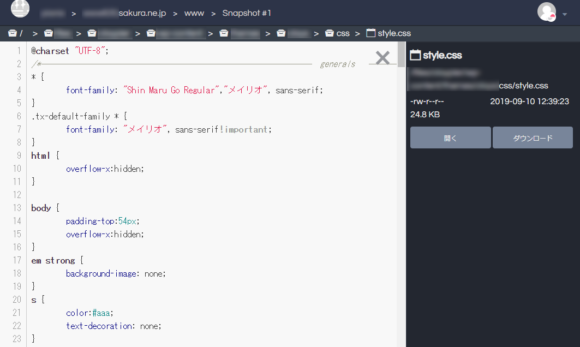
Within the backup window, you can even view past source code. If you tinker with WordPress themes a lot, you might use this often!
4. Morisawa Web Fonts free of charge
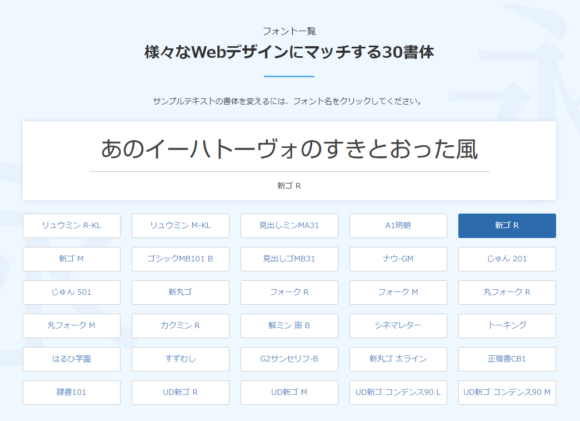
The "Morisawa Web Fonts" that I show off using on this site too can be used for free. There's a limit of 75,000 PV/month, but unless you're running an enormous site, you'll have plenty of room. Even this site doesn't get that much (sob). You can pick from 30 typefaces.
5. Smooth custom domain setup
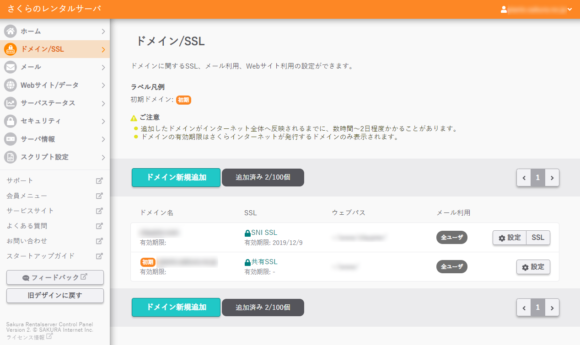
You can configure "domain/SSL" from the control panel. This time I used a domain I got from VALUEDOMAIN, but you don't need to transfer the domain — just rewrite the nameserver/DNS settings and you're good. It's nice not to get hung up on domain settings when you actually move over.
6. Cheap pricing
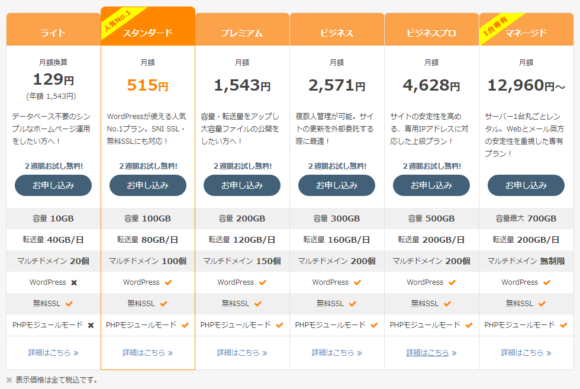
The cost performance is excellent if you ask me. They say 80% of Sakura Rental Server users pick the "Standard plan" — at 515 yen/month (about 3.50 USD), it works out to roughly 6,000 yen/year (about 41 USD). On top of that, paying yearly knocks two months off, dropping it to about 5,000 yen (about 34 USD). (...How about an annual payment before the October tax hike?)
7. "Sakura Pocket" for handy photo uploads
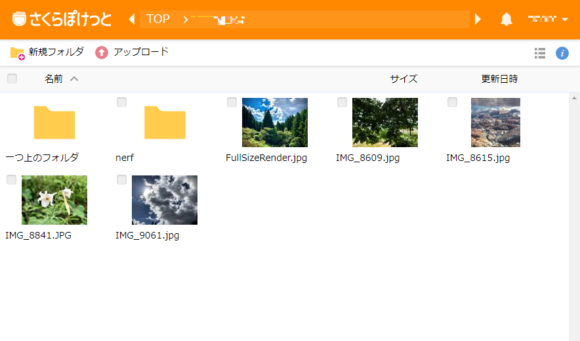
It doesn't get much spotlight, but "Sakura Pocket" is also a handy service. It's an online storage-like service that comes as a bonus with Sakura Rental Server, and you can use it for free if you're on the Light plan or above. There are also iOS / Android apps, which is convenient when you want to send photos taken on your phone to your PC for now. The storage is shared, but with the Standard plan you get 100 GB, so it's a service you can put through its paces when you've got "leftover capacity going to waste!"
8. SSH is available
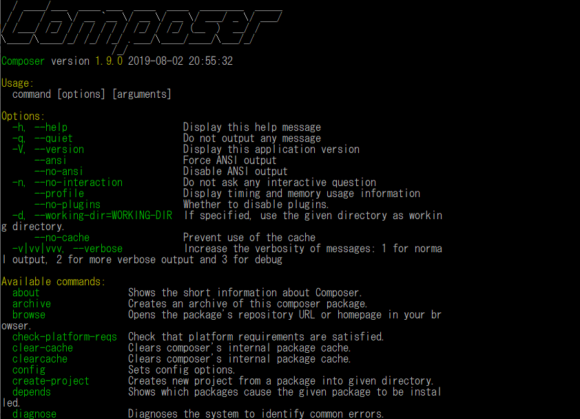
On Standard plan and above, you can use SSH. For example, you can absolutely use Composer too.
When in doubt, try the 2-week trial!
You can try it for 2 weeks free, so you can check your site's display speed in advance. Just trying out "Morisawa Web Fonts" to see how your site changes sounds fun on its own. With WordPress, plugins make moving over easy, so you can also check your existing site as-is!
Fast, cheap, and simple. The ultimate rental server with everything you need: ☆Sakura Rental Server☆


















![[For Site Owners] How to Block Risqué AdSense Ads Like "Unicorn"](https://claypier.com/wp-content/uploads/2020/12/AdobeStock_291769572_Editorial_Use_Only-480x320.jpeg)