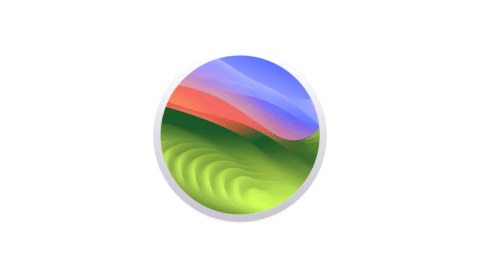
macOS 27 Golden Gate, the next Mac operating system Apple unveiled at WWDC 2026, is an update that leans toward smoothness on Apple Silicon and rebuilding the foundations rather than flashy new features. Apple has officially ended support for Intel Macs, made it possible to summon the revamped Siri straight from the Spotlight search box, and added finer control over the readability of the translucent Liquid Glass design. Here is a rundown of the changes that matter most to Mac users day to day.
Intel Mac Support Officially Ends
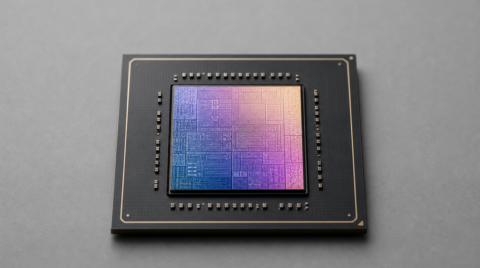
The biggest milestone this time is that Macs with Intel processors are no longer supported. macOS 27 can only be installed on Apple Silicon machines, meaning Macs with the M1 chip or newer. Apple has fully closed out its long coexistence with Intel and made clear its intent to optimize squarely for its own chips.
The goal of replacing legacy code and focusing on bug fixes lines up with what Bloomberg reported late last year. The macOS 27 that Apple actually showed prioritizes stability and speed over piling on headline features.
That said, not every new feature works on every machine. The option to fine-tune how Siri sounds, for example, is limited to Macs with an M3 chip or newer and at least 12GB of RAM. Even a freshly announced laptop cannot use the feature unless it meets those requirements.
Siri AI Now Lives in Spotlight
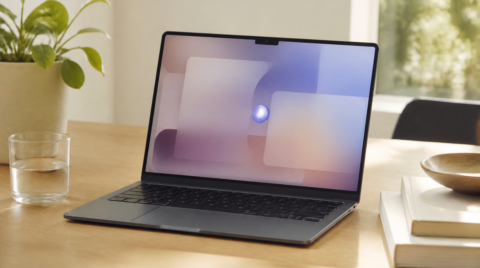
The revamped Siri is positioned as a "more personal assistant," and on the Mac it can be called up directly from the familiar Spotlight search box. Type a question into Spotlight and the Mac recognizes it as a query for Siri, opening a chat panel where you can ask follow-up questions and brainstorm. A dedicated, standalone Siri app has also been added.
The new Siri stands out for its grasp of context. It can find photos from a particular weekend, remind you of a podcast a friend sent in Messages, or pull the exact detail you need out of an email. The enhanced Visual Intelligence feature lets Siri see and discuss whatever is on your screen, take over some Mac tasks, look things up online, and even draft text on the fly.
At first it supports English only. Unlike on the iPhone and iPad, Mac users in the European Union can use it as long as the system is set to a supported language, but for regulatory reasons it will not arrive in China for the time being. The timing for Japan is not clear yet either, but language support is expected to expand gradually (source: Apple Newsroom).
Apple Intelligence Spreads to More Built-in Apps
Apple Intelligence reaches into built-in apps such as Safari, Passwords, Photos, Image Playground, and Shortcuts. In Safari you can use AI to build your own extensions, while the browser can organize tabs automatically and alert you when a sold-out product is back in stock or a ticket becomes available. According to Apple, Safari watches the page and notifies you when something changes so you can act from there.
In the Passwords app, AI handles swapping out passwords suspected of being compromised. For some sites it can log in, change the password, and update the entry in the app on its own. Image Playground can now create photorealistic images as well, though there is a daily cap on generation that you can raise with an iCloud+ subscription.
Shortcuts is easier to use, too: instead of assembling steps one by one, you can simply describe what you want and have the AI build it with "Describe a Shortcut." One example sets a different alarm each evening based on the first event on the next day's calendar. Screen Time for parents has also been rebuilt, making it easier to see how a device is being used and to set limits.
Faster Performance and a Search Overhaul
macOS 27 puts its energy into everyday usability rather than sheer feature count. Partly because Intel Macs have been dropped, AirDrop transfers, file searches, and Safari load times are faster, and Apple says the Mac feels "more responsive than ever." Even the six-year-old M1 MacBook Air should feel the improvement.
The standout is the search overhaul. Recent versions of macOS had piled up complaints: files saved moments ago that would not show up, unreliable searches in Mail, and so on. With macOS 27, Apple says Spotlight suggestions are improving, which may be the most welcome change of all even if it is a quiet one.
Liquid Glass has been refined as well. A new slider adjusts transparency and tint so you can tone down how much the background shows through. App icons have sharper outlines, and window shapes, the menu bar, and toolbars have been unified for a more consistent look across apps. Apple says this consistency applies even without developers changing anything.
Summary
macOS 27 Golden Gate is less about launching a new flagship feature and more about confronting speed and stability on Apple Silicon, along with the search and design refinements that users have long grumbled about. While it marks the major turning point of ending Intel Mac support, the revamped Siri and the wider reach of Apple Intelligence should make everyday work on the Mac quicker. The developer beta is already available, and a final release is expected around fall 2026 if Apple keeps to its usual schedule.