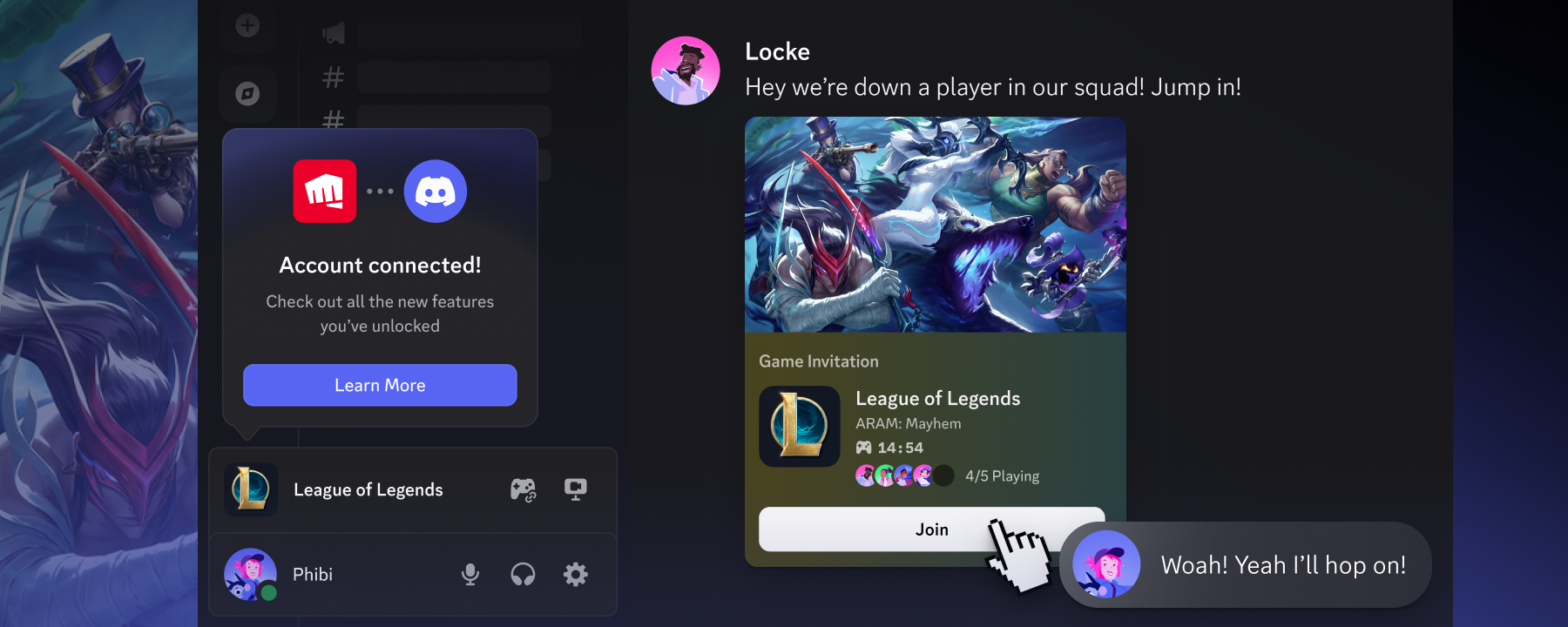
On May 21, 2026, Discord announced a new feature, developed together with Riot Games, that lets players invite friends in "League of Legends" more quickly by linking their Discord and Riot accounts[1]. The feature begins as a beta test in League of Legends, allowing players to find teammates without leaving the game[1]. An expansion to VALORANT is planned for this summer[1].
Inviting Discord Friends Directly from the Game
The new feature becomes available once you link your Discord and Riot accounts[1]. After linking, the in-game friends list in League of Legends shows which of your Discord friends are playing the game[1]. Previously, finding someone to play with meant hopping back and forth between the game client and Discord, and the integration aims to remove that hassle[1].
Linking enables four main things: seeing which Discord friends are currently playing in your in-game friends list, inviting Discord friends to your party straight from the game screen, dropping a party-join link into a Discord server, a direct message, or anywhere else, and checking a friend's game status — such as match time or party size — from within Discord[1]. Discord describes League of Legends and VALORANT as two of the most played games on Discord, and named League of Legends "Discord's Most Popular Game 2025" during Checkpoint, its year-in-review feature, in December 2025[1].
The mechanism is built on the "Discord Social SDK," a developer toolkit Discord announced in March 2025[3]. The Social SDK lets game developers embed Discord's social features into their own games, with invite functionality powered by "Rich Presence," which carries party information and other details[3].
You can link accounts from Discord's settings[1]. Open "User Settings" in Discord, select "Connections," and click the Riot Games icon (you may need to click "View More" if it is not shown)[1]. Review the listed permissions, follow the on-screen prompts, and the link is complete[1]. You can also link accounts from the account management page in Riot's game clients (League of Legends and VALORANT)[1].
The permissions Discord requests when linking include access to profile information (username, avatar, banner), access to and management of your Discord friends list (including blocking), access to and updates of your in-game activity status, sending and receiving game invites, and updating recent activity on your Discord profile[1]. According to Discord, however, only the information necessary for the features to work is actually shared — namely your Riot ID, your Discord display name and account ID, and your game status[1]. Before linking, a permissions screen shows exactly what will be shared[1]. You can unlink at any time from User Settings[1].
Regional Rollout and the Expansion to VALORANT
The Discord integration features for League of Legends are rolling out region by region[1]. The launch dates are May 7, 2026 for Brazil and May 20 for the United States and Canada, with other regions to follow in sequence[1]. The VALORANT integration is also expected to begin as a similar beta test sometime this summer[1].
All players can already link their accounts themselves from Riot's account management page as of today, but the new social features will not become usable until after the beta test ends[1]. Riot provides details on the regional rollout and answers to common questions through a dedicated page and a player support article[1][2].
Summary
Through the partnership between Discord and Riot Games, League of Legends unifies friend invites across the game and Discord. It begins as a beta in select regions, with an expansion to VALORANT planned for this summer. Linking is optional, the scope of shared information can be reviewed in advance, and accounts can be unlinked at any time.
Source: https://discord.com/blog/making-it-easier-than-ever-to-connect-with-friends-in-league-val
Source: https://www.riotgames.com/en/riot-games-discord-account-linking