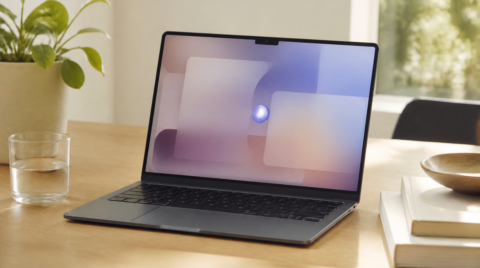
The M1-powered MacBook Air has finally arrived at our place. I customized the memory to 16GB, so it took nearly two weeks to ship, but just as the rumors said, it runs noticeably more smoothly than the previous model. Battery life is monstrous too. There are still plenty of apps that don't have native support, and most of them launch through Rosetta 2, but Adobe Illustrator and Photoshop both work fine for my day job, so it's not really a problem. That said, there were a few things that did catch my attention, so let me share them.
What's the difference between Apple M1 and Intel CPUs?
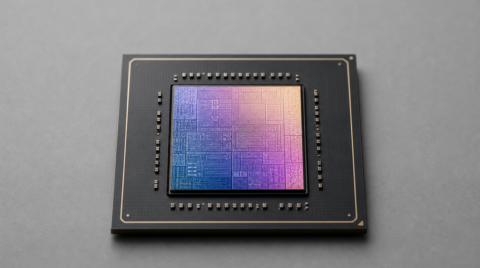
Macs running Apple Silicon use a different architecture from the Intel-CPU Macs that came before. M1 is "ARM," Intel is "x86."
ARM is the same architecture used in iPhones and Android smartphones — to put it roughly, it has the advantage of being low-power and low-heat while still high-performing. x86 is the architecture that has long been used in Windows PCs, and in Macs as well. Right now, virtually every consumer laptop and desktop runs on x86. It is widely adopted in the PC space, and a huge number of compatible apps and peripherals exist for it.
Apps built for a different CPU architecture normally won't run as-is. For example, you obviously can't just launch a Windows app (.exe and so on) on an iPhone. With M1 Macs, a tool called Rosetta 2 translates apps from Intel to ARM architecture, which is what lets Intel Mac apps run on M1 Macs. This tool is very capable, and most Intel apps will run. That said, depending on the app, behavior can be unstable or the display may break slightly, so it's not perfect. Compared to natively-compatible apps, it does feel a bit sluggish at times, and "Not Responding" seems to come up more often. Rosetta 2 is essentially a stopgap measure until apps support M1 directly, so as more native apps appear, these issues should fade away.
Can you run iPhone/iPad apps on Mac?
The short answer is: it depends on the app. M1 Macs have the strength of being able to run iPhone/iPad apps because they share the same architecture. But in practice, not every app is available. You can only use apps whose developers haven't opted out of running on M1 Macs. As of writing, a lot of iPhone/iPad apps simply can't be used on Mac, and it's no exaggeration to say a fairly large chunk of them are unsupported. The more well-maintained an app or game is, the more likely it is to be unavailable, so anyone planning to "go wild running iPad/iPhone apps on Mac" should be careful.

And even if an app is available, the lack of touch input that you'd have on an iPhone, plus the absence of a gyro sensor and other differences, mean it won't always be a comfortable experience. Still, with the arrival of the M1 Mac, we can expect development to push toward apps that are better optimized for both devices going forward. Something to look forward to.
Not perfect yet, but plenty usable
As things stand, can you completely ditch your Intel PC? The answer is no. For a while yet, M1 Macs will carry an early-adopter feel. From a developer's perspective, most virtual environment and dev tools haven't been officially released yet, so depending on the field of work, plenty of people probably can't migrate just yet. There are also still many Intel apps in use, so M1's true performance isn't being fully exercised — which is a little frustrating. Apple has declared that over roughly the next two years they'll fully transition from Intel CPUs to Apple Silicon, and app developers are racing to add native Apple Silicon support. Once that happens, apps will run with M1's full power and the true Apple empire will be born. (?) The high-end Apple M2 / M1X chips that are also rumored to be coming are something to look forward to as well.