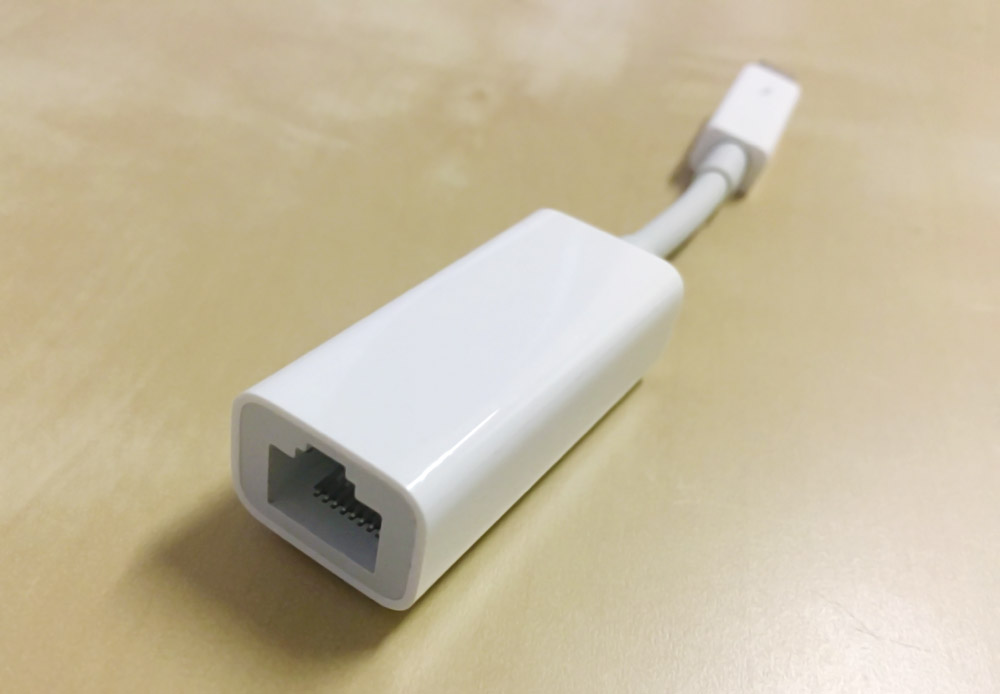

Apple's genuine accessories tend to come with a high-price-tag image, but does that price actually buy you better performance? This time around, I compared the speeds of Apple's genuine LAN adapter and a cheap LAN adapter. For the genuine Apple side, I'll be using this Thunderbolt-connected model.

Amazon.co.jp でチェック
Apple Thunderbolt - ギガビットEthernetアダプタ
For the cheap side, I went with a USB 3.0 adapter — the "Plugable USB 3.0 Gigabit Ethernet Adapter."

Amazon.co.jp でチェック
Plugable USB 有線LANアダプター USB 3.0 ギガビット イーサネット、Windows 10、8.1、7、Linux、Switch、Chrome OS 互換
I tested those two head-to-head.
Test Environment
| Test device | MacBook Pro 13-inch (Early 2015, Core i5, 8GB RAM, High Sierra) |
|---|---|
| Internet line | eo Hikari Home Type 1G |
| Test region | Kinki region (western Japan) |
Speed Test
Plug either one into the MacBook Pro and they're ready to go. The setup looks like this.
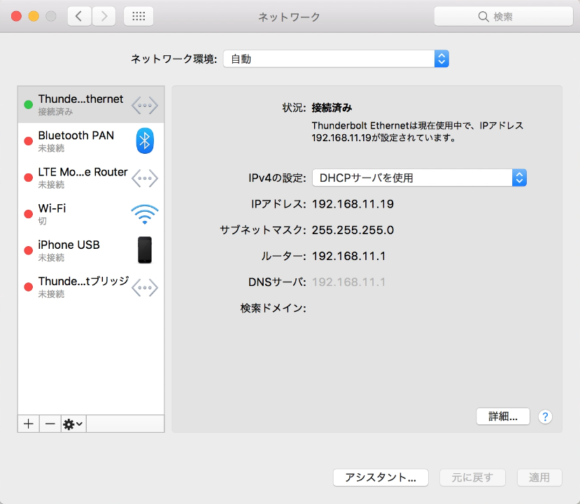
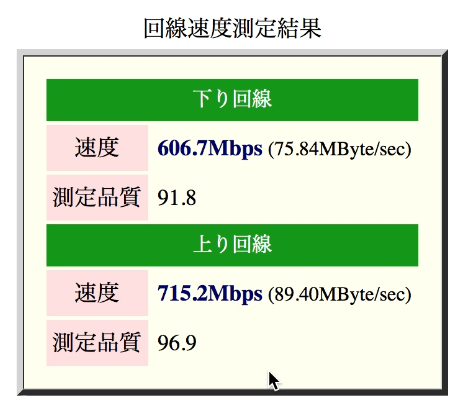
First, here are the speed numbers from the genuine adapter.
And here are the results from the cheap one.
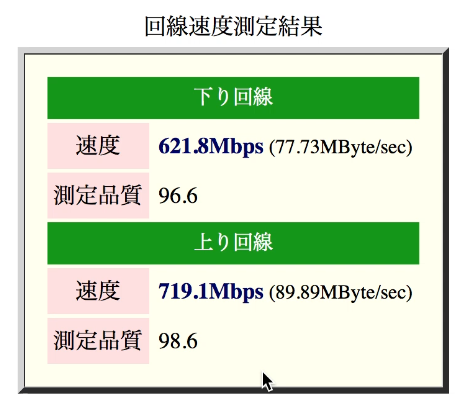
The cheaper one might actually look a touch faster, but a gap that small is well within margin of error. In short, the speeds are essentially the same.
※ The test is also available as a video.
(The prices shown in the video are reference prices from the time it was recorded.)
Both Adapters Were the Same Speed
In this test, the genuine adapter showed no advantage in terms of speed. I can't speak to differences in durability or long-term stability beyond speed, but the cheap LAN adapter I used here has already been running without issues for over two years across other PCs and even a Nintendo Switch — so being cheap doesn't necessarily mean low quality. It's USB-connected, too, which makes it more versatile, and in that sense it might actually have the edge over the genuine adapter. That said, the genuine product still has its own strengths — "guaranteed to work with the supported devices" and "a certain level of quality is assured" — so do keep those points in mind when you're picking one out.