I started playing FPS games on PC around 2014, which is about seven years ago now.
At first I didn't really care about my mouse and just played FPS with whatever mouse came bundled with my PC.
After about half a year, though, I started thinking "I want to play FPS more comfortably," so I picked up a "Razer DeathAdder Chroma" (hereafter "DeathAdder Chroma").
The "DeathAdder Chroma" felt great to use and I had no real complaints, but after about four years of use it started developing problems like chattering (input misfires).
So I bought what was the latest model at the time, the "Razer Viper" (hereafter "Viper"). Its 69 g lightweight body made it easy to maneuver, the sensor had been significantly improved, and there were plenty of attractive points.
However, after using the "Viper" for about two years, the side buttons that were hard to press and the slight discomfort I felt when gripping it never really went away, and I came to think it wasn't the best choice for me.
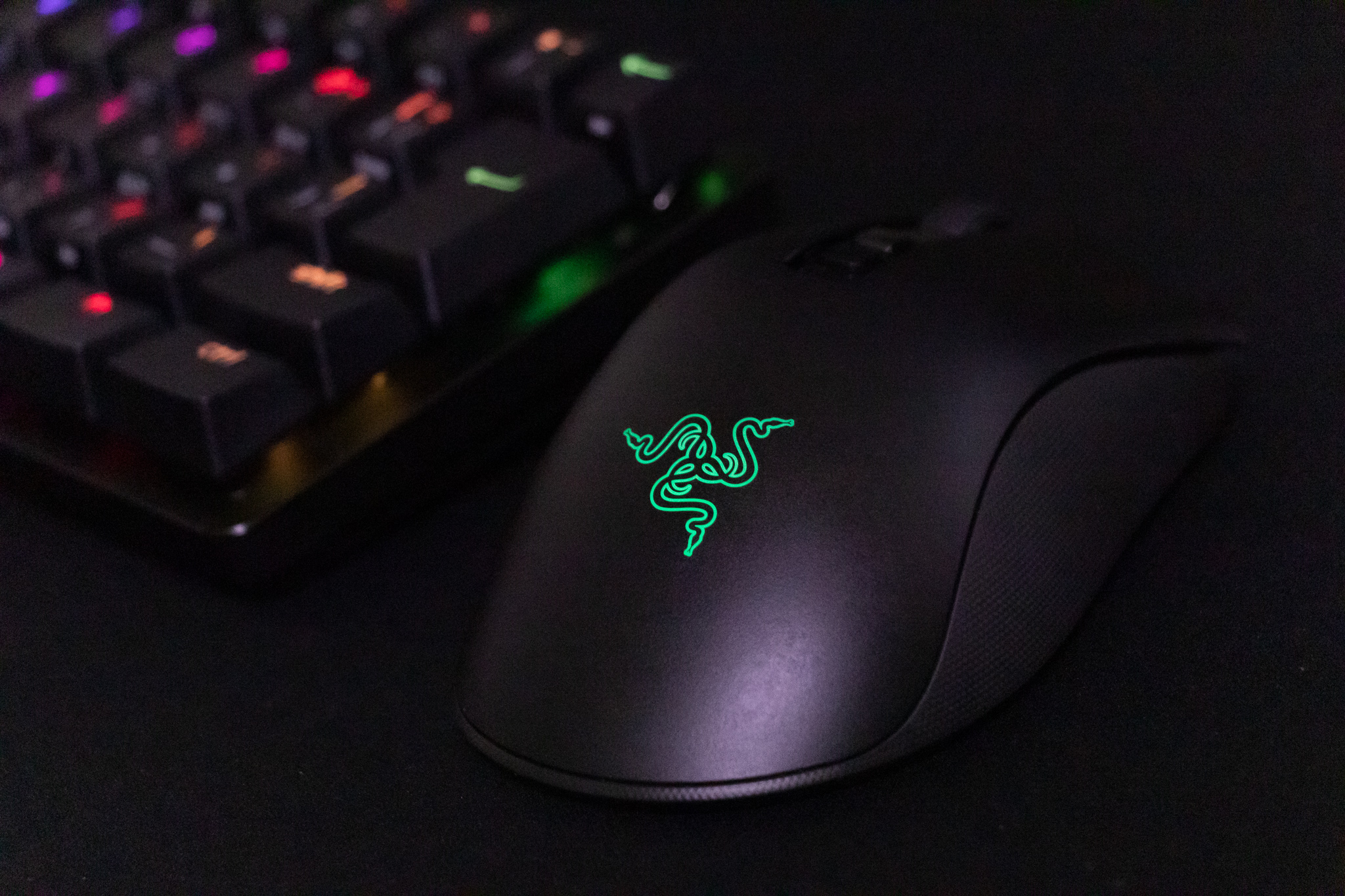
I just couldn't forget the way the "DeathAdder Chroma" fit my hand, so about two weeks ago I picked up its successor, the "Razer DeathAdder V2 Pro" (hereafter "DeathAdder V2 Pro").
I've gotten a feel for it now, so I'd like to share my review.
Note added February 7, 2025: The successor model, the DeathAdder V3 Pro, is now on sale.
Specifications
| Item | Value |
|---|---|
| Dimensions | 127 x 61.7 x 42.7 mm |
| DPI | 20000 |
| Polling rate | 125/500/1000 |
| Sensor | Razer Focus+ Optical Sensor |
| Switches | 2nd Gen Razer Optical Mouse Switches |
| Weight | 88 g |
| Connectivity | Razer HyperSpeed Wireless / Bluetooth / Cable |
| Battery life | Razer HyperSpeed Wireless 70 hours / Bluetooth 120 hours |
| Price | 15,980 yen (tax included) |
As of March 2021, every piece of technology built into this mouse is at the latest level Razer has to offer.
Let's take a closer look at each part.
A Smooth Finish That Hides Fingerprints
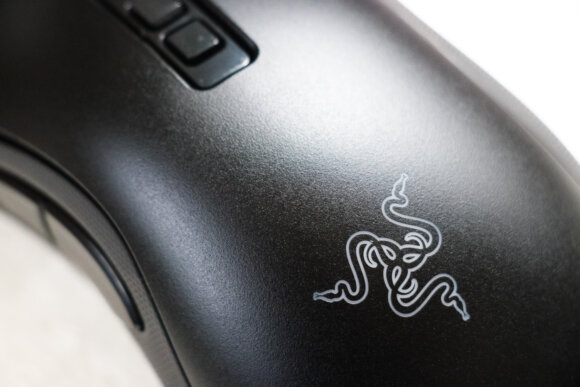
The texture of the mouse body is smooth, doesn't slip when you grip it, and resists fingerprints and dirt.
That said, no matter what kind of finish it has, this kind of surface inevitably becomes glossy over long-term use, so it might not be worth worrying about too much.
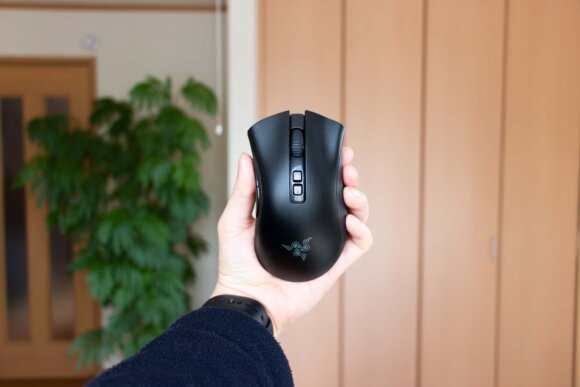
The build quality is solid — no creaking even when you grip it firmly, and no rattling when you shake the mouse from side to side.
In this regard, I think the quality matches the price tag.
On the Larger Side
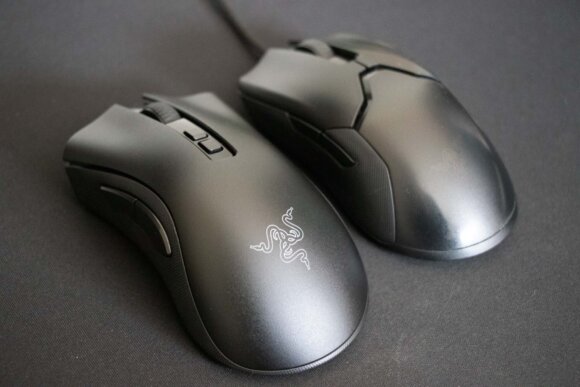
The "DeathAdder V2 Pro" is on the larger side compared to typical mice.
For an adult man this size shouldn't be a problem, but women or people with smaller hands may find it a bit hard to grip.
I'd recommend going to a store, trying it out, and confirming the feel before buying.
If you want a smaller size, there's also the wired "Razer DeathAdder V2 Mini," though the sensor and other specs are stepped down.
An Asymmetric Shape
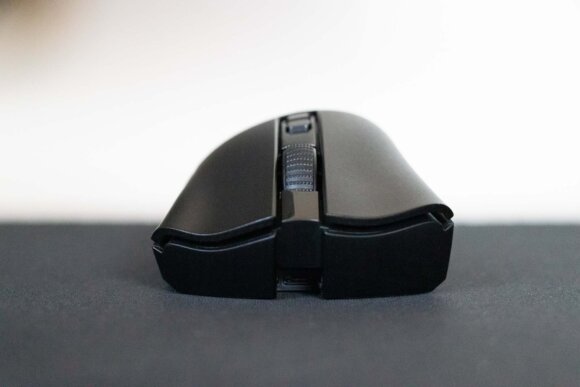
The distinctive design slopes to the right.
It works for the people it works for.
Side Buttons That Alone Justify the Upgrade
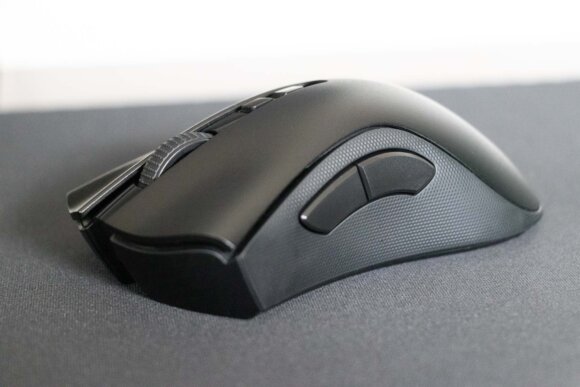
The side buttons are large and easy to press — that alone is reason enough to switch to the DeathAdder series.
When I was using the "Viper," the side buttons were small and I'd sometimes struggle to hit them, but after switching to the "DeathAdder V2 Pro," it has been smooth sailing.
You press the side buttons a lot when playing FPS, so the benefit really comes through.
The fact that the entire side surface is covered in a rubber grip is another nice change.
A Mouse Wheel That Sits Just a Little Deep
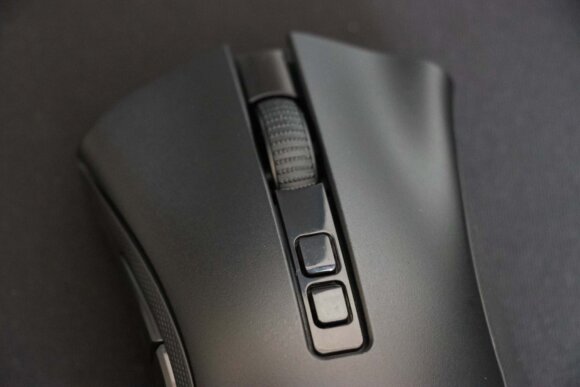
Spinning the wheel gives a nice tactile click feeling.
The middle click also has a quick response and feels easy to press.
However, compared to the "Viper," the click position is a bit deeper and takes a little more force.
That said, you don't middle click much during FPS play, so for now I haven't found it inconvenient enough to bother me while gaming.
Crisp, Ultra-Fast Switches With a Satisfying Click
The switches are "2nd Gen Razer Optical Mouse Switches," and they register inputs in 0.2 ms — three times faster than conventional mechanical switches — so the response feels quick.
Beyond that, the crisp, clicky feel of the switches makes typing in inputs feel really nice.
Another upside of moving from mechanical to optical switches is that chattering is supposed to no longer occur.
Since chattering is what made me consider replacing the "DeathAdder Chroma," this is a welcome change.
Smooth Movement With PTFE Mouse Skates
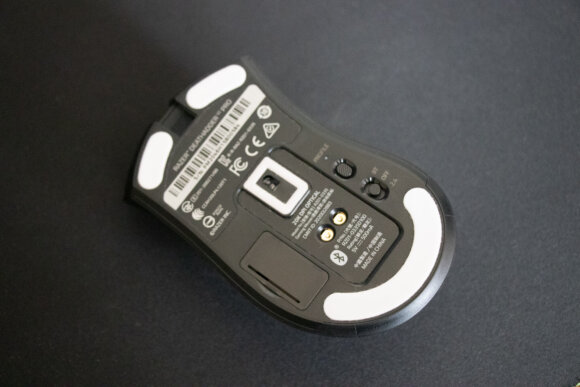
The mouse skates are arranged at the top, bottom, and around the sensor.
To my touch, they feel smoother and easier to glide than the "Viper."
At 88 g, You Couldn't Quite Call It Light
For a "wireless DeathAdder mouse," 88 g is on the lighter side.
But considering that 60 g wireless mice are now on the market, you can't really call it light by today's standards.
After handling the 69 g "Viper" and then using the "DeathAdder V2 Pro," I felt it was "a little heavy."
Even so, it isn't heavy enough that the weight makes FPS play uncomfortable.
If lightness is a top priority, options like the Viper series and Logitech's "G Pro X Superlight" are worth considering.
For FPS, a Wireless Mouse Is More Comfortable
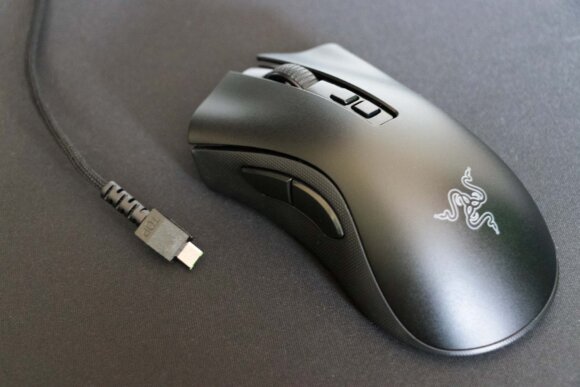
I had been using a wired mouse all this time because I assumed wireless would introduce input lag.
However, thanks to Razer's wireless technology "Razer HyperSpeed Wireless," I don't feel any latency when using the "DeathAdder V2 Pro."
If anything, since the cable doesn't tug on you when you swing the mouse, it's actually more comfortable than when I was using a wired mouse.
Coming back from sleep is also instant — by the time you're thinking about moving the mouse, it's already awake.
Up to 70 Hours of Battery Life
Even when using the lag-free, high-speed "Razer HyperSpeed Wireless," the battery lasts up to 70 hours. I use my PC heavily, 7–9 hours every day, and charging it twice a week is plenty.
Summary
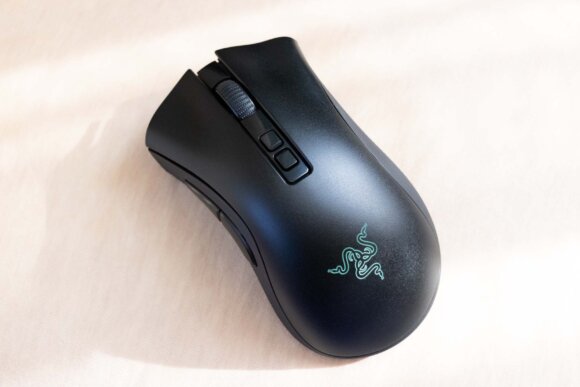
Pros
- A shape that fits the hand
- Easy-to-press side buttons
- Top-tier switches and sensor performance
- Smooth, slippery PTFE mouse skates
- Comfortable wireless connection with no perceptible latency
- Up to 70 hours of battery life with Razer HyperSpeed Wireless
Cons
- 15,980 yen — a bit on the pricey side
- The 88 g weight
- Right-hand only, with a distinctive shape and large size that won't appeal to everyone
I switched over from the highly-rated Viper series — often called the best of its kind — but for me, swapping to the "DeathAdder V2 Pro" was really the right call.
The fit when I grip it is especially great. Rather than feeling like I'm adjusting myself to the mouse, it feels like the mouse has come to meet me halfway, so I can operate it smoothly.
The side buttons are also large and easy to press, with no stress involved.
If I had to pinch a single complaint, it would be the 88 g weight.
Personally, I would have liked to try a "DeathAdder V2 Pro" with the DPI button, profile switch button, and lighting all stripped out, with shorter battery life if necessary, in exchange for shaving 10 g off.
I'm looking forward to seeing how the next DeathAdder series evolves whenever it shows up a few years from now.
I might never buy a mouse outside the DeathAdder series again...?
If this is your first Razer wireless mouse and you don't already have a charging dock, there's also a bundle that includes the charging dock — I'd recommend that option.
It makes charging easier, and buying the bundle works out cheaper than buying the dock separately.
The successor model is here: