
When you buy a new iPhone or iPad, deciding whether to sign up for AppleCare is always a bit of a tough call. Some of you may be thinking, "I can afford the device itself, but what about AppleCare?" Actually, you can still sign up for AppleCare after the fact — as long as it's within 30 days of purchase. The clock starts ticking from the day you first turn on the device. You can check how many days you have left in the Settings app.
This page walks you through the various ways to sign up for AppleCare after the fact.
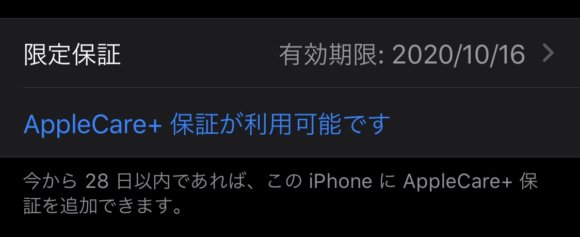
What types of AppleCare are there?
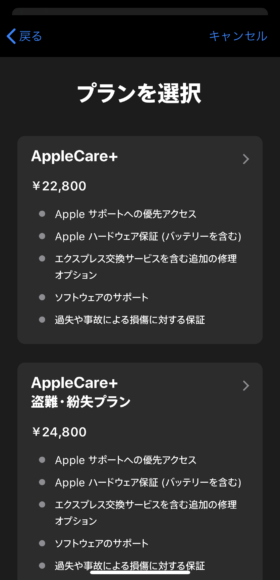
Apple also offers AppleCare for AirPods Pro and Apple Watch, but for the iPhone the option is AppleCare+ (Plus). AppleCare+ comes in two plans: a regular plan, and one that adds Theft and Loss coverage. The regular "AppleCare+" covers things like a cracked screen or water damage. If you want protection against theft or loss on top of that, choose "AppleCare+ with Theft and Loss."
The coverage is the same in both plans, aside from whether theft and loss are included. Note that even if you're enrolled, every time you use the warranty for a screen repair or other service you'll pay a service fee. Even so, it's much cheaper than paying without AppleCare+.

1. How to sign up from the Settings screen
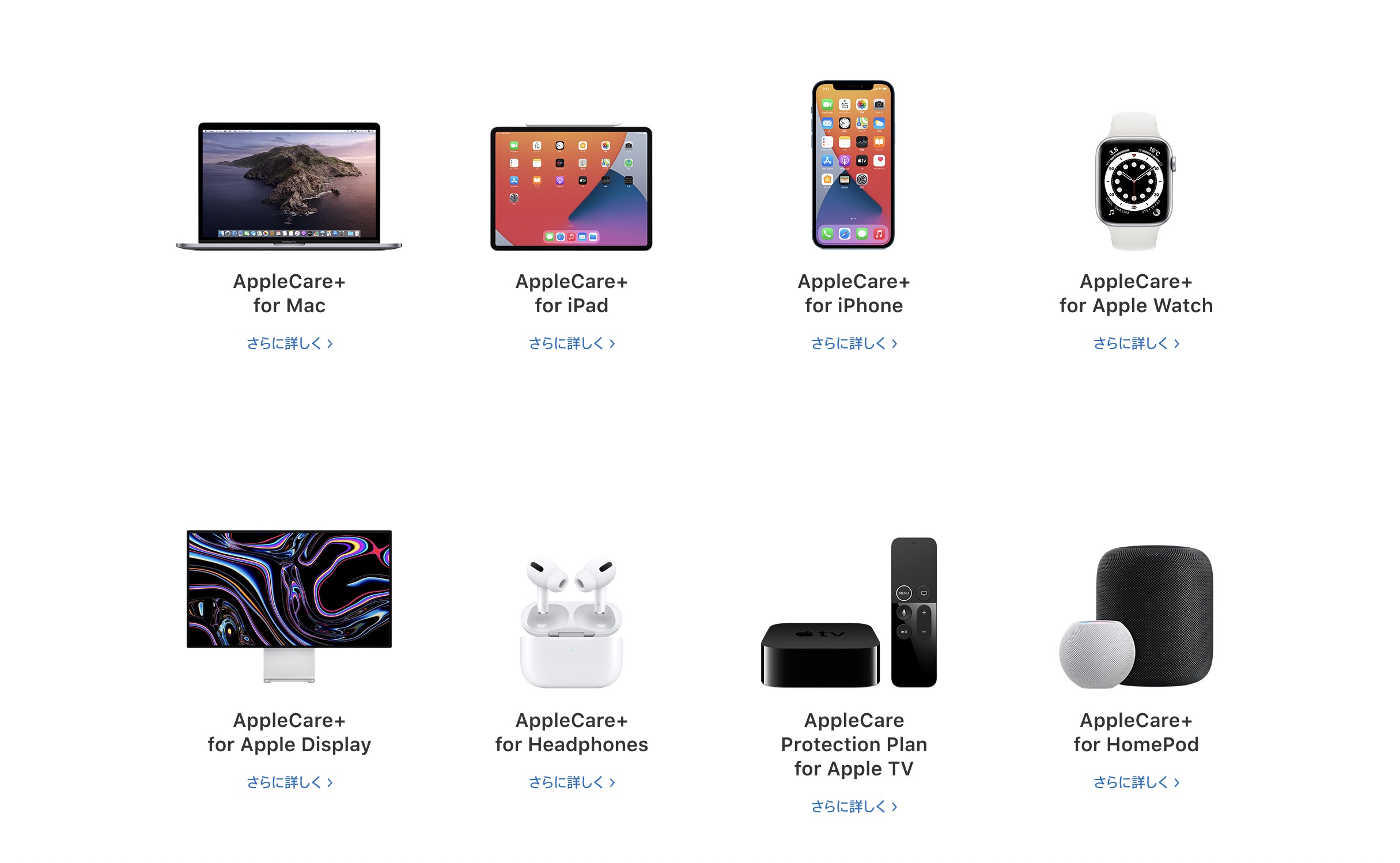
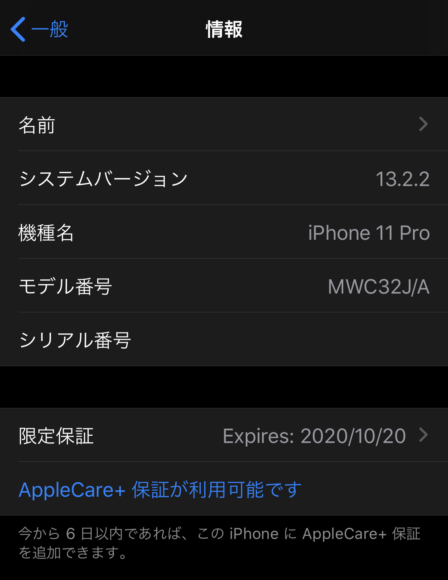
- Open the "Settings" app on your device and tap "About."
- Below the serial number, you should see "AppleCare+ Coverage Available" — tap it.
If you don't see this option, try "2. How to sign up from a browser" below.
-
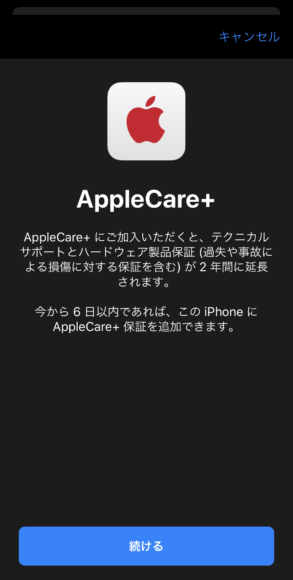
Tap "Continue."
-
Choose your plan.
-
Enter your payment information. Only credit cards are accepted.
-
On the order screen, tap "Confirm Order" to finalize the purchase.
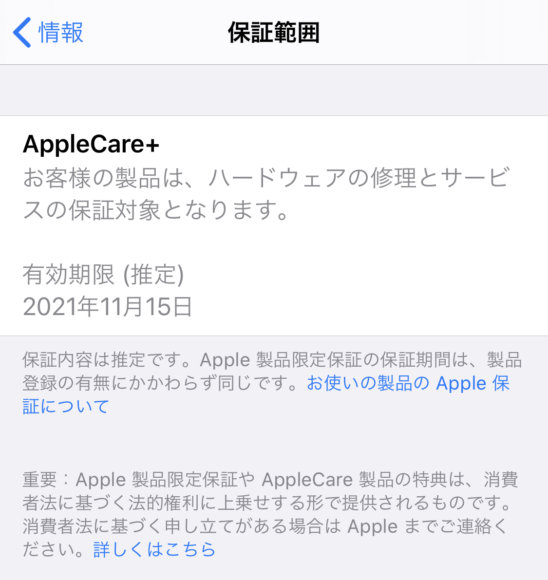
- Once the payment goes through, the warranty is added to your device. You're all set. It may take a little while to show up on screen.
You can also check your enrollment status from Apple's website, so if you're not sure, head to the "Check Your Apple Warranty Status and Service Coverage" page.
If an error pops up and you can't complete the purchase, try "3. How to sign up by phone."

2. How to sign up from a browser
This is how to purchase online through a browser. You'll be asked about your device info over the phone, so keep the device you want to enroll handy.
- Go to the AppleCare Products – Apple (Japan) page and tap "Buy Now" in the upper right.
- Select the target product.
-
Sign in. If signing in is a hassle, you can use the link below the button to enter your serial number instead.
-
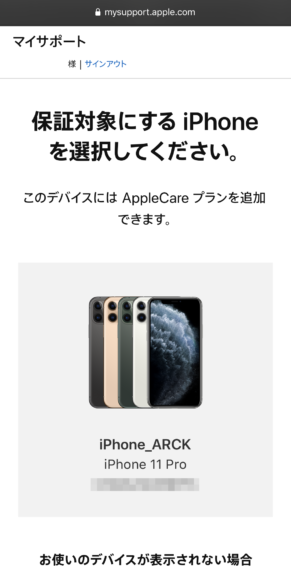
Once you sign in, the devices eligible for coverage are listed — tap the one you want to add coverage to.
-
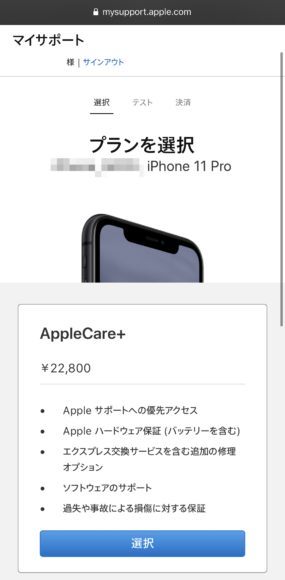
Choose your plan.
-
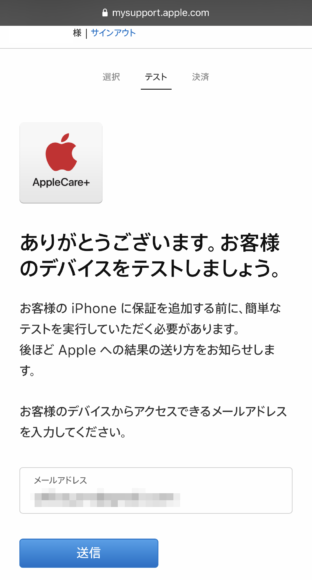
Next, you'll need to run diagnostics on the device. We recommend using an iCloud email address for this. (The button inside the email may not work in Gmail.)
-
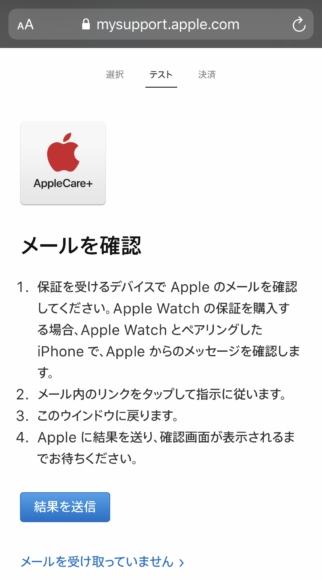
When "Check Your Email" appears, a diagnostic email is sent to the address you entered. Don't close this screen — leave it open as it is.
-
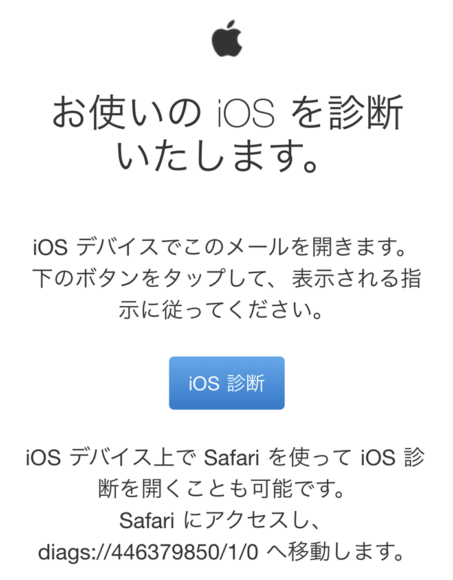
On the device you want to add coverage to, open the email and tap the "iOS Diagnostics" button. The button may not work in apps like Gmail, so in that case open Safari and type "diags://446379850/1/0" into the URL bar to launch the diagnostic program.
-
The diagnostic program launches — tap "Agree."
-
Diagnostics run automatically. When "Diagnostics Complete" is shown, tap "Finish Diagnostics."
-
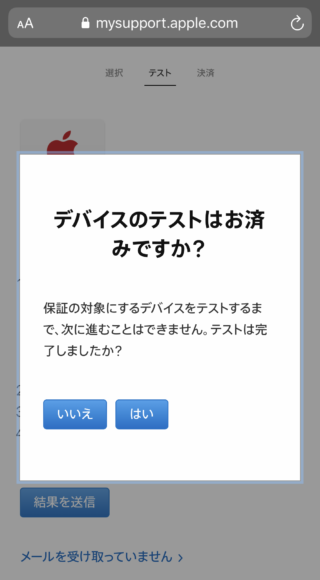
Go back to the previous screen and tap "Submit Results." If you do this too quickly it may fail, so it might be a good idea to wait a few minutes.
-
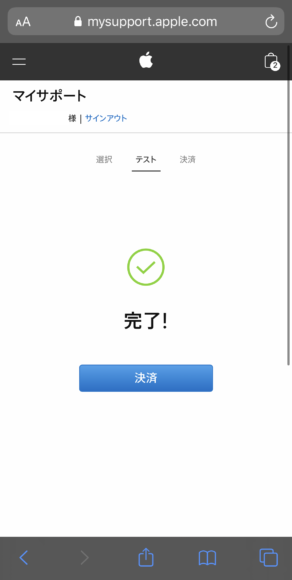
When you see "Done!" the test is complete.
-
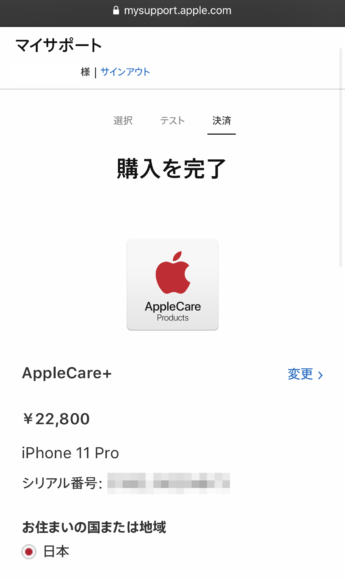
On the payment screen, confirm the details and enter your payment info to complete the purchase.
-
Once the payment goes through, the warranty is added to your device. You're all set. It may take a little while to show up.
You can also check your enrollment status from Apple's website, so if you're not sure, head to the "Check Your Apple Warranty Status and Service Coverage" page.



How to sign up at the Apple Store
If there's an Apple Store near you, you can also walk in and sign up in person. Just let the staff know you're there to enroll in AppleCare+, and they'll be happy to help. The staff handles the whole signup process, so basically you don't have to do anything yourself. Depending on how busy they are, it takes about 10–20 minutes.
Cash is also accepted as a payment method, so you can enroll even if you don't have a credit card.


How to sign up by phone
If for some reason you get an error and can't enroll online, there's the option to sign up by phone. Before you call, jot down the device's "Serial Number" and "IMEI" — it'll go more smoothly that way.
- Call the AppleCare+ purchase line at 0120-277-535.
- Follow the operator's instructions and provide the device information.
- Run diagnostics on the device while following the operator's instructions.
3-1. Tap "Agree" and the diagnostics will start automatically.
3-2. When the diagnostics finish, let the operator know. 4. If the diagnostic results come back clean, you'll be sent a payment email. Tap "Pay" inside the email.
-
On the screen that opens, enter your credit card info to complete the payment.
-
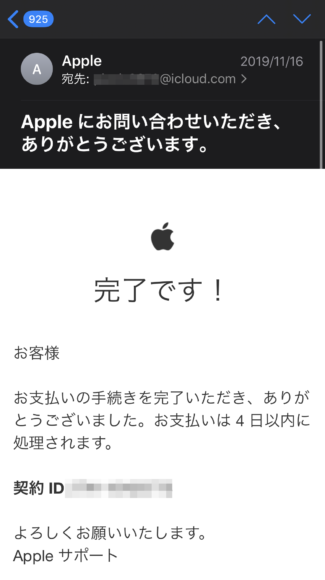
Once payment goes through, you'll receive a confirmation email.
-
The warranty is now added to your device. It may take a little while to show up on screen. You can also check your enrollment status from Apple's website, so if you're worried, you can verify it here.


Just in case — we recommend signing up
If you drop and crack an iPhone 12 Pro that isn't covered, the repair runs 30,400 yen (excl. tax), which is a serious hit to your wallet. And if you're really unlucky and the device suffers something major like water damage or board damage, you're looking at a full device replacement — 59,800 yen (excl. tax). With tax that's over 60,000 yen, enough to buy a brand-new iPad Air... These days insurance companies are selling smartphone insurance and the like, but with AppleCare+ there's the peace of mind of knowing Apple is backing the warranty directly. On a side note, I personally think AppleCare+ is pretty much a must-have for the iPad. The iPad Pro especially — without coverage, repairs can run up to 69,800 yen (excl. tax), an amount that's high enough to make you give up on getting it repaired at all.