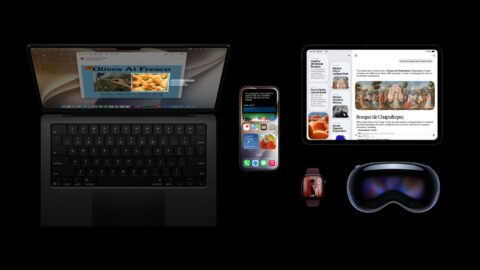
Apple has begun rolling out iOS 27, starting around 10 a.m. Pacific Time on September 14 and reaching Japan in the early hours of September 15 local time. The headline addition is a reworked Siri AI that can search photos, reschedule events, and handle multi-step requests, alongside faster app launches and a new way to use two iPhones with one number. Apple listed more than 250 new features and changes back in June, spread across iOS 27 and its other 2026 operating system updates.
Siri AI Handles Multi-Step Requests Without Losing Context
The centerpiece of iOS 27 is Siri AI, a substantial overhaul of the assistant. Where the previous Siri could only respond to one instruction at a time, Siri AI can now follow a request across multiple steps without the user repeating earlier context. It can search photos and notes on request, reschedule calendar entries, and even write replies that match a user's usual tone.
Under the hood, Siri AI works on a two-tier system: lighter requests are processed directly on the device, while heavier queries are routed to Apple's Private Cloud Compute servers. At launch, Siri AI is limited to English, and Apple has confirmed a daily usage cap will apply, with a paid tier for expanded access planned for later — though pricing has not been announced. The feature will also be unavailable in the EU at launch due to regulatory considerations. Siri AI requires an iPhone 15 Pro or Pro Max or newer (A17 Pro chip or later), while the more capable on-device model runs on models with 12GB of memory: the iPhone Air, iPhone 17 Pro and Pro Max, and the iPhone 18 Pro and Pro Max (the 8GB iPhone 17 is not included). iOS 27 itself supports iPhone 11 and later.
Apple Intelligence Gains Photo Editing and Image Generation Tools
Beyond Siri AI, Apple Intelligence has picked up several new capabilities. Photo editing adds "Extend," which fills in the surrounding area of an image, and "Reframe" for recomposing shots, while Image Playground now supports photorealistic image generation. Apple has also added natural-language shortcut creation and automatic video descriptions for HomeKit Secure Video footage.
Visually, the Liquid Glass design introduced with iOS 26 has been refined further, with more uniform refraction, improved contrast, and sharper app icons, plus a new adjustable slider that lets users balance translucency against legibility. On the performance side, Apple says app launches are up to 30% faster, new photos load up to 70% faster, and AirDrop transfers are up to 80% faster.
iPhone Handoff and Other Practical Additions
Several everyday features round out the release. iPhone Handoff lets a user switch between two physical iPhones while keeping the same phone number active on whichever device is in use, though it depends on carrier support — T-Mobile in the US plans to charge 5 USD (about 770 yen) per month for the feature, while Verizon and EE are expected to roll it out by the end of the year.
In the US only, Apple Cash gains a bill-splitting tool that uses the Camera app's Siri mode to scan a receipt and calculate each person's share, including tax and tip. Find My now offers more granular location-sharing controls, including specific date and time limits and the option to pause sharing with a contact until the end of the day without sending a notification. CarPlay also gains developer support for video-browsing apps, usable while the vehicle is parked.
※1 USD = 154 JPY (as of publication)
Summary
iOS 27 centers on a reworked, conversational Siri AI, paired with a broad set of updates spanning photo editing, image generation, visual design, performance, and two-phone convenience. Siri AI itself remains limited to English and a daily usage cap for now, but the release marks a clear step in Apple's push toward a more capable personal AI assistant. Eligible users can update from Settings > General > Software Update.