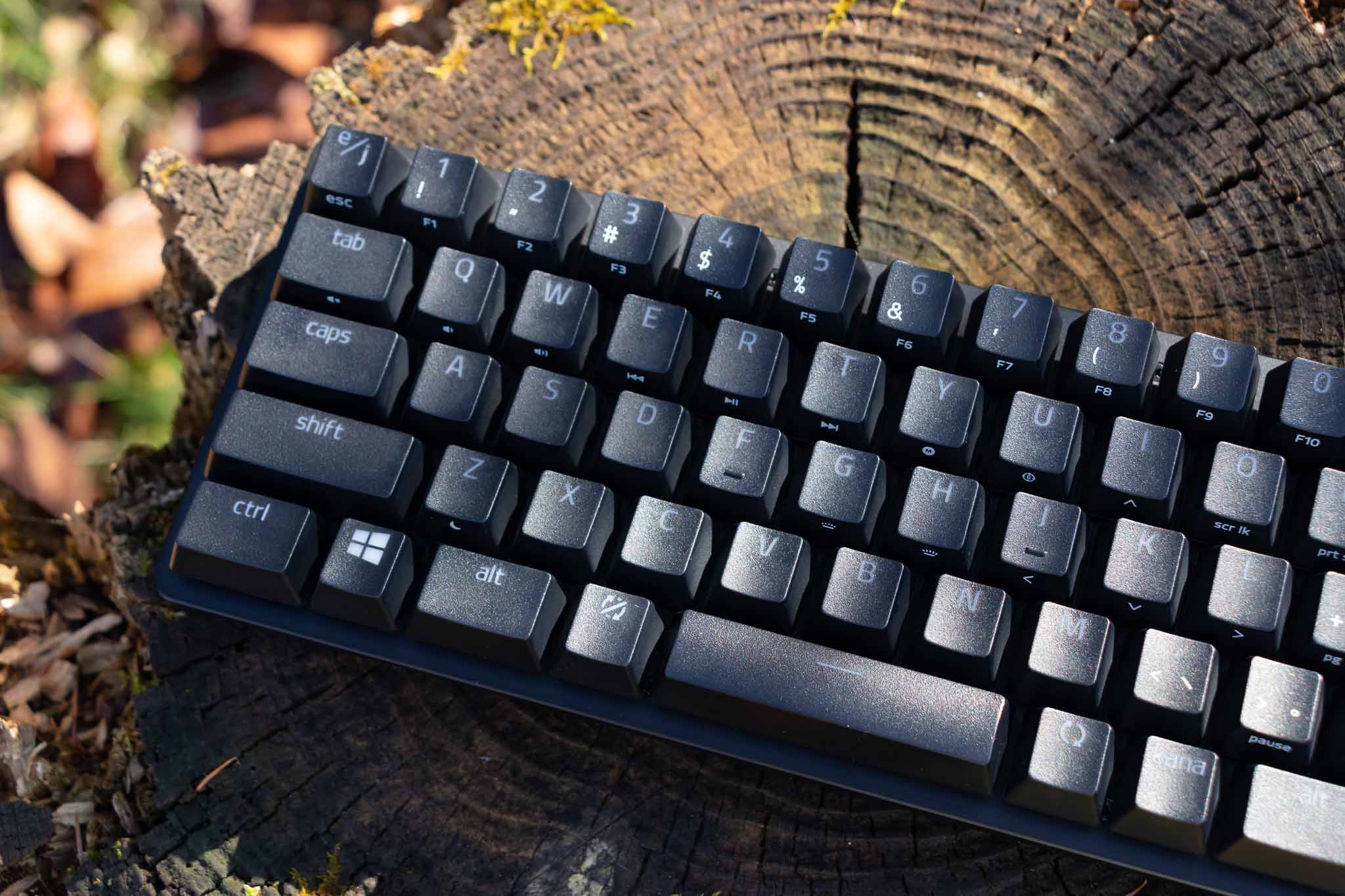
On November 13, 2020, the Japanese-layout version of the Razer Huntsman Mini — a regular 60% keyboard with the numpad, arrow keys, and other keys cut off — went on sale. Until now I had mainly been using the Razer Blackwidow Green Switch for gaming for about four years, and after that the Razer Huntsman Tournament Edition Linear Optical Switch for around two weeks. The typing feel of those didn't quite suit me, though, so I picked up the Razer Huntsman Mini on launch day. About a week has gone by and I've gotten a sense of how it feels to use, so let me share a review.
A Compact Size That Makes You Want to Take It Everywhere
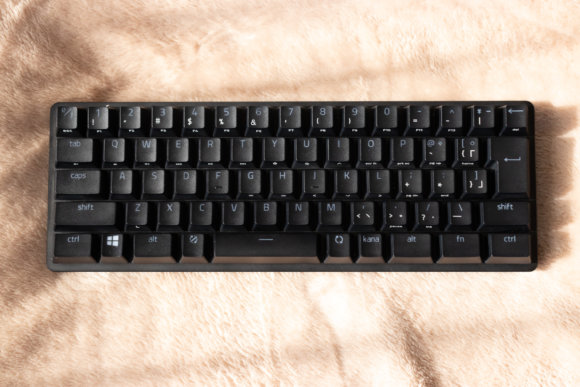
The first thing to mention is that small footprint. It frees up a lot more space for your mouse, so it's perfect for low-sensitivity (low-sense) players who need to swing their mouse from side to side. Things like "I was playing FPS and my mouse smacked into the keyboard" become a thing of the past. It's also light, which makes it a great pick for anyone who has to carry a keyboard around with them.
Quality That Lives Up to the Price
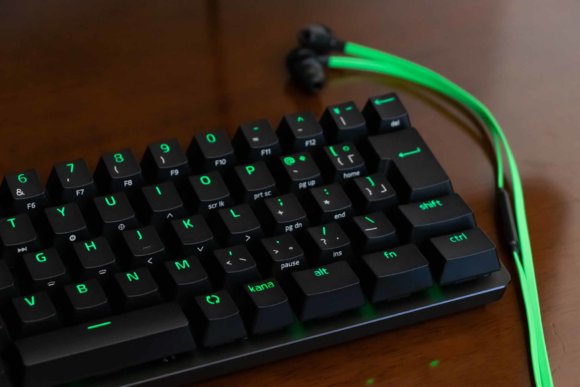
A cool aluminum body, smooth and pleasantly textured keycaps, a clean and elegant font, and refined, beautiful LEDs. At 16,980 yen (about 110 USD), it's certainly not what you'd call cheap, but the quality is high and using it just feels good.
A 2nd-Gen Linear Optical Switch That's Just Right for Both Gaming and Typing
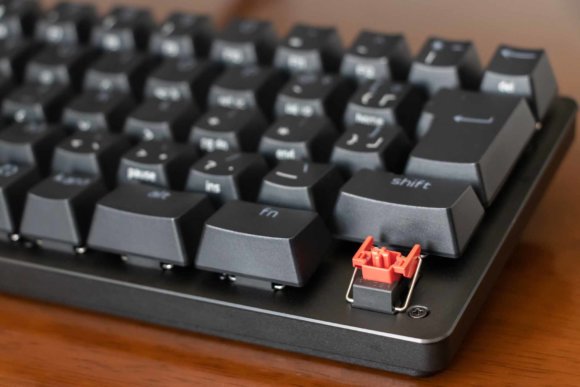
The Linear Optical Switch is a switch developed in-house by Razer, and it's been used in keyboards like the Razer Huntsman Tournament Edition. With the Razer Huntsman Mini, however, the switch has stepped up to a new 2nd Gen, with significant changes to the specs.
- Actuation point — the depth at which a key press is registered.
- Key travel — the maximum depth a key can be pressed.
- Actuation force — the amount of force required to press a key.
| Actuation point | Key travel | Actuation force | |
|---|---|---|---|
| Green Switch | 1.9 mm | 4.0 mm | 50 g |
| Linear Optical Switch 1st Gen | 1 mm | 3.5 mm | 40 g |
| Linear Optical Switch 2nd Gen | 1.2 mm | 3.5 mm | 48 g |
I previously used the Razer Huntsman Tournament Edition, which uses the 1st Gen switch, but the 1st Gen had a short, very light feel — to the point where "just resting my fingers on the keys would register an input" — and the resulting misfires built up real frustration. With the Razer Huntsman Mini moving to the 2nd Gen, those misfires went away. The typing feel has a nice "thock-thock-thock" quality and feels just right to me. Even in FPS games where quick action is required, the actuation point of just 1.2 mm makes high-speed input possible, and the controls feel great.
Strikingly Quiet
Along with the new generation of switch, the noise has been cut down significantly. With earbuds in, you can barely hear the typing sound, and during voice calls the noise no longer leaks into the mic. I felt the typing noise was at a level you could comfortably use even in environments where quiet is expected, like an office.
Remapping the Key Profile Is Practically a Must
On a 60% keyboard, to type the keys that have been removed (like F1), you have to hold the Fn key while pressing a key that has a secondary function assigned to it.
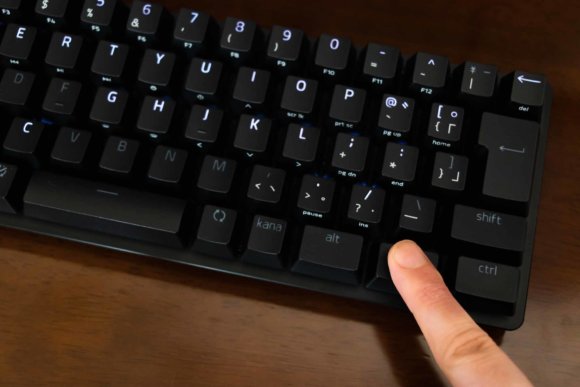
For example, if you want to type F1, you hold Fn and press 1, and that gives you F1. By default, however, the Fn key sits at the bottom right, which makes it hard to reach the keys on the left side of the board. Honestly, leaving things as-is would make the keyboard awkward to use and earn it a pretty rough review. So let's go ahead and use Razer Synapse to remap the key profile.
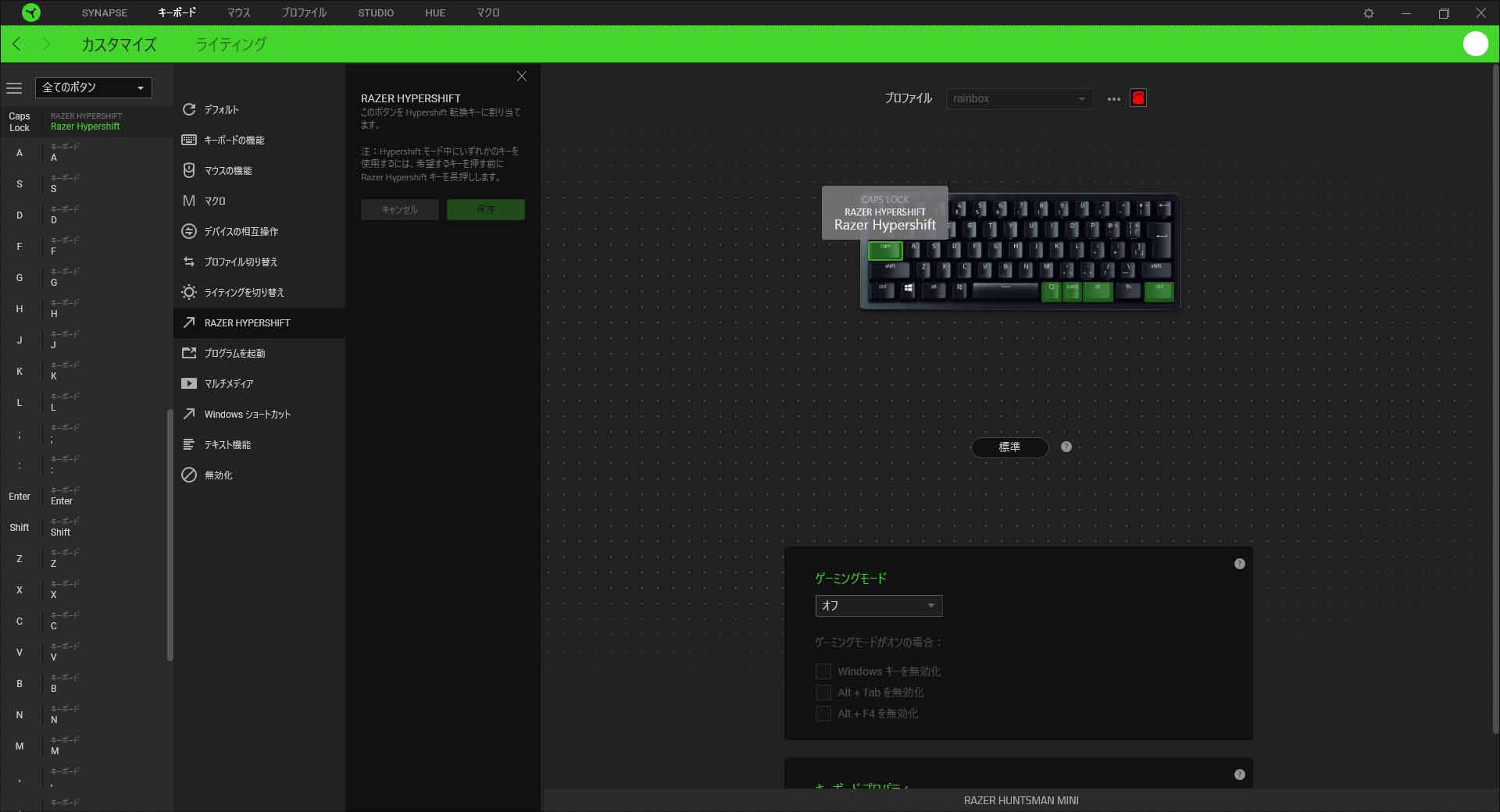
I'd recommend setting up an Fn key on the left as well as the right. Assign Razer HyperShift (the Fn key) to a key you don't use, like Caps Lock, and you'll be able to hit F1 or ESC with just your left hand, which makes things much smoother. Personally, I use the arrow keys when I'm typing, so I assign up/down/left/right as secondary functions to ASDX — when you map keys to suit your own habits, it gets a lot easier to use.
Wrap-up
The Razer Huntsman Mini isn't something I can recommend to everyone, just because of its size, but for people playing FPS or other games on PC, I think it's the ideal choice. What stood out for me was that the input speed and weight of the keys are just right, letting you type quickly and comfortably while cutting down on misfires. It's the kind of typing feel I love so much that just that alone makes me feel the purchase was worth it. Working the Fn key takes some getting used to at first, but I think it'll start to feel natural after a while. Using a full-size keyboard for everyday work and the Razer Huntsman Mini when gaming might be a nice setup. It's a bit of a pricey keyboard, but it's undeniably high quality, and personally, I'm really glad I bought it.