A certain company decided to roll out tablets, and the budget was 10,000 yen (about 70 USD) per unit. As a die-hard Apple fan, I would have loved to recommend the iPad without a second thought — but at 10,000 yen that's totally impossible, and forget about brand-name makers like ASUS or SAMSUNG too! That basically leaves you with the dirt-cheap Chinese-made Android tablets sold on Amazon. Narrowing the search down to 10-inch tablets running Android 9 or higher, I found a few that came in under 10,000 yen and had decent-looking reviews. But this kind of product can have fake reviews, so I figured I'd be the guinea pig and bought one as a test.
Update February 8, 2025: The ZONKO tablet has disappeared from Amazon. The current candidates are these:
It comes in under budget (at the time of writing), with a quad-core CPU, 2GB of RAM, 32GB of storage, the relatively new Android 9, a 6,000mAh battery, and even 3G mobile data — pretty solid specs for the price.
ZONKO K105 Spec Sheet
| CPU | Mediatek MT6580 - Arm Cortex-A7 @1.3GHz - 4 cores |
| RAM | 2GB LPDDR3 - 533MHz (manufacturer-stated) |
| Storage | 32GB eMMC |
| OS | Android 9.0 |
| Display | 10-inch 1280 x 800 IPS LCD |
| Battery | 6,000mAh |
| Connectivity | Wi-Fi (b/g/n), Bluetooth, 3G |
| External slots | microSD (up to 128GB) x1, SIM (standard) card x2, 3.5mm headphone jack x1, microUSB port x1 |
| Camera | Front: 2MP, Rear: 5MP |
Note: I'll get to the RAM later, but in reality it might be closer to 1.5GB rather than 2GB.
Unboxing
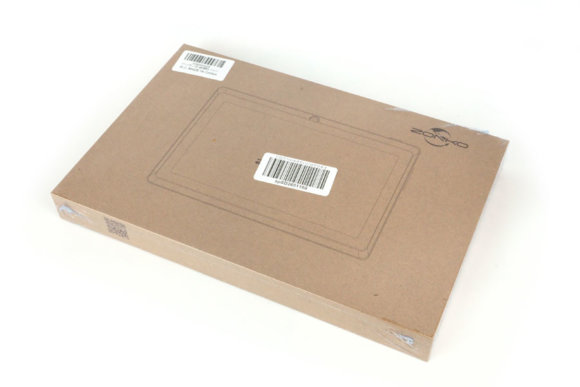
First, the outer box. Surprisingly, the box itself is solid.
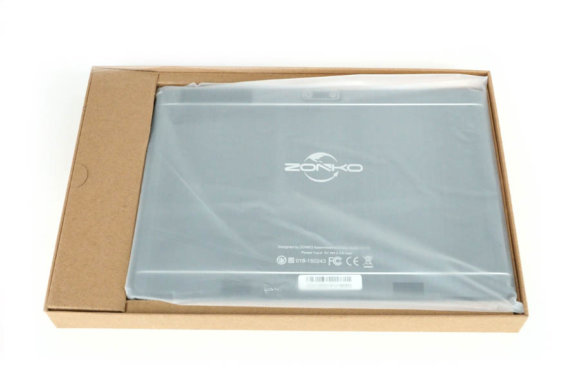
Open it up and you can see the tablet. The space on the left holds the AC adapter and USB cable.
And here's the tablet itself.
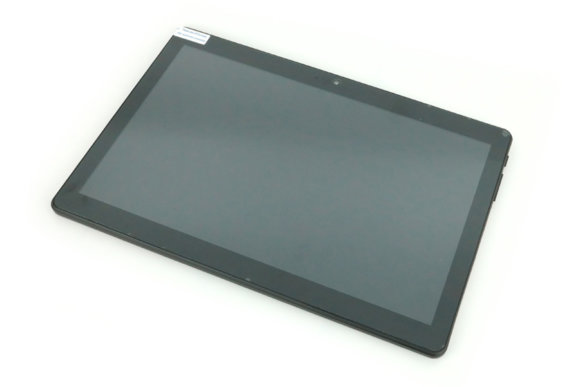
For the price, it actually feels reasonably solid. A screen protector is already applied from the factory. But this protector is a pain — it had a lot of bubbles in it from the start.
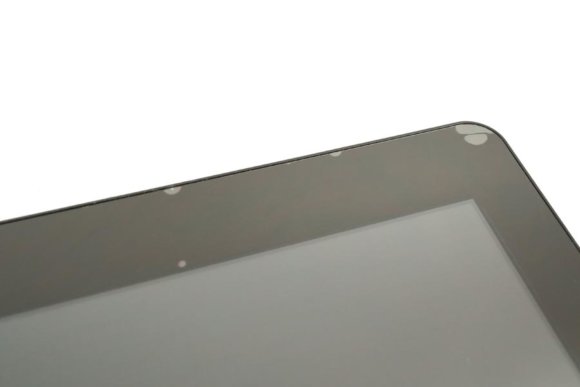
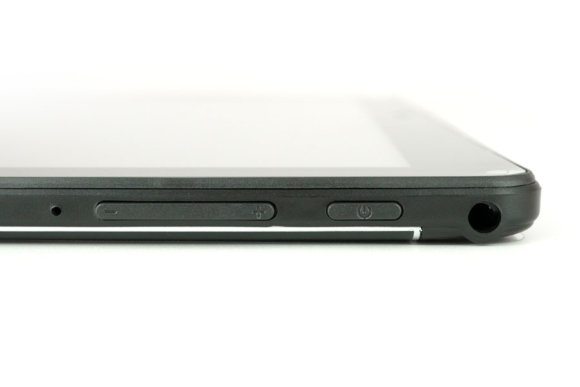
The protector also seems to scratch really easily; just trying to push the bubbles out put more and more scratches on it. The display itself is made of a pretty soft material too, and when I pressed on it, it ended up creased, so I gave up on getting the bubbles out. On the right side of the device are the power button, volume rocker, and 3.5mm headphone jack.
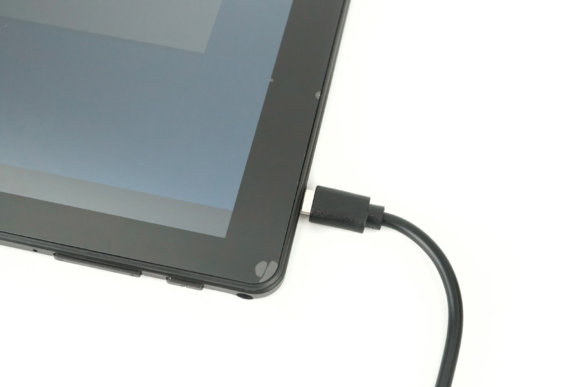
The microUSB port for charging and data is on the upper right.
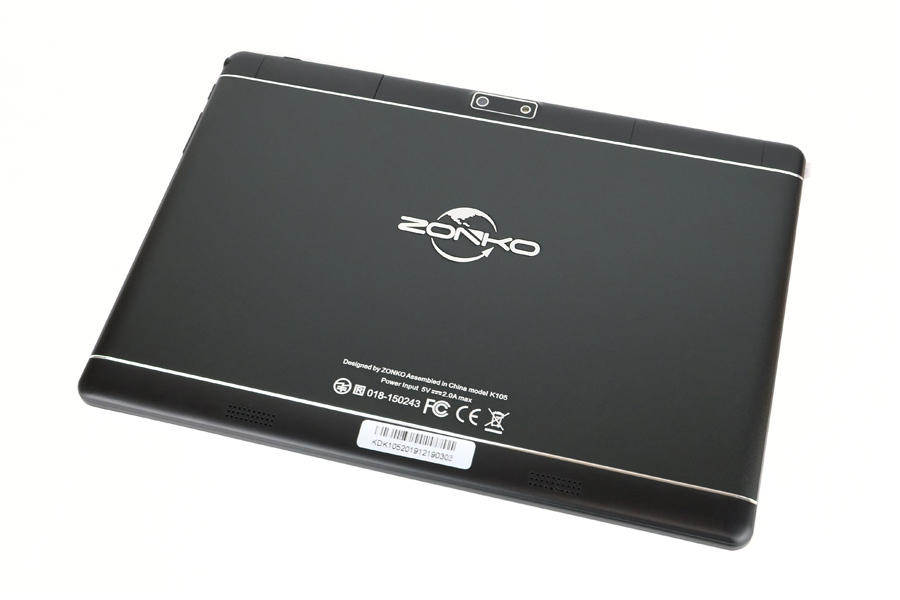
Here's the back of the tablet. For something this cheap, it doesn't really feel that cheap.
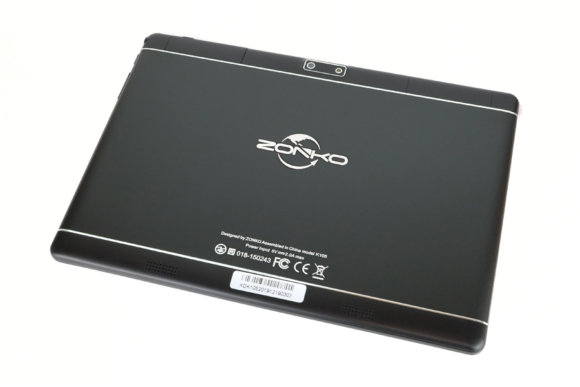
It properly carries a Japanese telec mark, so it's fine to use within Japan. The rear camera looks like this.
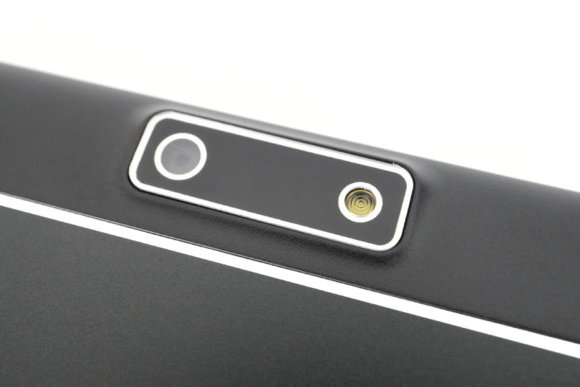
One side is the camera and the other is what looks like a flash LED. Note that this is not a dual-lens setup. The microSD and SIM card slots are under a flap.
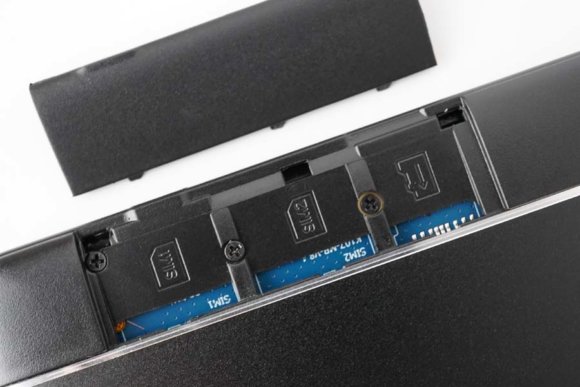
The flap is fairly stiff, so push too hard and it feels like it'll snap. Open and close it often enough and it'll go crack one of these days. The 3G SIM card slot uses the standard SIM size, which is rare these days, so the now-mainstream nano SIM won't fit as-is. Japan's 3G service will end in a few years anyway, so you can only use it until then.
Boot it up and the home screen looks like this.
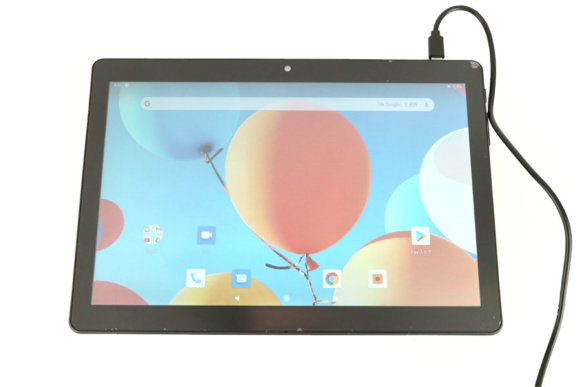
There are basically no preinstalled apps — it's pretty close to stock Android. Domestic carriers cram way too many apps onto their devices, so something this clean is just right.
Performance Is What You'd Expect for the Price
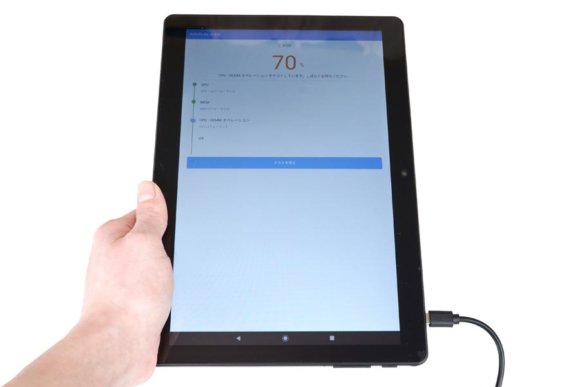
In actual use, it feels pretty sluggish. It's like they aimed for the absolute minimum that wouldn't tip people into rage — when you tap a button on screen and nothing happens, you can't tell whether the touchscreen is just inaccurate or the system is slow, so you end up tapping repeatedly until something starts moving. The display might also feel rough to anyone used to high-resolution smartphone screens.
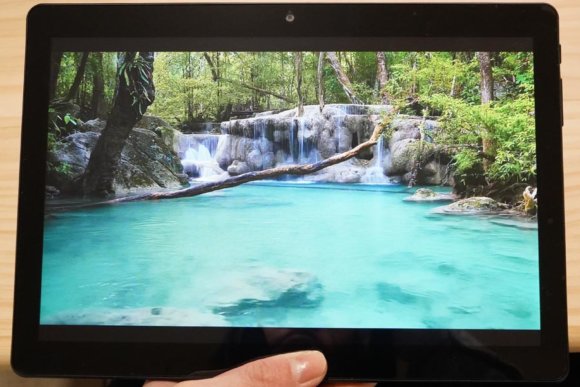
I tried playing a 720p 60fps video on YouTube, but it dropped frames, so 720p 30fps seems to be the limit. It's understandable given the price, but I get the feeling you'd be better off spending a few thousand yen more and getting something else.
When I Tried to Install Apps from Google Play
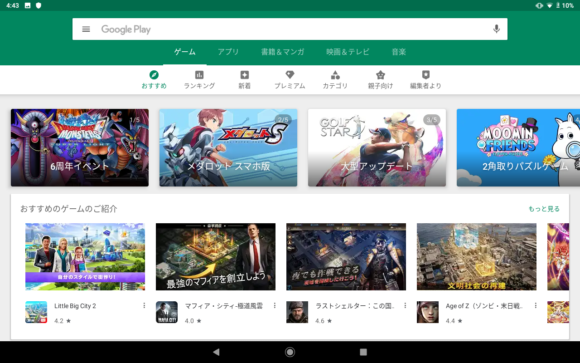
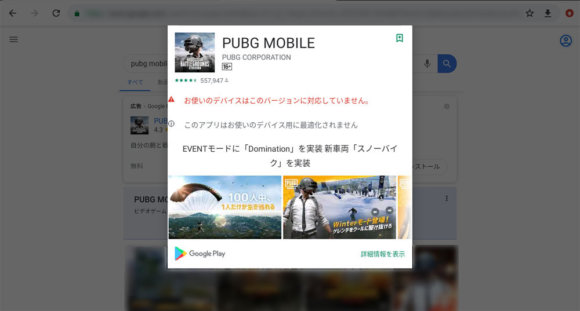
When I tried to install apps from the Google Play Store, a lot of them turned out to be incompatible. For example, PUBG MOBILE, Knives Out, and FORTNITE all show "Your device isn't compatible with this version" and refuse to install. If you're considering this for gaming, be careful.
By the way, when I tried a 3D game that did install, it crashed during the tutorial, so even apps that install aren't guaranteed to actually run. This really is a tablet for limited use cases like browsing or video playback.
I Ran Some Benchmarks
Geekbench 4.4.0
The current Geekbench 5 wouldn't install, so I had to use the older 4.4.0. Note that Geekbench 4 and 5 scores are not interchangeable.
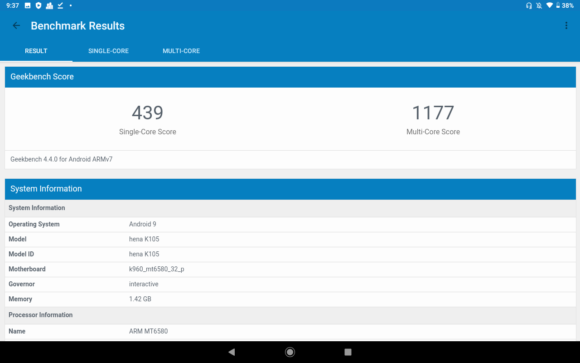
The benchmark scores came out to 439 single-core and 1177 multi-core. For reference, on single-core scores, the 2013 Xperia Z1 hits around 900 and the 2012 iPhone 5 hits around 760, so this tablet is about half the performance of those. Worth noting: it shows up as 1.42GB of RAM, which is suspicious.
Antutu Go
The standard Antutu wouldn't install either, so I used the lightweight Antutu GO version.
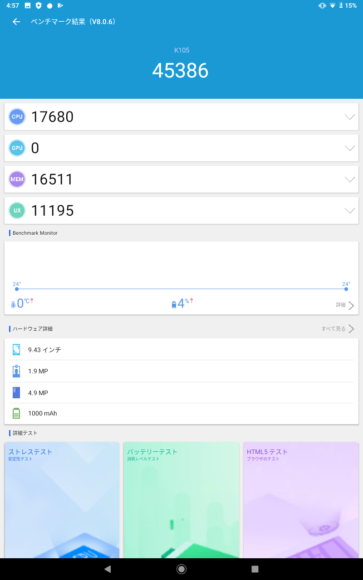
The GPU benchmark wouldn't run, so the score came out as 0. The CPU score was 17680.
I checked the device details, and yeah, this app also reports about 1.4GB of RAM.
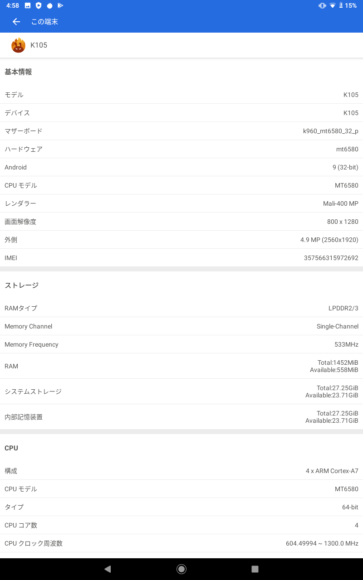
Storage capacity isn't an issue, but the RAM is a concern.
Actual RAM Is 1.5GB, Not 2GB
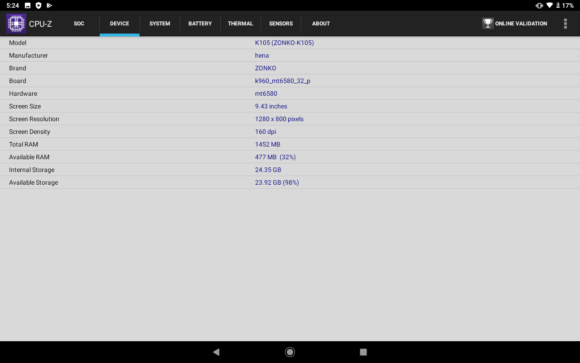
The catalog says 2GB of RAM, but benchmark apps and CPU-Z all reported about 1.4GB. RAM and storage always show less usable capacity than advertised, but if it really had 2GB installed, you'd expect to see around 1.8GB. 1.4GB is just too little, so the K105 actually ships with around 1.5GB of RAM.
The Camera Tries Reasonably Hard
Here's a shot taken with the rear camera. At 5MP, that's 5 million pixels.

It captures things reasonably well. You can even see the fur properly.

For a budget tablet, I'd say the image quality is plenty. It's no match for the latest smartphones, but it's good enough for casual snapshots.
Overall Verdict
If you absolutely have to keep the budget to a minimum, this becomes an option. But given the limited app support, the fragile screen, and the lying about RAM capacity, you're probably better off adding a few thousand yen and buying a different tablet. If you're not set on buying new, picking up a brand-name tablet on the used market is another option worth considering.