A 3-line summary of this article...
DMM Mobile is low-cost — data communication starts from 440 yen (about 4 USD). You can choose a plan that matches the capacity you actually need, so you can trim wasteful monthly communication costs. Speed is pretty fast when the network isn't congested. When it is congested, it gets slow.
DMM Mobile official site - https://mvno.dmm.com/
Pricing & Plan List
Here is the DMM Mobile plan list. (All prices on this page are shown excluding tax.)
| High-speed data capacity | Data-only SIM | Voice + Data SIM |
|---|---|---|
| Light Plan※ | 440 yen | 1,140 yen |
| 1 GB | 480 yen | 1,260 yen |
| 2 GB | 770 yen | 1,380 yen |
| 3 GB | 850 yen | 1,500 yen |
| 5 GB | 1,210 yen | 1,910 yen |
| 7 GB | 1,860 yen | 2,560 yen |
| 8 GB | 1,980 yen | 2,680 yen |
| 10 GB | 2,190 yen | 2,890 yen |
| 15 GB | 3,280 yen | 3,980 yen |
| 20 GB | 3,980 yen | 4,680 yen |
※ The Light Plan has no high-speed data; instead, you can use it without limit at 200 kbps (the same speed as when throttled).
Compared with similar plans from other carriers, the pricing comes across as quite cheap. According to DMM's official site, in order to achieve the low prices they purchase communication capacity in bulk at once and bring the unit cost down — you could call this a scale advantage that only a major company like DMM can pull off.
Because they run by borrowing NTT Docomo's network, they don't bear costs like base-station installation and maintenance. In addition, by purchasing large amounts of data capacity at once and lowering the unit cost, they are able to offer service through low-priced plans. (Quoted from the DMM official help page.)
Another characteristic of DMM Mobile is that the high-speed data capacity tiers are finely divided, so you can pick a plan that fits you and use your capacity without waste. And even if you have capacity left over, the remainder can be carried over to the next month — that's another plus.
Actually Tried It Out — Speed Check
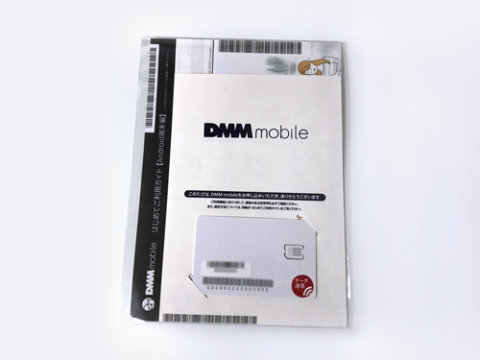
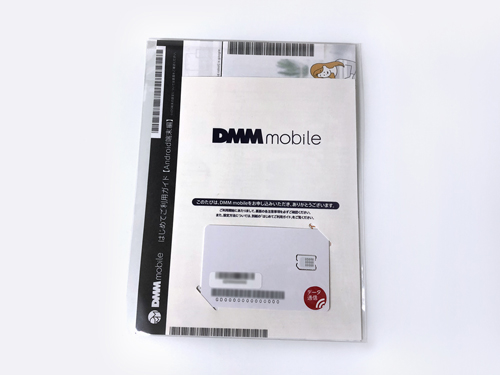
For this test, I prepared a 1 GB data-only SIM. Let's see just how far a 480-yen SIM can go — heading out into town to verify.
Survey area: Osaka City and the surrounding areas of Osaka Prefecture Speed-check device: iPhone X (iOS 12) Speed-check app: Ookla Speedtest
Please note that the measurement results are not a guarantee that you will always get these speeds. Please look at them as a rough indicator and reference only.
0. First, just measure
First, I'll measure casually and use that as a reference for the rest.
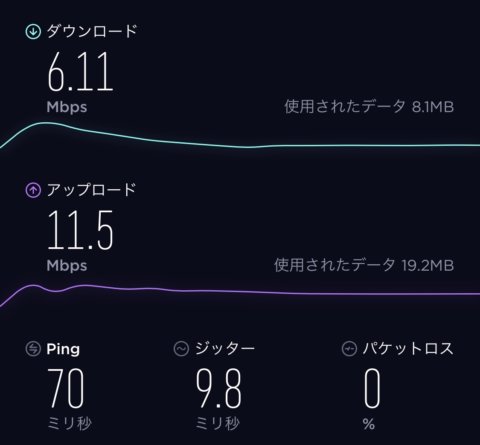
13:28 - Down: 6.11 Mbps Up: 11.5 Mbps
With this kind of speed, you can of course play online games, and you can watch videos in the YouTube app stress-free. On the checks that followed, it kept a comfortably usable speed: 5.79 Mbps (14:30) and 3.98 Mbps (16:00).
1. Measured while moving by train through Osaka City
Next, here are the results from the relatively congested lunchtime hours, measuring every 5 minutes while taking the train toward Osaka Station.
12:00 - Down: 1.63 Mbps Up: 1.20 Mbps 12:05 - Down: 0.38 Mbps Up: 9.50 Mbps 12:10 - Down: 0.49 Mbps Up: 9.48 Mbps 12:15 - Down: 0.37 Mbps Up: 5.71 Mbps 12:20 - Down: 0.15 Mbps Up: 8.33 Mbps 12:25 - Down: 0.25 Mbps Up: 14.4 Mbps 12:30 - Down: 0.28 Mbps Up: 3.42 Mbps
Starting around 12:00, it began to feel the impact of congestion, and around the peak of 12:30 some results dropped below 0.2 Mbps. From around 12:20 to 12:30 it really got heavy — Twitter icons took ages to show up, and some sites took a considerable amount of time to open. That said, as the peak passed the speed gradually recovered, and by a little after 13:00 it was getting around 0.5 Mbps. At about 0.5 Mbps, browsing Twitter or websites is more than possible. For a SIM that costs around 480 yen, this is actually on the fast side, isn't it? (My old SIM from another carrier used to go almost completely dead at lunchtime…)
2. Measured while moving by car around Osaka Prefecture
Here is the result measured at 13:00 — another relatively congested lunchtime — on a different day.
13:00 - Down: 0.54 Mbps Up: 17.1 Mbps
Once again, during the lunchtime congestion period the speed dropped below 1 Mbps, but when I tried Twitter and browsing, I wasn't kept waiting excessively — fully within an acceptable range.
3. Measured at home, late at night
Finally, here is the result measured from home, around the time the date changed.
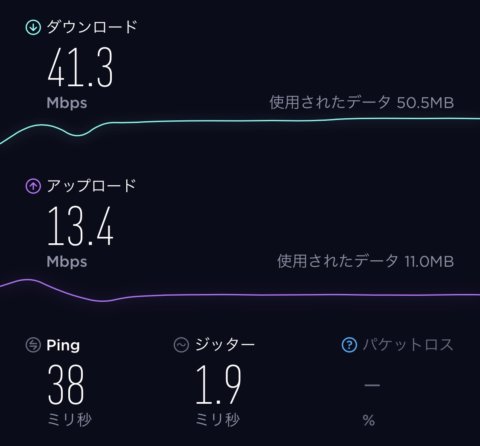
0:42 - Down: 41.3 Mbps Up: 13.4 Mbps
Fast. Maybe the line was free, but a ridiculous result came out. I thought it might be a mistake and re-measured, but it was the same.