Night Mode was newly introduced with the iPhone 11, so I went out and took some photos to see just how impressive it really is.
What Is Night Mode?
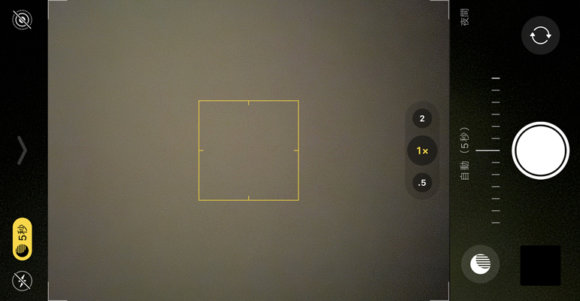
It's a feature that automatically turns on in dark scenes and, depending on how dark it is, captures the subject by holding the camera still for a few seconds — letting you take photos where the subject is clearly visible even in low light. According to Apple's official explanation, the camera takes multiple photos and the software corrects and combines them into a single finished image.
Comparing Photos Taken in Night Mode
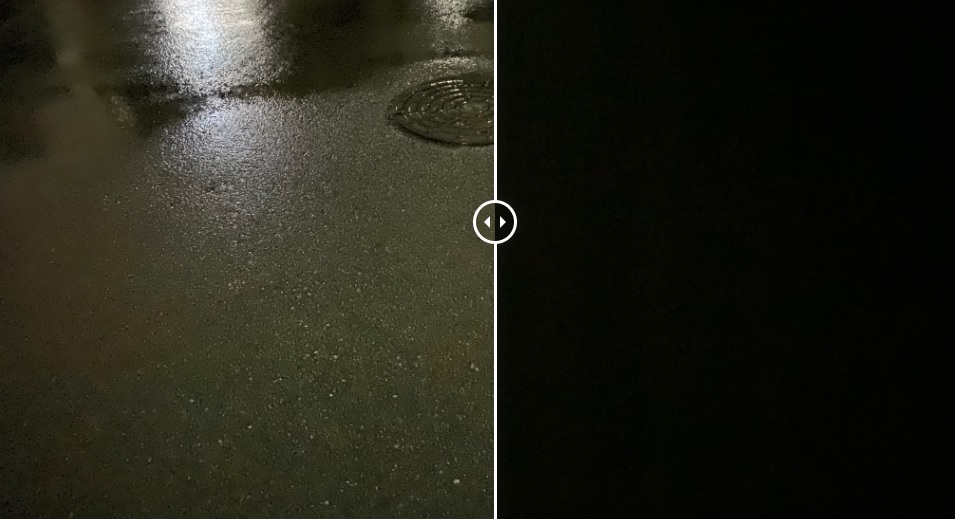
First, let's compare the photos. I took shots at night with Night Mode turned on and off. Move the slider left and right to check the difference. No edits have been applied to the images.
[twenty20 img1="3054" img2="3055" direction="horizontal" offset="0.5" align="right" width="100%" before="Night Mode: On" after="Night Mode: Off" hover="true"]
The difference is obvious at a glance. With Night Mode off, it's pitch black and you can't see anything, but with it on, you can clearly see what's in the shot.
[twenty20 img1="3053" img2="3052" direction="horizontal" offset="0.5" align="right" width="100%" before="Night Mode: On" after="Night Mode: Off" hover="true"]
Even in slightly brighter scenes, I was able to take a noticeably brighter photo.
And here's a shot taken after updating to iOS 13.2 with Deep Fusion enabled.
[twenty20 img1="3080" img2="3081" direction="horizontal" offset="0.5" align="right" width="100%" before="Night Mode: On" after="Night Mode: Off" hover="true"]
Nighttime Shooting Just Got More Fun!
Up until now, shooting at night with a smartphone camera has been tough, but with the arrival of this new Night Mode, the range of what you can do with photography has expanded even further!