The iOS 27 update Apple revealed at its June 8 keynote leans on speed and readability rather than flashy new features. It promises faster everyday actions such as app launches and AirDrop transfers, and it widens support all the way back to the iPhone 11, so older devices stand to gain the most. The release is expected this fall alongside the next iPhone, making this a noticeably quieter year than Apple's usual feature parade.
iOS 27 Puts Numbers Behind "Faster"
Apple framed this year's WWDC around three pillars: platform improvements, trust and safety, and Apple Intelligence. The performance story lives in the first pillar, and the keynote came with concrete figures. Treat them as best-case numbers, but the priorities are clear.
App launches are up to 30 percent faster, and photos appear in the camera roll up to 70 percent faster after you shoot them. AirDrop file sharing is up to 80 percent quicker, while Mail loads and Apple Music playback start sooner. The handoff from Wi-Fi to cellular is also smoother.
It is easy to get lost chasing the figures, but the real theme is that these gains come from polishing the foundation of the system rather than adding a single new feature. Apple chose to make existing actions lighter instead of piling on more of them.
Why Older iPhones Benefit Most
The most surprising part of the performance push is who gains the most: people still using older hardware. Apple reworked the CPU scheduler, the part of the system that decides which tasks run when, so aging devices feel less prone to stutters.
That change ties into the compatibility news. iOS 27 supports every model that ran iOS 26, which means the iPhone 11 and later still get the update. Keeping a generation this far into its life is generous support for a release at this stage.
If you own an iPhone 11, 12, or 13, the scheduler improvement is the feature to watch. It will not turn an old phone into a new one, but it can smooth out the small hitches that build up after a few years of use. For anyone hoping to keep a device another year, that is welcome news. Software tuning has limits, of course: a worn battery or a nearly full drive still calls for a hardware fix rather than a software update.
A Readability Fix for Liquid Glass and macOS Golden Gate
The most visible change is a rethink of the translucent Liquid Glass design. Introduced a year ago, it left many users feeling distracted, so Apple shifted the default look toward less transparency and added an opacity slider that lets you control how see-through the interface feels.
That slider matters more than it sounds. Lowering the opacity makes text easier to read over busy wallpapers and photos and reduces eye strain on smaller screens. If the look kept you from last year's update, this is the tweak that may bring you back. The same readability controls reach iPad and Mac, keeping the experience consistent across devices.
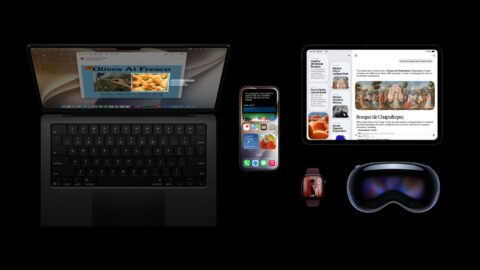
This year's Mac release is named macOS Golden Gate, following the move to number-based naming. It also favors calm and consistency over flash: toolbars look more uniform across apps, sidebars stretch to the edges of the window to cut clutter, window corners share a tighter radius, and many app icons were refreshed. None of this changes how a Mac works at a deep level; it smooths the rough edges that piled up across years of redesigns. Note that macOS Golden Gate continues the shift to Apple Silicon, so Intel-based Macs are left out.
A Rebuilt Search Engine, Plus Faster Transfers and Connections
iOS 27 rebuilds the foundation of search across iOS, iPadOS, and macOS. Spotlight, Mail, and Photos now run on the same engine, which Apple says is more stable and efficient than before. The practical payoff is speed and freshness: a photo you just took or a document you just saved gets indexed almost immediately, so results keep up with reality. This kind of plumbing rarely makes headlines, but trusting the search box instead of digging through folders saves real time over a year.
Apple also sharpened how devices share data and stay connected. AirDrop is up to 80 percent faster, which helps when moving large videos or photo libraries. The switch to cellular when you leave Wi-Fi range should feel smoother, with fewer stalled loads. Messages now shows a delivery progress bar, so you can tell when a large attachment is still sending. iCloud shared albums now support full-resolution images and work with Android and Windows users, so families and teams spanning different devices all see the sharp version instead of a compressed copy.
Summary
iOS 27 is an update that chooses to lighten existing actions rather than compete on feature count. Faster app launches, quicker photo handling, a major AirDrop speedup, the Liquid Glass readability fix, and the CPU scheduler tweak all show care for older iPhones, while macOS Golden Gate brings the same calm polish to the Mac. It is expected to ship this fall alongside the next iPhone. If your device qualifies, it is an easy update to recommend; if you are on an Intel Mac or a well-worn iPhone, this is a natural moment to plan an upgrade.