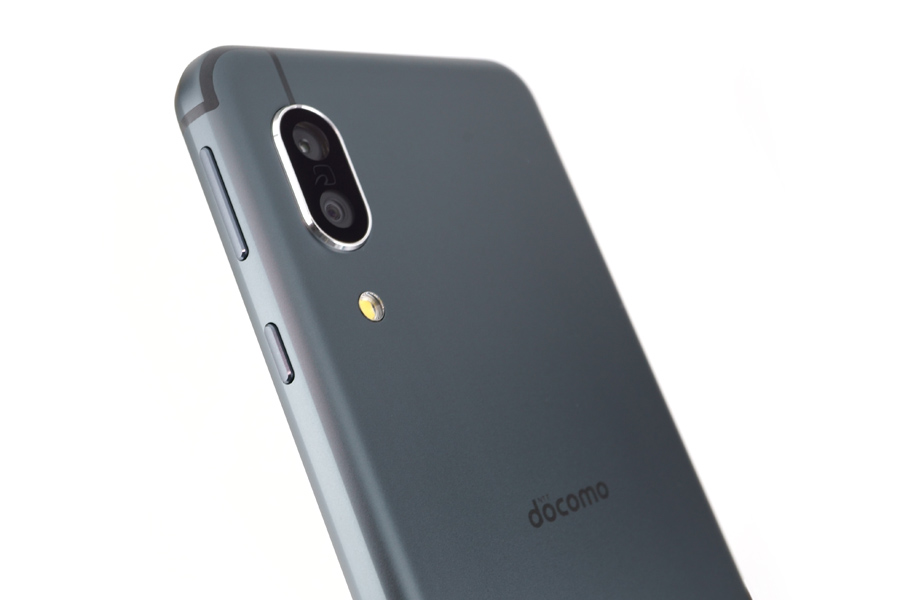
I got my hands on the "AQUOS sense 3," a SHARP-made Android smartphone with an IGZO LCD, so let's dive into a hands-on review!
It's a mid-range smartphone priced at around 35,000 yen (about 230 USD), packing a Snapdragon 630 CPU and a 5.5-inch IGZO LCD. The AQUOS sense 3 actually grabbed the No. 1 spot in the popular smartphone rankings on kakaku.com in February 2020, and it's been a hit ever since. It's a great match for budget SIMs, but it also has more than enough horsepower to serve as your main phone. So what's actually changed from its predecessor, the sense 2? Let's take a closer look.
Spec Comparison Table
| AQUOS sense 2 | AQUOS sense 3 | |
|---|---|---|
| Display | About 5.5-inch IGZO LCD, 1080×2160 | About 5.5-inch IGZO LCD, 1080×2160 |
| SoC | Qualcomm Snapdragon 450 — 1.8GHz × 8 cores | Qualcomm Snapdragon 630 — 2.2GHz × 4 cores + 1.8GHz × 4 cores |
| Memory | 3GB | 4GB |
| Initial OS | Android 8.1 | Android 9 Pie |
| Battery | 2,700mAh | 4,000mAh |
| Storage | 32GB | 64GB |
| Connectivity | Max 150Mbps DL / 50Mbps UL / VoLTE / Wi-Fi 5 / Bluetooth 4.2 / Felica / GPS | Max 350Mbps DL / 75Mbps UL / VoLTE / Wi-Fi 5 / Bluetooth 5 / Felica / GPS |
| Rear Camera | 12MP CMOS | 12MP CMOS standard + 12MP CMOS wide-angle |
| Other | Fingerprint sensor / Hi-Res audio / microSDXC (up to 512GB) | Fingerprint sensor / Hi-Res audio / microSDXC (up to 512GB) |
| Size | About 148mm × 71mm × 8.4mm | About 147mm × 70mm × 8.9mm |
| Weight | About 155g | About 167g |
| Water/Dust resistance | IPX5,8 / IP6X | IPX5,8 / IP6X |
How Has It Changed from the AQUOS sense 2?
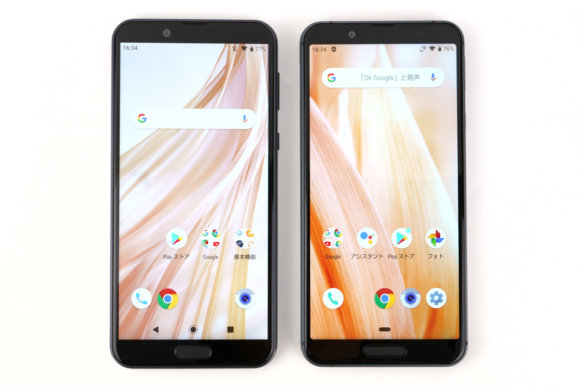
Lining them up like this, you can hardly tell the difference, right? On the front, the edges of the display are now rounded, and the fingerprint sensor has gotten a bit bigger. The positions of the front camera and ambient light sensor have also moved, so you can't reuse the same screen protector. Display quality looks great on both, probably thanks to the IGZO LCDs — that's AQUOS for you. Now let's flip them over.
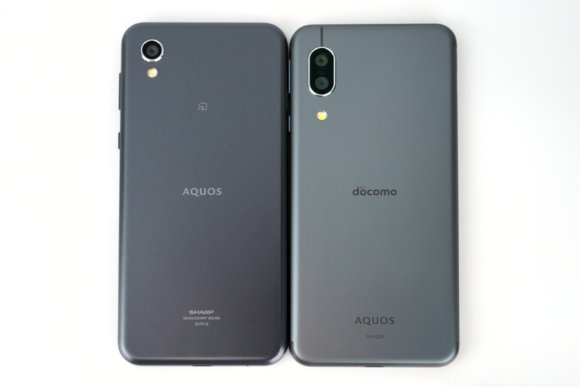
The first thing that catches your eye is the camera difference. The sense 3 now has a dual camera, so wide-angle shots are possible. Should come in handy for landscape photography. Both phones come in black, but the sense 3 has a slightly grayer tone with a more metallic feel — feels like a small step up. Stack them together and they look like this:
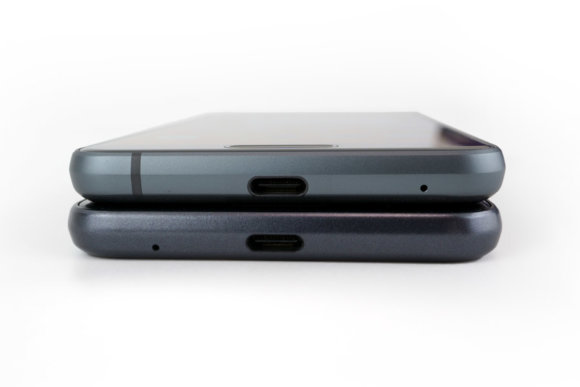
The sense 3 is just a touch thicker. The spec sheet shows only about a 0.5mm difference, so you really can't tell unless they're side by side. Body weight is also up by 12g, so the sense 3 does feel a bit heavier in hand. Both use USB-C charging ports, so you don't need to worry about flipping the cable. You can also reuse the iPad Pro charging cable and 18W AC adapter, and it supports fast charging.
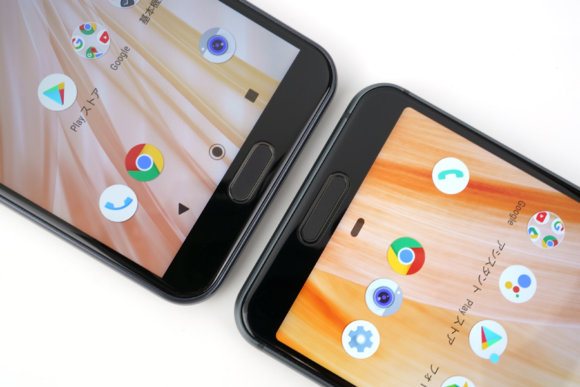
The slightly larger fingerprint sensor, just like on the sense 2, supports gestures for the "back" key in addition to the "home" key. Onscreen buttons become unnecessary, so if you want as much screen real estate as possible, it's worth setting up. That said, since it's just a fingerprint sensor and not a clickable button, it doesn't respond when you're wearing gloves — a bit of a bummer. Thick screen protectors also make it slightly harder to press, so when you're using the sensor, go for a thinner protector.
I Took Some Wide-Angle Shots

Here's a photo taken with the new wide-angle camera.
You can see it gives a slight fish-eye look. Useful when you want to capture a scene dynamically. And here's a photo taken with the standard camera.

The angle of view is narrower compared to wide-angle.
Trying AI Auto and Manual Shooting
With AI Auto, the camera automatically adjusts settings to match the scene, so you can take photos with no fuss. Here's a shot taken with AI Auto + the wide-angle camera.

It automatically makes the photo look nice. That said, depending on the subject, you can get blown-out highlights.
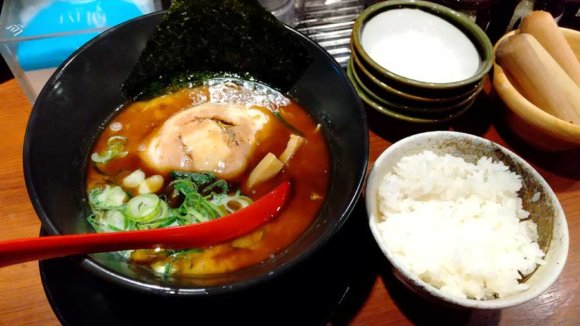
In some scenes, the manual mode — where you can tweak various settings yourself — is the way to go. This mode allows for a wider range of expression.
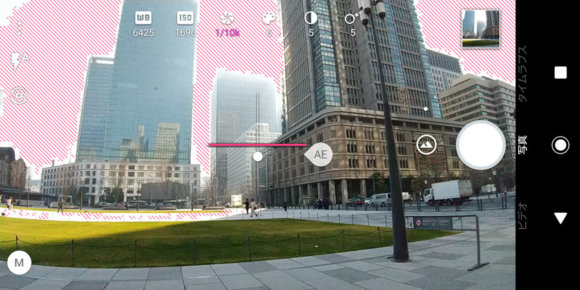
You can adjust saturation, ISO, and shutter speed, broadening your photographic possibilities. For example, you can shoot something like this:

I went for a vintage monochrome look.
How's the Performance? I Ran Some Benchmarks
The Snapdragon 630 is a mid-range CPU, so it falls behind high-end phones with chips like the Snapdragon 855, but it's far from being too slow for daily use — it has plenty of horsepower for everyday tasks.
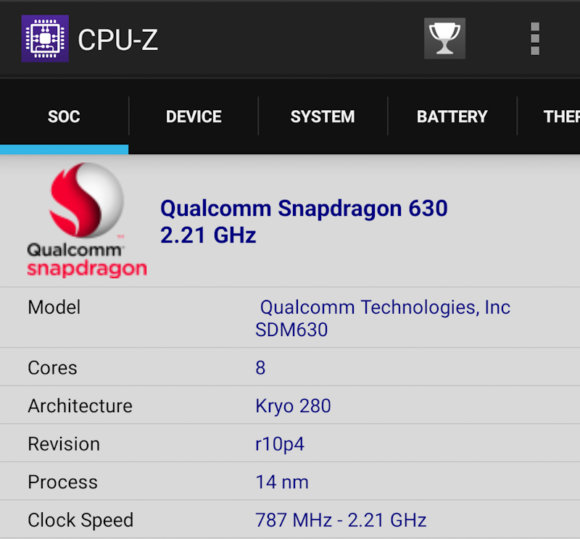
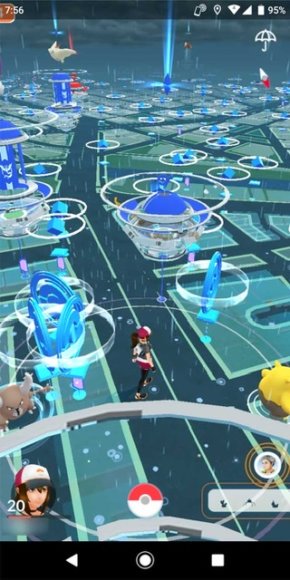
With its 8-core CPU and 4GB of memory, games run just fine. "Pokémon GO" and "Dragon Quest Walk" of course, and 3D games like "Call of Duty" and "PUBG Mobile" should also work.
Here are the results from popular benchmark apps:
Geekbench 5
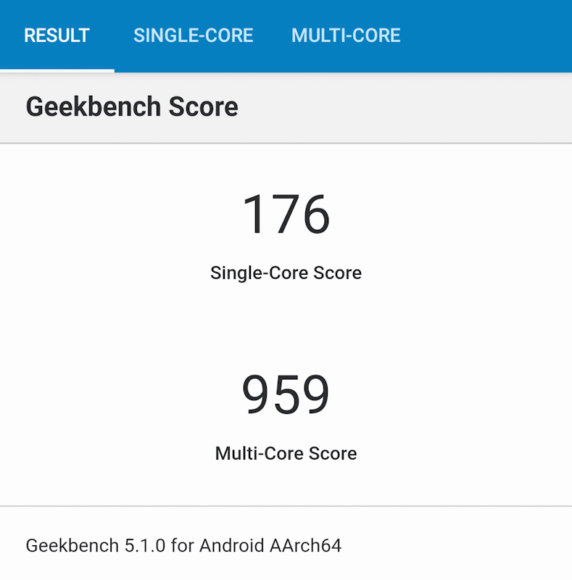
Single-core score was 176, multi-core was 959. For reference, the sense 2 scored 152 single-core and 958 multi-core. So on this benchmark, the multi-core score is basically the same as the previous model. The Snapdragon 835-powered SONY Xperia XZ1 scores around 370+ single-core, which means this is about half of that. Naturally, the Snapdragon 6xx series can't quite compete with the 8xx series.
Antutu Benchmark
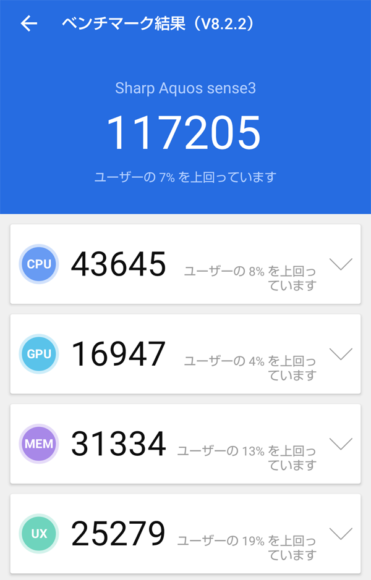
The total score came out to 117,205. The previous model sense 2 with the Snapdragon 450 scored 82,852, so the CPU upgrade is paying off as expected.
Can It Handle Slightly Heavier Games?
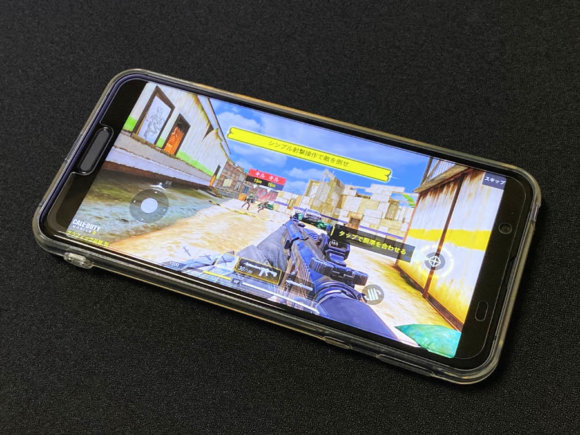
Call of Duty runs with no problem.
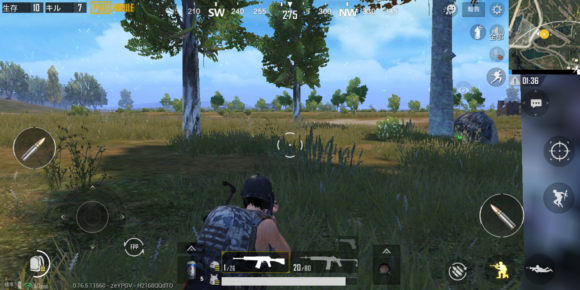
PUBG Mobile is supported up to standard graphics. It's not exactly smooth, but I was able to enjoy a match.
A Solid Pick as Your Main Smartphone
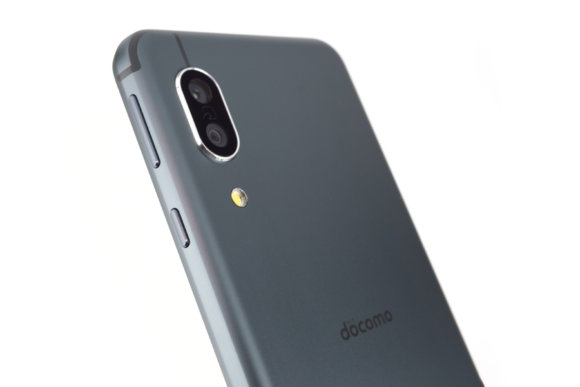
With its boosted performance over the previous model, the AQUOS sense 3 is even more comfortable to use, and it's well-suited for both work and play. It supports water and dust resistance, so kitchen use is OK. It's also Osaifu-Keitai compatible, so you can use Google Pay with Suica, nanaco, Mer-Pay, and various other payment methods, which is great for cashless fans too.
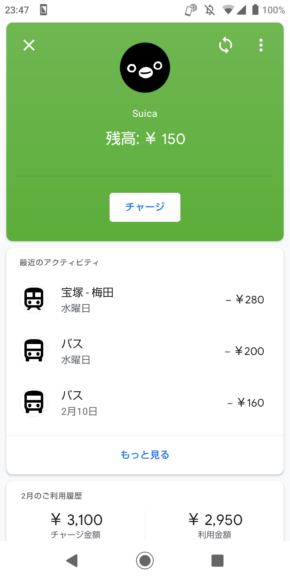
If you register Suica with Google Pay, you can pass through ticket gates even when the phone is asleep. (Regular Suica has an annual fee, but it's free if you go through Google Pay.)
Go for the SIM-Free Version!
Carrier-sold devices come loaded with a mountain of apps that most people will never use, so if you want to use that precious storage space for your own stuff — or if you don't want the d〇como logo on the back — the SIM-free version sold on Amazon is the way to go. It's available in three colors: Black, Silky White, and Light Copper.
The SIM-free version has the same specs as the carrier version. There's no annoying SIM-lock removal process, so you can use it right out of the box. Or, you could also try snagging a SIM-unlocked unit cheap on auction sites — that's an option too!