

This article walks through the steps for the Steam version. If you use Razer devices, you're probably already familiar with "Razer Synapse" — and apps like it that control your peripherals come with a handy feature: when a specific app launches, they can call up a profile and switch to a DPI tuned for the game. Normally, when you buy a game and install it on your PC, the device control app automatically picks up the game's .exe file, making it easy to link a profile. In my case, however, "Cyberpunk 2077" didn't show up under "Linked Games."
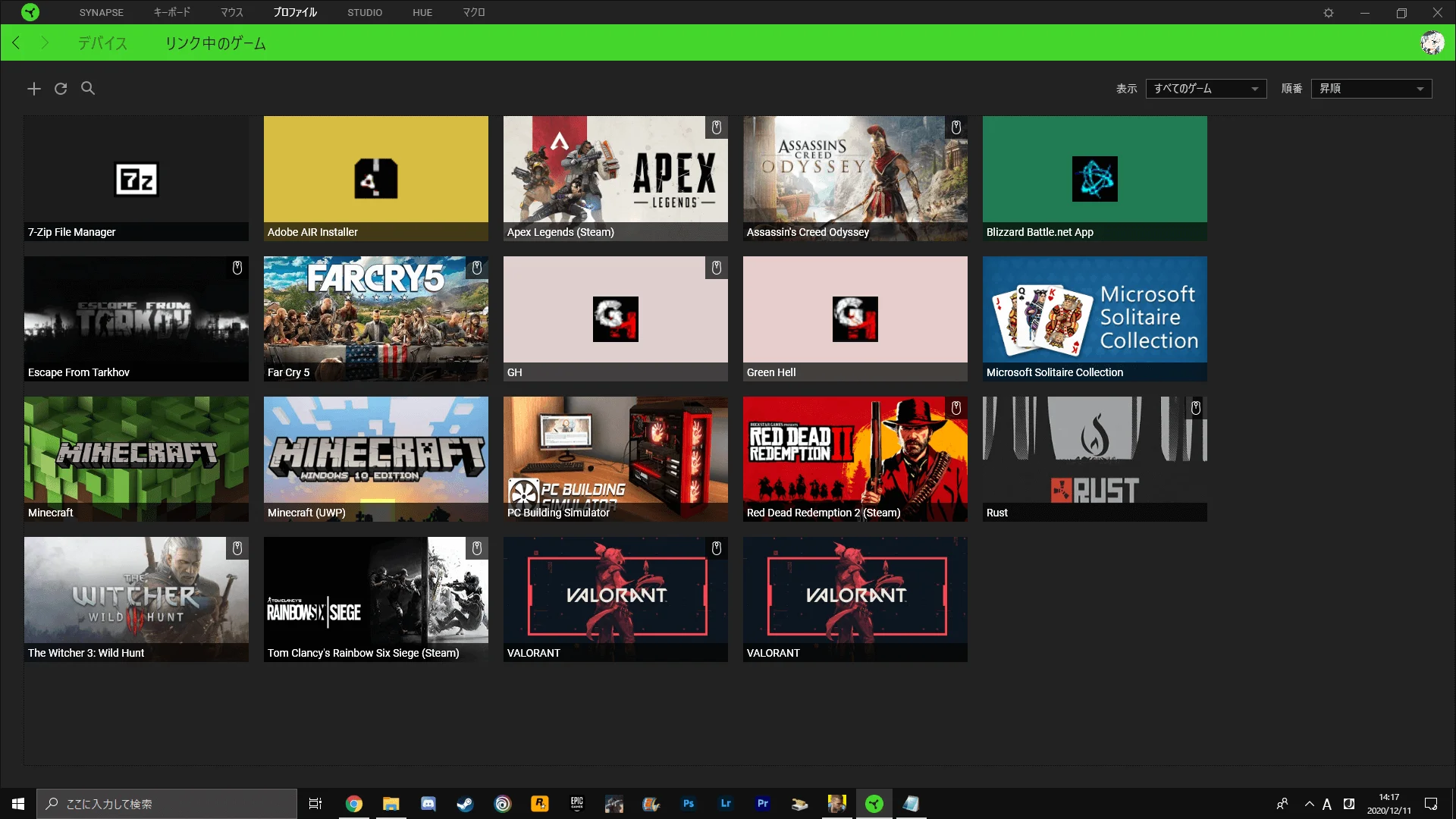
It seems that, at the time of writing, "Cyberpunk 2077" has a different file structure from other games, so you have to set it up yourself. Launch Razer Synapse, go to "Profiles," click the "+" button at the top left of "Linked Games," and when "Discovered Games and Programs" appears, click "Browse."
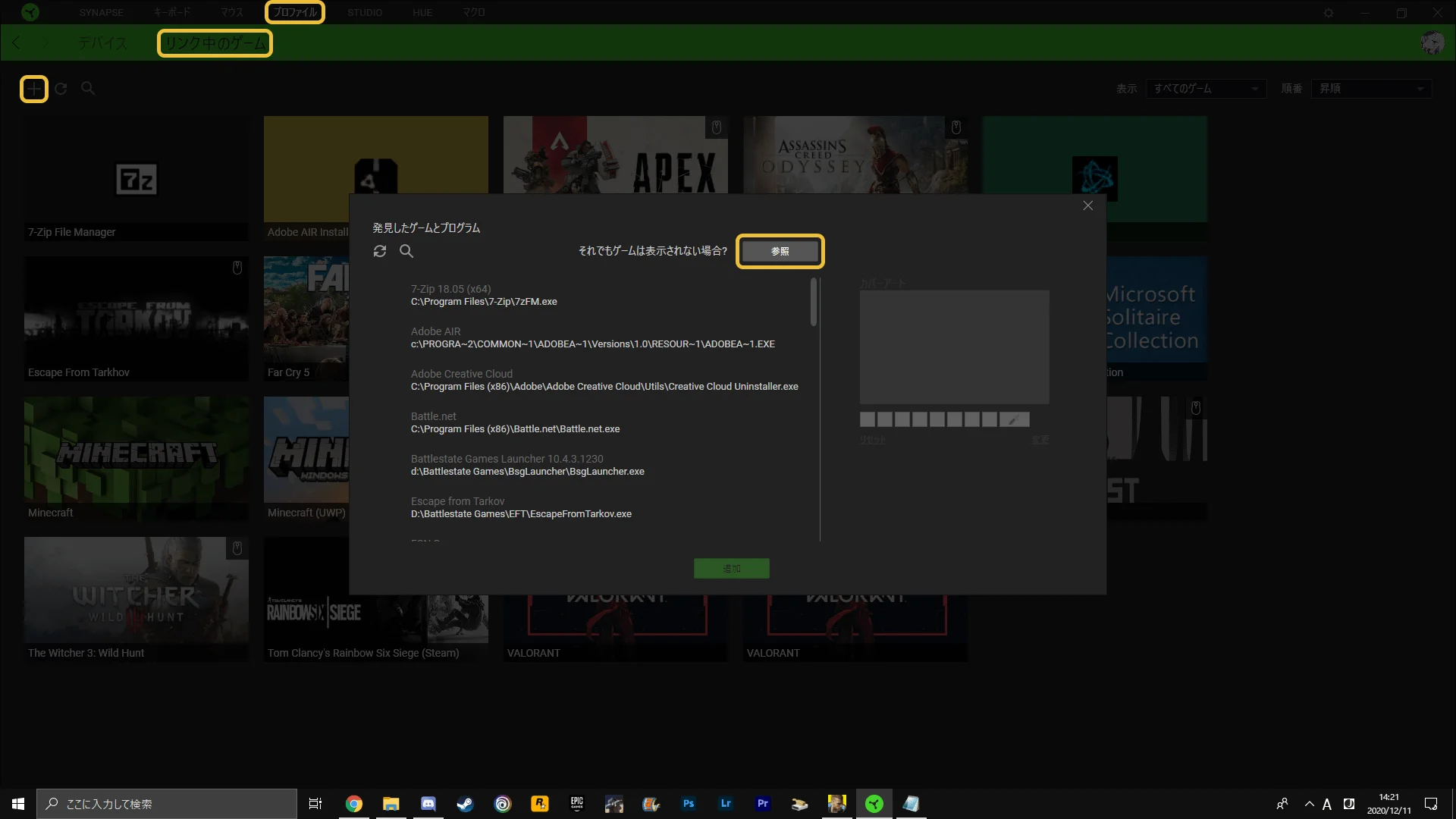
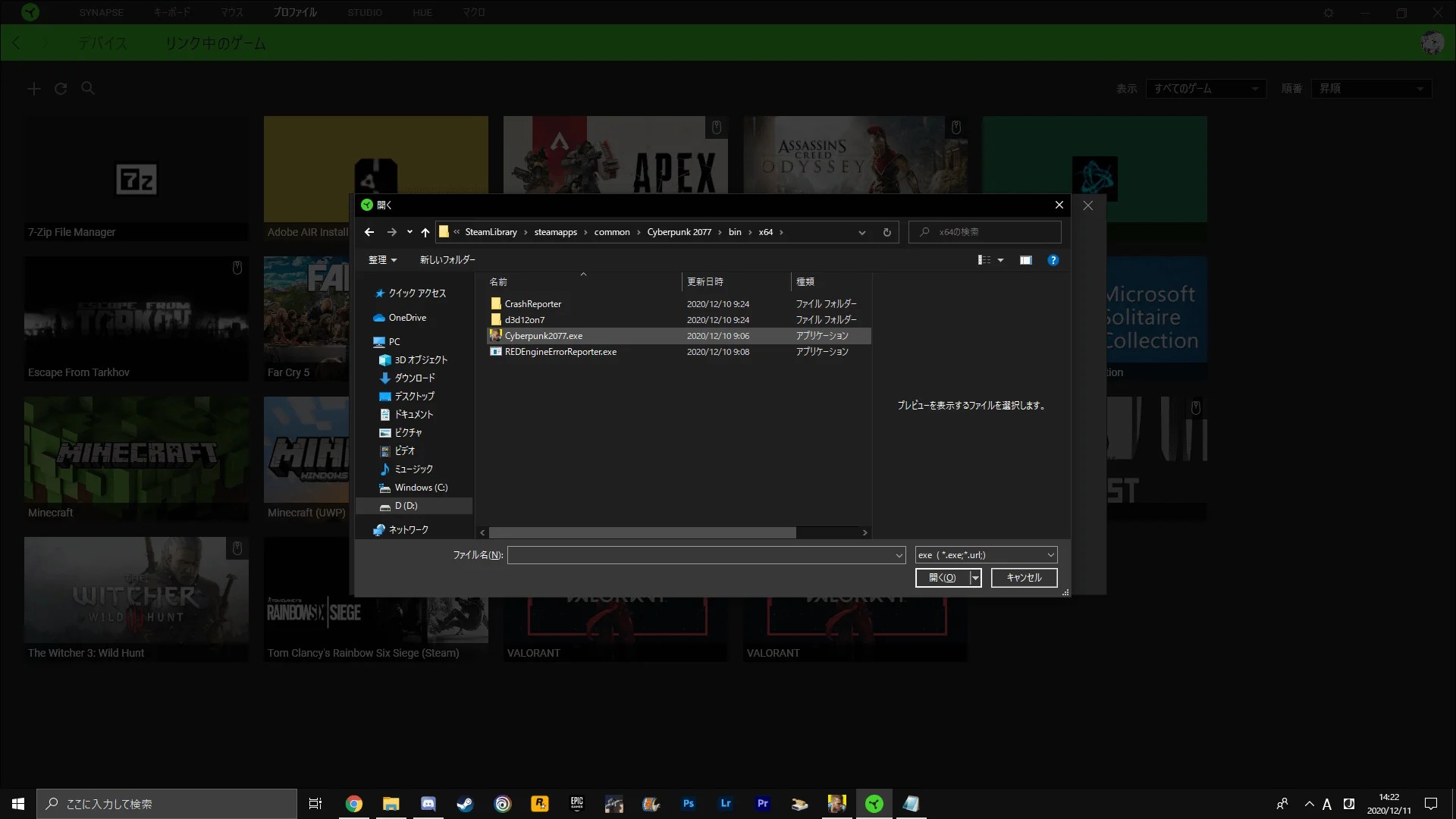
C:\Program Files(x86)\Steam\steamapps\common\Cyberpunk 2077\bin\x64
In the folder above, select "Cyberpunk2077.exe."
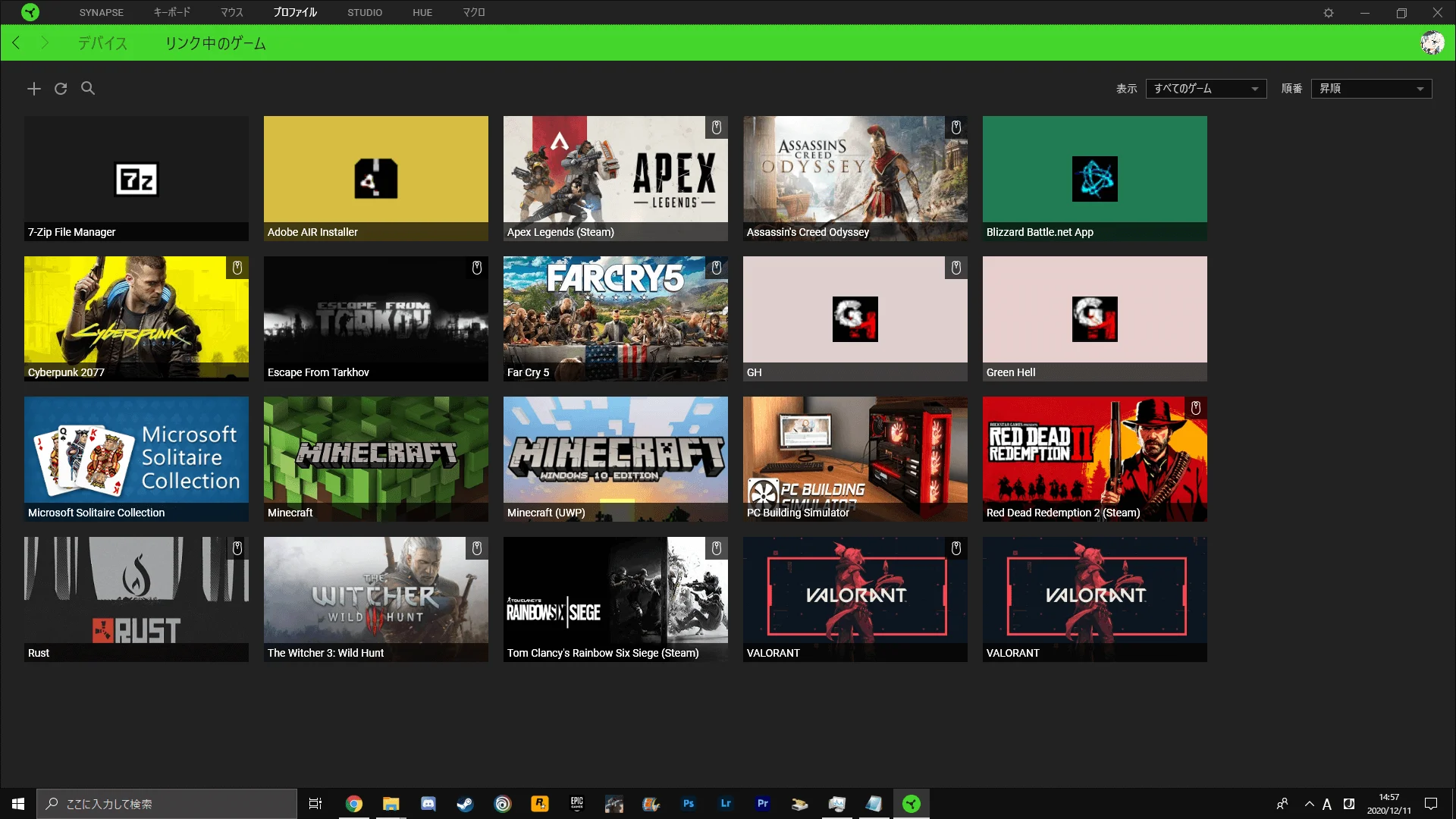
"Cyberpunk 2077" will now appear under "Linked Games."
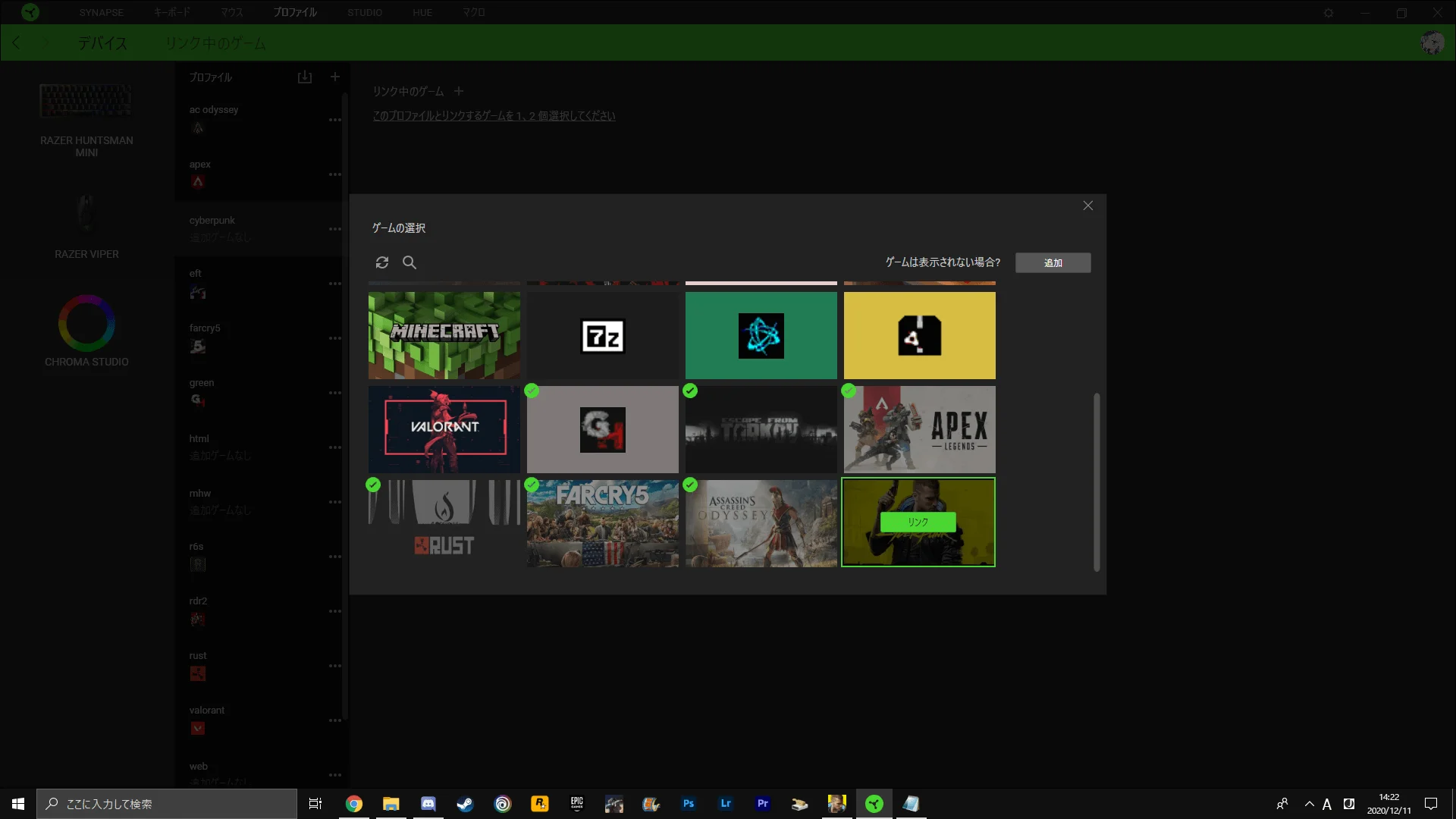
After that, in "Profiles," select "Devices," pick the profile you want to link to "Cyberpunk 2077," and hit "Link."
This makes it so the profile is only loaded while "Cyberpunk 2077" is running, letting you play comfortably. Have a good cyberpunk life.
Update on February 7, 2025: The PS5 version is here.