When browsing used iPhones and iPads on auction sites, you'll often see a 15-digit IMEI number listed in the description. The IMEI is essentially a unique ID for the device, and with that number you can check things like whether the device is under any carrier restrictions (au, docomo, etc.) or how much warranty is left. Hopping between multiple sites to look all of this up one by one is a hassle, so this time I'd like to introduce iunlocker.net — a site that lets you check AppleCare enrollment, warranty period, Find My iPhone status, and more all from the IMEI in one shot.
Look it up by entering the IMEI
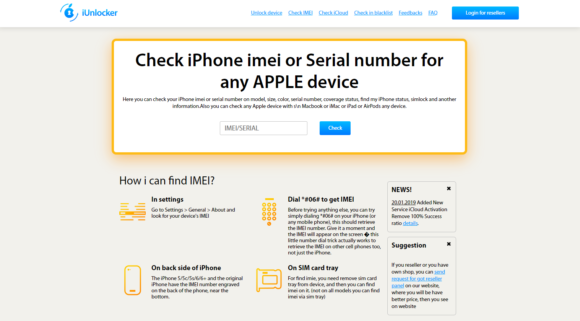
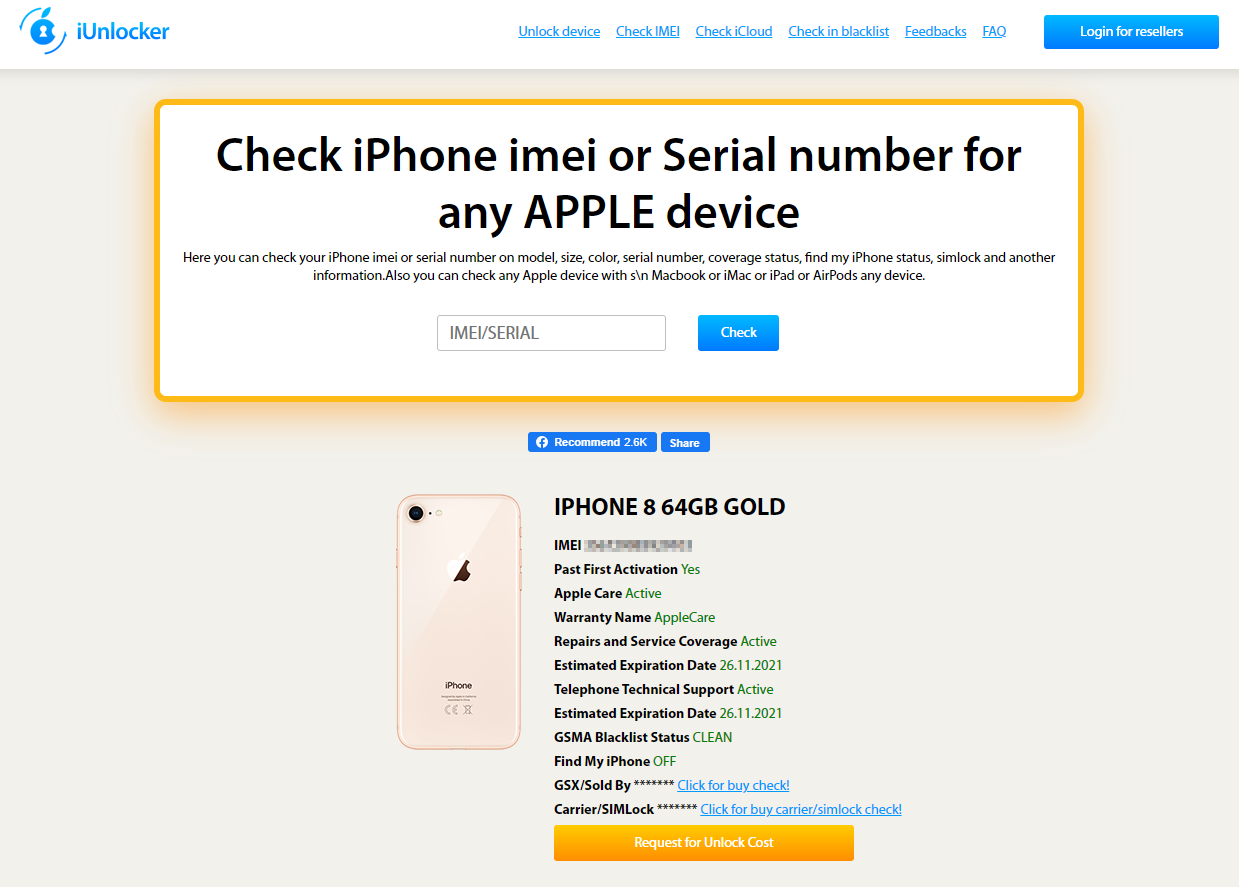
When you open iunlocker.net, you'll see a field for entering either the IMEI or the serial number. Type one of them in and press "Check."
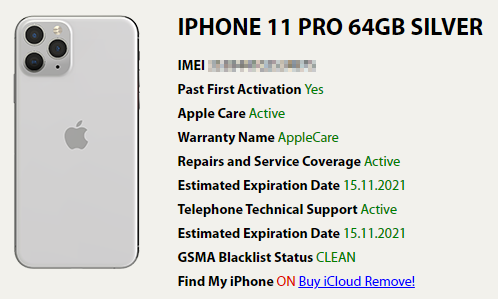
After a short wait, the device's information is shown as a list. From the top, the items are:
- Initial activation
- AppleCare enrollment status
- Warranty type (AppleCare / Limited Warranty / Out Of Warranty)
- Repair coverage (Active / Expired)
- Estimated warranty expiration date (day/month/year)
- Phone support
- Estimated support expiration date (day/month/year)
- Network usage restriction status
- Find My iPhone
That covers most of the information you'd want. Taking the image above as an example, you can see that the device is enrolled in AppleCare, has warranty coverage through November 15, 2021, and that Find My iPhone is on. As for the GSMA Blacklist Status (network usage restrictions), I tried it on a domestic device and even a △ status showed up as "CLEAN" here, so for that I'd recommend using a dedicated tool like the Network Usage Restriction Checker instead.
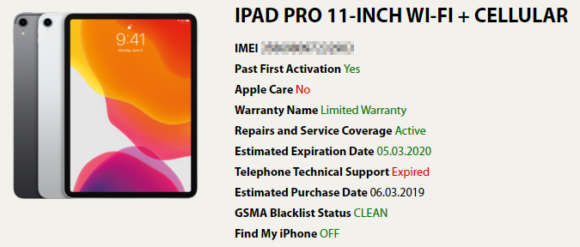
iPads can be looked up the same way. From the image you can tell that this one has Limited Warranty remaining until March 5, 2020, and that Find My iPhone is off. It's reassuring to know some warranty is left in case repairs are needed.
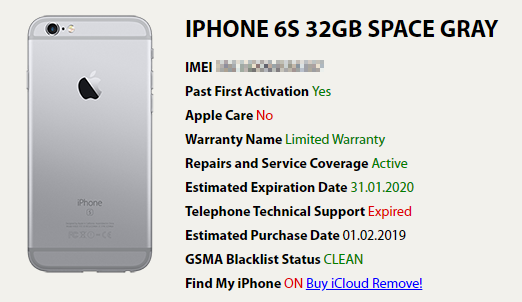
Older models like the iPhone 6s could be checked just as well.
A handy reference when buying on auction sites
When you're buying through an auction or similar, make sure to look up the device's information beforehand. In particular, if Find My iPhone is on, the device can't be used until it's deactivated, so checking ahead of time helps you avoid trouble. Warranty status can also differ between devices listed at the same price, so it's handy to use as a reference point when deciding what to buy.