If you've only ever used Windows, file permissions probably aren't something you've thought much about. But every file actually has a permission setting that controls who can do what with it.
What Are Permissions?
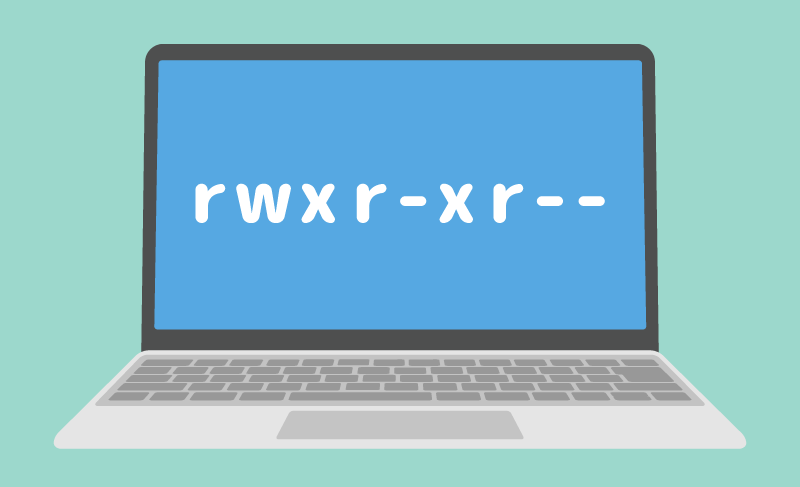
Permissions are written either as a 3-digit number or in letters. For example, you'll see numbers like "644" or "777", or letter notations like "rw-r--r--". If you've ever run a website, you've probably seen something like this in your FTP client.

It's a bit confusing at first, but a permission is just a way of describing "who" can do "what" with a file.
Permission Basics
What "r w x" Means
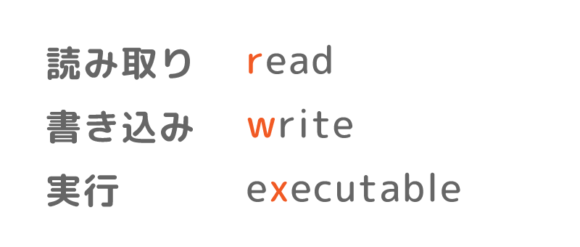
When permissions are written in letters, you'll see combinations of "r", "w", and "x". These stand for:
- read
- write
- executable
You might be thinking, "Why is executable abbreviated as 'x' instead of 'e'?" — but some bigwig decided it long ago, so there's nothing we can do about it.
As you can see, each letter represents an action like reading or writing. For example, if the permission shows "r", you can think, "Ah, this can be read." A "-" (hyphen) means that permission has not been granted. So if you see "r--", that means "you can read it, but don't write to it or execute it."
By the way, if it's "---" (all hyphens), it literally means "don't look, don't change, don't execute" — you can't do anything at all with it.
There Are Three Targets
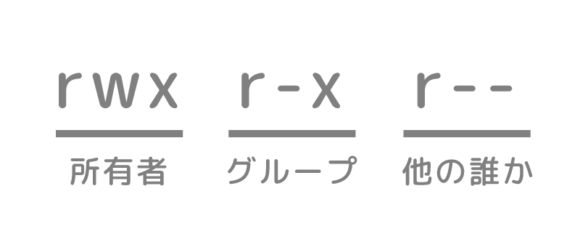
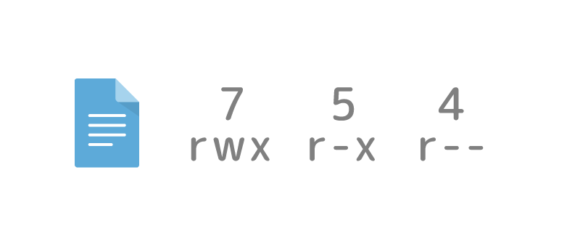
Permissions are usually written as 9 characters, like "rwxrw-r--". You split this into groups of three characters, and each group represents the permissions for:
- the owner
- the group
- everyone else
When we say "owner", it might not feel familiar in everyday PC use, but in fact every single file has information recorded about who its owner is. This is so other people can't open or modify important files without permission. That said, it would be a hassle if only the owner could ever touch a file, so there's a system called "groups". For example, you can create an "admin" group and add users to it, and then anyone in that group can access the file even if they aren't the owner. And "everyone else" literally means people who are neither the owner nor a member of the group.
Writing It as Numbers
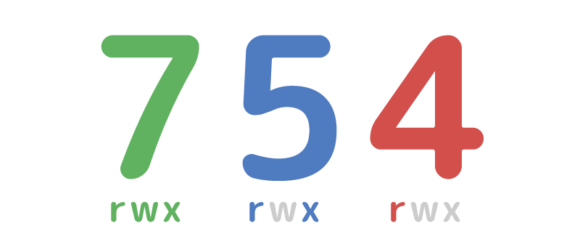
When you write permissions as numbers, all you have to do is memorize the numbers and add them up.
- r is 4
- w is 2
- x is 1
That's how the numbers are assigned, so you just add them up based on the permissions. By the way, "-" (hyphen) is 0. "rwx" adds up to "7", and "rw-" is 4+2, which is "6". So, for example, "754" means the same thing as "rwxr-xr--".
Why Are Permissions Necessary?
Without permissions, to put it bluntly, anyone could mess with files however they wanted, which would cause huge problems for servers, PCs, and even smartphones around the world. For instance, on a web server, someone could rewrite the public HTML files and redirect visitors to a suspicious site. That's why setting permissions correctly is so important — it's a basic part of security.
An Example of Web Server Settings
When you set permissions on a web server that's accessed by lots of people, appropriate settings are required. Below is an example of permission settings in a "WordPress" directory.
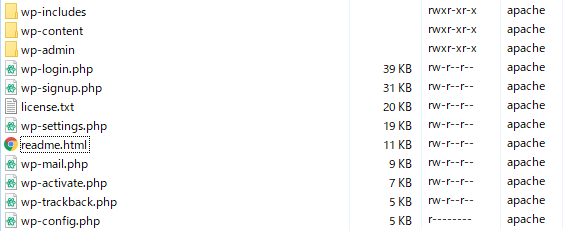
Regular files are set to "644 (rw-r--r--)", and wp-config.php — which contains important things like passwords — is set to "400 (r--------)". Basically, anyone who isn't the owner can't change or execute the files.
Summary: Proper Permission Settings Are Essential
Setting permissions appropriately can improve your security. However, just setting permissions doesn't make things safe — it relies on other security practices being in place too, so you need to be careful.